SquareLine Studio Flat Export: Reconcile the Generated File List with the Native Build
Changing SquareLine Studio's Flat export setting changes where generated files live. It does not automatically rewrite every source path, wildcard or IDE project entry in a custom firmware build. A migration can therefore compile only part of the new UI, or compile old and new copies together.
Handle the change as a source-set migration. The acceptance criterion is that the native build consumes the intended files from one current export, with neither missing inputs nor stale duplicates.
Identify which build rule owns generated sources
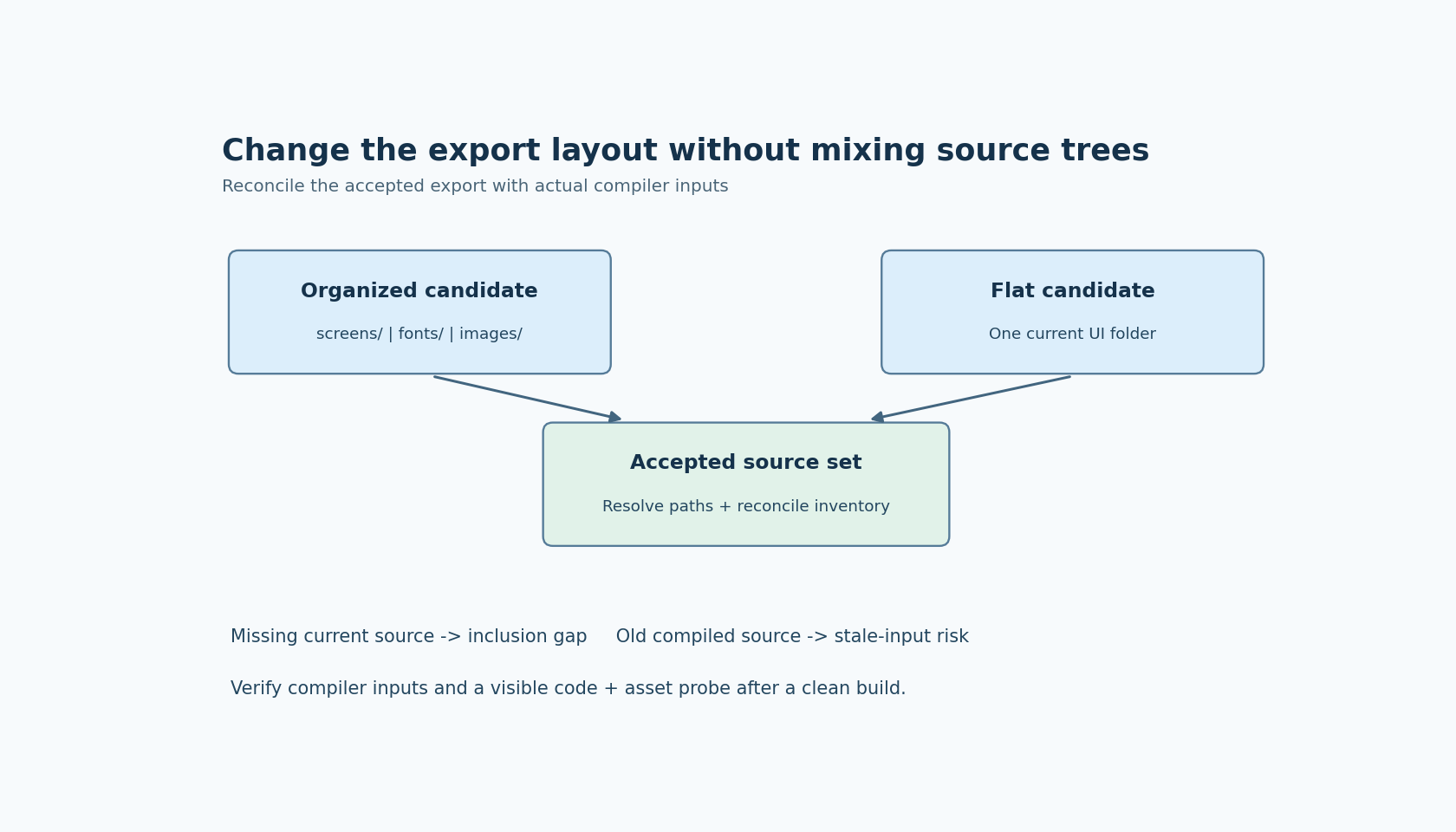
The official Project settings documentation says Flat export places UI files in one directory instead of organizing them into subdirectories such as screens, fonts and images. The same visual design can therefore require different path references after export.
Before toggling the setting, find the build mechanism that includes the UI. It might use a generated CMake integration, an explicit source list, directory discovery or IDE-managed entries. Record the actual mechanism rather than assuming a platform name implies one universal rule.
The development workflow reference describes generated CMake integration and a newline-separated filelist.txt listing C sources. Those are useful evidence about the generated output. They do not prove that a custom build reads either file, or that an old IDE configuration has been refreshed.
Keep handwritten application sources distinguishable from generated inputs. Otherwise, a comparison may mistakenly propose removing a hand-maintained adapter simply because it is absent from the generator's list.
Compare two fresh exports of the same saved design
Make one directory-organized export and one flat export into separate, newly created destinations. Use the same saved project and exporter version. Do not overlay the second output onto the first; that would make stale files part of the experiment.
Inventory the paths in each destination. Inspect filelist.txt if it is present and determine how its paths are interpreted in this export. Resolve them against the appropriate export root before comparing them with build inputs. Avoid guessing whether a path is absolute or relative from examples found in another project.
Choose a representative design containing at least one screen, component, custom font and image. A project with only ui.c can make a nonrecursive discovery rule look sufficient because there are no meaningful nested assets to omit.
For each source in the generated list, confirm that the file exists at the resolved path. For each generated C file outside that list, investigate its role rather than automatically treating it as required or unwanted. The exporter version and selected options determine the relevant output contract.
This article uses documentation labeled SquareLine Studio 1.6.2. The migration procedure is proposed; no SquareLine-generated project has been built here.
Reconcile the compiler's inputs, not only project settings
Obtain the source paths actually passed to the compiler through verbose build output, a compilation database where available, or the build system's equivalent inspection facility. Restrict the comparison to the generated UI portion so unrelated application files do not create noise.
There are two useful differences. A current generated source absent from the actual build may indicate an omitted image, font or screen. A compiled generated source absent from the accepted export may indicate a stale directory, duplicate project entry or leftover discovery path.
Normalize paths before comparison. The same source might appear through different relative paths or build-directory prefixes. Where the build permits it, resolve paths consistently; separately flag unexpected copies with identical content under different source locations.
Do not reduce the audit to duplicate basenames. Different directories can legitimately contain similarly named files, and a stale copy can have a different name. Track both location and the logical generated object or symbol involved when investigating a mismatch.
Use a visible change to expose the wrong source tree
Make a harmless, recognizable design change before the final migration export. For example, change a diagnostic label caption and replace one small test image with a clearly marked revision. Keep the production meaning unchanged during this probe.
After rebuilding, verify both changes in the integration. A caption proves that some screen code was refreshed; the image proves that the asset path was also refreshed. Neither alone establishes that all generated inputs are correct, but together they can expose a build still using different generations for code and assets.
If the build succeeds but the probe stays old, inspect the compile inputs before re-exporting repeatedly. Successful linking is compatible with compiling the wrong valid source tree. Likewise, a duplicate-symbol error is useful evidence about inclusion, not necessarily a problem in SquareLine's generated declarations.
Retire the old layout deliberately
Once the new source-set comparison and runtime probe pass, remove the old layout from the active build configuration. Preserve the prior accepted artifact through ordinary version control or release storage rather than leaving both trees eligible for discovery.
Repeat a clean build using the team's normal definition of clean. Then check the source inventory again. An incremental build can retain objects that conceal a missing compilation rule; a clean rebuild tests whether the configuration can reconstruct the accepted integration from its declared inputs.
Keep the migration review concise: old and new export layouts, the build rule changed, source-set differences resolved, and evidence from the visible probe. Flat export is then an intentional packaging choice with an auditable build boundary, rather than a folder rearrangement that happens to compile on one workstation.