EEZ Studio Eval JS Templates: Separate Flow Placeholders from JavaScript Syntax
EEZ Studio Eval JS combines two expression languages. Its outer text is JavaScript, while brace-delimited pieces can refer to EEZ Flow expressions. A JavaScript expression that works in a console can therefore fail earlier when EEZ's placeholder expansion interprets part of that text as a Flow expression.
The Eval JS reference documents this template-literal facility. The detailed expansion below is from EvalJSExprActionComponent in the pinned editor source, EEZ Studio v0.29.0 commit 3000161d09d40a5c1dc2477ddc30b38037b3a612.
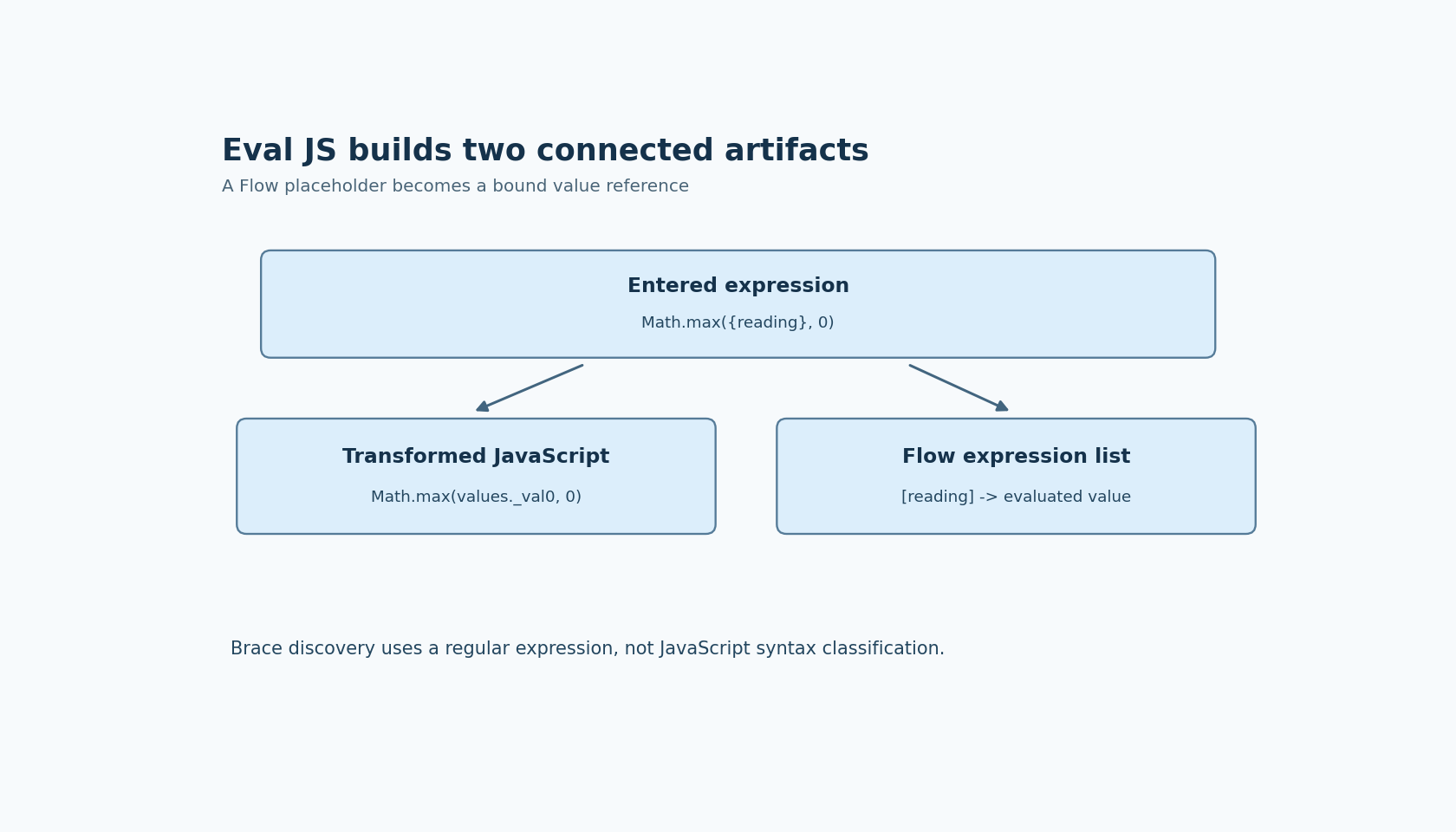
The important debugging artifact is not just the text entered in the property editor. It is the transformed JavaScript together with the separate list of compiled Flow expressions.
Values cross the boundary as bindings
For a straightforward expression such as Math.max({reading}, 0), the editor identifies reading as a Flow expression. It places that expression in a value-expression list and replaces its placeholder with a reference such as values._val0.
At execution, the Dashboard action obtains the evaluated expression-list values and creates the corresponding entries in a values object. It then evaluates the transformed JavaScript and propagates its result.
This explains why a Flow variable is not automatically a JavaScript lexical variable with the same name. Writing reading without the documented placeholder does not perform that Flow lookup. Conversely, adding quotes around a placeholder changes the JavaScript context in which the replacement appears.
For example, a placeholder inside a JavaScript quoted string can become literal characters naming values._val0, rather than a reference evaluated as a value. Inspect the transformed source when diagnosing that distinction instead of repeatedly changing the Flow variable's type.
The brace scanner is not a JavaScript parser
The pinned expandExpressionForBuild method uses a regular expression to find brace-delimited candidates. It does not first parse JavaScript and classify braces as object literals, function blocks or placeholders. Its candidate capture also requires more than a single character and excludes whitespace as the first captured character.
Those details create useful boundary cases. A multi-character placeholder such as {reading} is a better initial fixture than a one-letter name. An ordinary JavaScript object literal containing braces may be discovered as a candidate Flow expression. Quoted braces are not automatically protected by JavaScript string syntax during this earlier scan.
Do not treat spacing tricks as a stable escaping interface. A string that happens to avoid one regular-expression match in this commit may fail under a different placeholder or editor implementation. Prefer a simple expression with unambiguous Flow references, and move substantial JavaScript construction into a deliberately supported integration boundary when the template becomes difficult to audit.
There is a second source-level limitation worth checking for complex placeholders: the replacement expression is itself constructed as a regular expression from the captured Flow expression. The code shown does not escape every regular-expression metacharacter in that text. A simple variable placeholder and a more elaborate indexed or arithmetic expression should therefore be tested separately.
Separate build-time and evaluation-time failures
The editor compiles the extracted Flow expressions independently. A problem in one of those expressions can appear while building the project, before the transformed JavaScript is evaluated. The execution path, by contrast, wraps eval and result propagation in a try/catch and reports JavaScript exceptions through the component's error mechanism.
That separation helps classify a failure. If an object-literal fragment appears in the extracted Flow list, investigate template expansion. If the list is correct but the transformed JavaScript contains a literal reference inside quotes, investigate JavaScript context. If both are correct, inspect the runtime values and the specific evaluation exception.
Do not use this component to evaluate untrusted program text. The inspected implementation calls eval; this template mechanism is not evidence of a security sandbox.
A small expansion audit is enough
Start with one numeric Flow variable and Math.max. Inspect the expanded source and its one expression-list entry. Then compare a quoted placeholder and a small JavaScript object-literal case in a disposable project, recording which stage rejects or changes each form.
These are proposed checks, not executed results. Keep the exact editor commit with the observation because the analysis depends on its scanner and replacement code. The practical goal is to make the language boundary visible: Flow supplies values, and the remaining transformed source must still be the JavaScript the author intended.