RISC-V Single-Step Debugging: Distinguish Trap Entry from an Executed Instruction
A debugger performs one step, lands at the interrupt handler and shows that the application instruction has not executed. Another session steps past the same location without taking the interrupt. These outcomes can follow the external-debug stepping contract rather than indicate nondeterministic instruction execution.
The source is RISC-V Debug Specification 1.0, Sdext single-step behavior, with the matching core debug-register definitions, pinned to release commit 5695c0aa. This article concerns an external debugger using dcsr.step. It does not claim identical behavior for software breakpoints, native-debug icount stepping or an IDE’s source-line command. No debug session was executed.
One step can mean one trap transition
An external debugger sets dcsr.step while the hart is halted and then resumes it. The specification describes execution of a single instruction or trap followed by re-entry into Debug Mode. It does not promise that one application instruction retires between every pair of debugger stops.
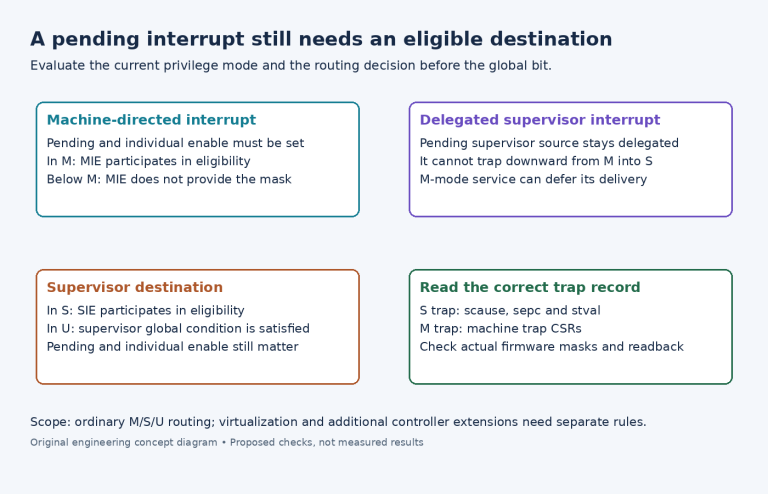
If control transfers to a trap handler during the step, the hart re-enters Debug Mode immediately after its PC changes to the handler. The corresponding architectural cause and trap-value registers are updated, but none of the handler executes before that stop. When the event is a pending interrupt, no application instruction may have executed either.
For a hypothetical pending-interrupt case, the application is about to execute at address P and the handler entry is T. The step can stop with the next execution address at T. The correct observation is that the trap transition occurred, not that the instruction at P somehow performed the handler’s work.
Record the debug stop reason and the architectural trap cause separately. dcsr.cause explains entry into Debug Mode; mcause or scause, as appropriate to the actual trap destination, explains the architectural trap. Treating those as one field hides the transition being diagnosed.
Inspect the interrupt-stepping policy
The dcsr.stepie field controls whether interrupts, including NMI, are disabled during single-stepping with step set. With stepie=0, they are disabled for that stepping operation. With stepie=1, stepping does not impose that special disable; ordinary architectural eligibility still matters.
An implementation may hardwire stepie to zero. The debugger must inspect supported readback rather than assuming that writing one enabled the requested behavior. The specification also prohibits changing this field while the hart is running, so review the debugger’s halted configuration sequence.
A timer interrupt that appears only after continuing free-running execution can therefore be consistent with interrupt-suppressing step mode. Do not “repair” the application’s interrupt mask solely to compensate for debugger policy. First compare the same image and source state under the actual supported stepping configuration.
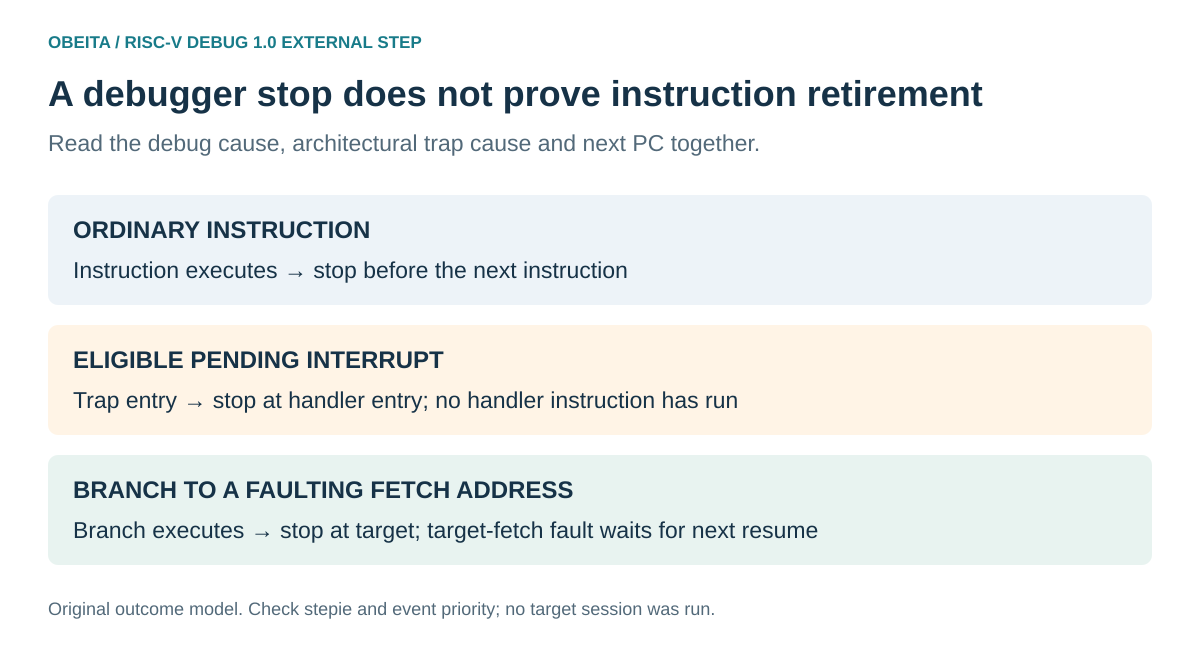
Original stepping-outcome map. The addresses represent hypothetical control-flow boundaries, not a captured trace.
Distinguish a branch from the fetch at its destination
Suppose the stepped instruction changes the PC to address Q, where fetching an instruction would raise an exception. The specification says that destination-fetch exception does not occur until the next resume. The first step can therefore stop at Q without having attempted the failing fetch there.
The same distinction applies to a trigger located at the new address: it fires when the hart actually attempts to execute the instruction, not merely because a preceding branch selected that address. A debugger display highlighting Q is not proof that an instruction at Q has executed or faulted.
This gives two separate observations to preserve:
resume 1: execute the branch; stop with next address Q
resume 2: attempt target fetch; take its exception if applicable
The example assumes no other event takes priority. It is a control-flow explanation, not a guarantee that an arbitrary unreadable address can safely be probed. Use a controlled fixture and the platform’s supported trap recovery when testing it.
Keep trigger stops distinct from ordinary step stops
If instruction execution or fetching activates a trigger configured to enter Debug Mode, the debugger can report trigger cause 2 rather than ordinary single-step cause 4. Whether the instruction executed depends on the trigger’s particular configuration.
Consequently, a script should not infer “exactly one instruction completed” from the fact that it issued a step request. Inspect the returned reason, trigger configuration and next PC. A source-line step can add further debugger operations or execute several instructions, so establish the low-level command actually used before applying the architectural one-step model.
Do not use Program Buffer traps as a substitute
Executing a Program Buffer through an abstract command leaves the hart in Debug Mode. The Sdext rules say that exceptions there terminate Program Buffer execution rather than take a normal architectural trap. They do not update the ordinary trap registers as though execution had entered an M-mode or S-mode handler.
That differs from resuming a halted application with dcsr.step. A diagnostic that executes an instruction in the Program Buffer and then reads an old mcause cannot claim to have reproduced the application’s trap path. Use the abstract-command result for the debug operation, and preserve the application’s architectural trap record separately.
Build an outcome-based debugger test
A proposed fixture contains a harmless straight-line instruction, a controlled synchronous exception and a branch to a deliberately faulting instruction-fetch target. Add a pending-interrupt case only with an approved interrupt source and recovery path. Compare supported stepie settings while retaining all ordinary interrupt controls.
For every resume, record the requested operation, actual stepie readback, debug cause, next execution PC and relevant architectural trap state. Verify whether the application instruction executed, whether trap entry occurred and whether any handler instruction ran. Do not collapse these into one “step succeeded” flag.
No fixture, trigger or trap was run here. The useful result is a debugger interpretation that follows the observed transition. A stop at a handler entry, an untouched application instruction or a fault delayed until the next resume can each be expected under the specified stepping mechanism.