EEZ Studio LVGL Upgrades: Pin the Editor, Project Target and Linked Library Together
An EEZ Studio LVGL upgrade is not a single version change. The editor generates code for the project's selected LVGL target, while the firmware compiler finds a particular set of headers and the linker uses a particular library. Flow-enabled projects add an EEZ framework revision to that combination.
A successful preview or a changed version selector does not establish that these components now agree. Make the combination explicit, then prove it with a small generated compile test before upgrading the full interface.
Record the version combination you actually build
Create a short integration record containing the EEZ Studio release, the LVGL target stored in the project, the LVGL source revision used by the native build, the lv_conf.h location and the EEZ framework revision when Flow is enabled. Include the toolchain or SDK version if it supplies or patches LVGL.
Resolve paths, not only labels. A package manager can report one LVGL version while a manually added include directory selects another header first. A vendor SDK may carry its own compatibility options. The build log and preprocessed source are more useful evidence than an editor window displaying a version number.
At the time of this review, the official EEZ Studio 0.29.0 release is the release baseline. The 0.27.0 release notes explicitly list LVGL 9.5.0 support. Neither statement establishes support for every later LVGL release or every optional widget configuration.
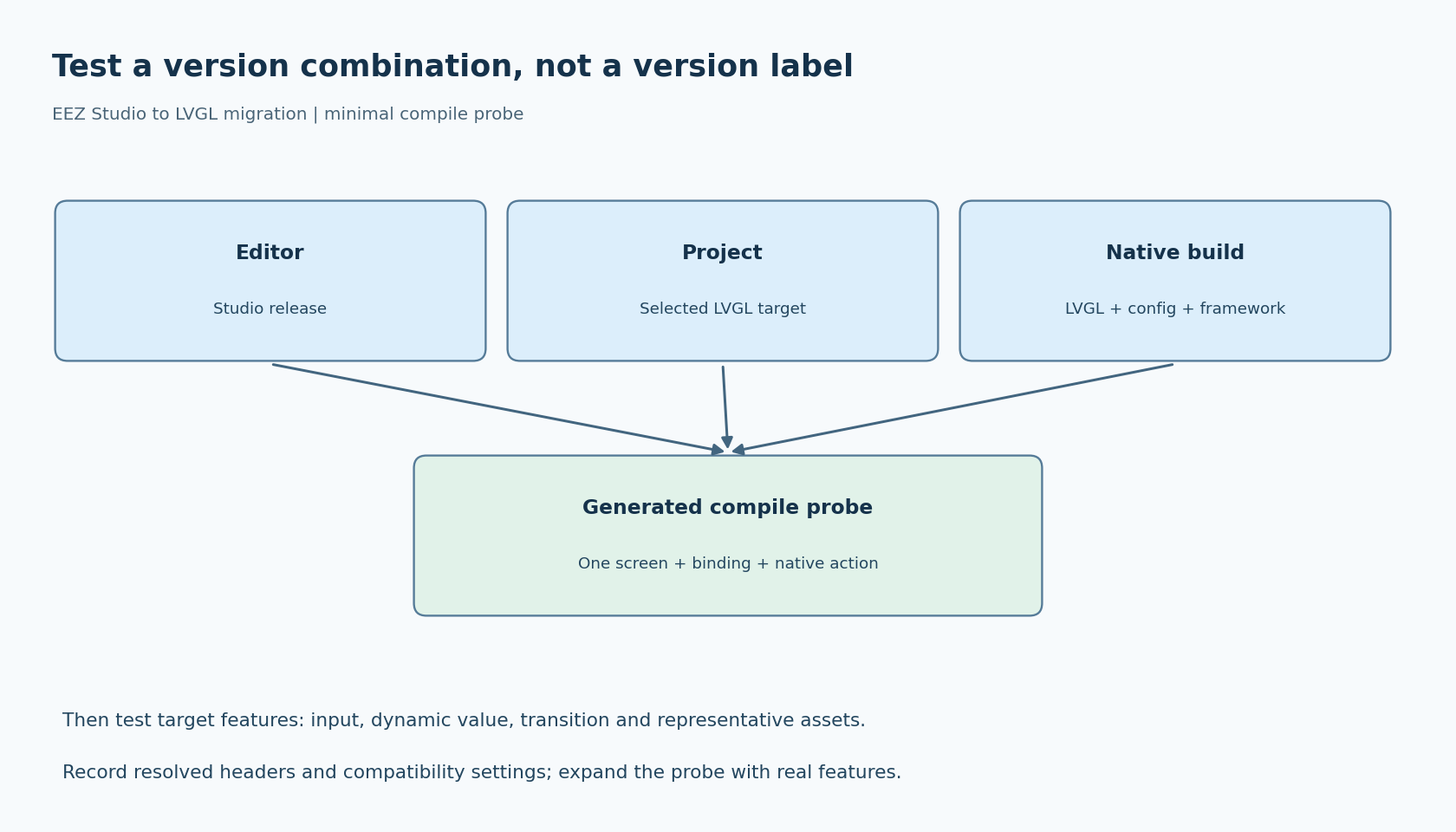
Use one generated screen as an API probe
Create a disposable minimal project using the target setting you intend to deploy. Give it a screen, a simple widget and one native action. If the production project uses Flow, include Flow in the probe rather than testing only the simpler no-Flow arrangement.
Generate into a separate directory and compile those files with the native build's actual LVGL headers and configuration. This checks a smaller compatibility surface than the production project while still exercising the generator-to-library boundary.
For example, the v0.29.0 screen generator chooses between lv_display_* and older lv_disp_* calls during theme initialization according to its version branch. That gives you a concrete place to inspect whether the output reflects the selected target. It is a diagnostic clue, not a complete compatibility test.
If the probe fails, preserve the first compiler error and its include trace. Fix a wrong header root or target setting before touching dozens of generated calls. Hand-editing each exported name can produce a temporarily compiling tree that is no longer reproducible from the project.
Separate generator changes from library changes
A useful migration sequence changes one part at a time in a branch. First reproduce the existing working combination from a clean build directory. Then update the editor or project target as required, regenerate, and review the output diff before introducing unrelated UI changes.
Classify differences. Renamed API calls are different from changed resource formats, changed function signatures or altered initialization order. An asset conversion change deserves an asset check; a theme API change deserves an initialization check. Treating every diff as expected “generated noise” makes regression review almost impossible.
Do not assume that selecting a new LVGL target in an old project automatically replaces every customized file template. Compare customized integration files against a new project created with the chosen editor release. Preserve intentional application behavior, but identify obsolete assumptions explicitly.
Next, compile against the intended LVGL library and run the minimal probe. Only after that boundary is understood should you bring the full project forward. This staging narrows which change could have introduced a failure.
Decide what compatibility aliases are proving
Some builds retain compatibility names to ease migration. A successful compile in that environment can be perfectly useful, but it proves that particular compatibility configuration works. It does not prove the generated source uses only the new native API surface.
Record whether aliases or compatibility headers are enabled. If the selected LVGL release provides a supported way to disable them and your migration goal requires native names, add that stricter build as a separate check. Do not invent a preprocessor switch or remove private headers simply to force a result.
Likewise, one compiling screen does not establish that every widget, font or image in the application is compatible. Expand the probe to include the actual feature families used by the product. Keep failures tied to a minimal reproducible project whenever possible, so a generator issue can be distinguished from application integration code.
Validate the functions a preview cannot establish
After a clean compile and link, test on the target with a small checklist: first-screen creation, one input event, a dynamic variable update, a screen transition and representative generated assets. Add Flow-native action dispatch when applicable.
Inspect configuration-sensitive features rather than assuming the editor's available resources match the device. Confirm that the linked firmware contains the needed fonts and image support, and measure memory or timing if those are release requirements. Those observations belong to the specific target combination, not to the editor version alone.
Finally, regenerate the same saved project and repeat the clean build. Archive the integration record with the project revision so another machine can select the same components. If the migration is rolled back, roll back the project and generated artifacts coherently rather than mixing old headers with newly emitted source.
This is a proposed migration method, with no compiled compatibility matrix implied. Its practical outcome is a traceable statement: this editor, this project target, these headers, this framework and these build options were tested together. That statement is more useful than an unqualified claim that an EEZ Studio project “supports LVGL 9.”