SquareLine Studio Flex Overrides: Verify a Child Really Changed from fr to Pixels
A component child once used fractional Flex sizing. One instance is now supposed to have a fixed pixel width. The inspector shows the new value, and the screen looks plausible at its normal size. That is still a weak test: one parent width can hide a lingering fractional allocation because the two layouts happen to produce similar dimensions there.
SquareLine's 1.6.0 changelog reports a fix for overriding a child fr value with pixels. This is a concrete historical regression to test during migration. It does not mean every earlier project failed, or that every nested layout issue in a later version has the same cause.
The inspector's sizing documentation describes fr sizing for children of a Flex parent. Component parameter overrides supply the instance-level editing mechanism. The question here is narrower than general component inheritance: did the emitted sizing behavior actually change units?
Use parent width as the diagnostic input
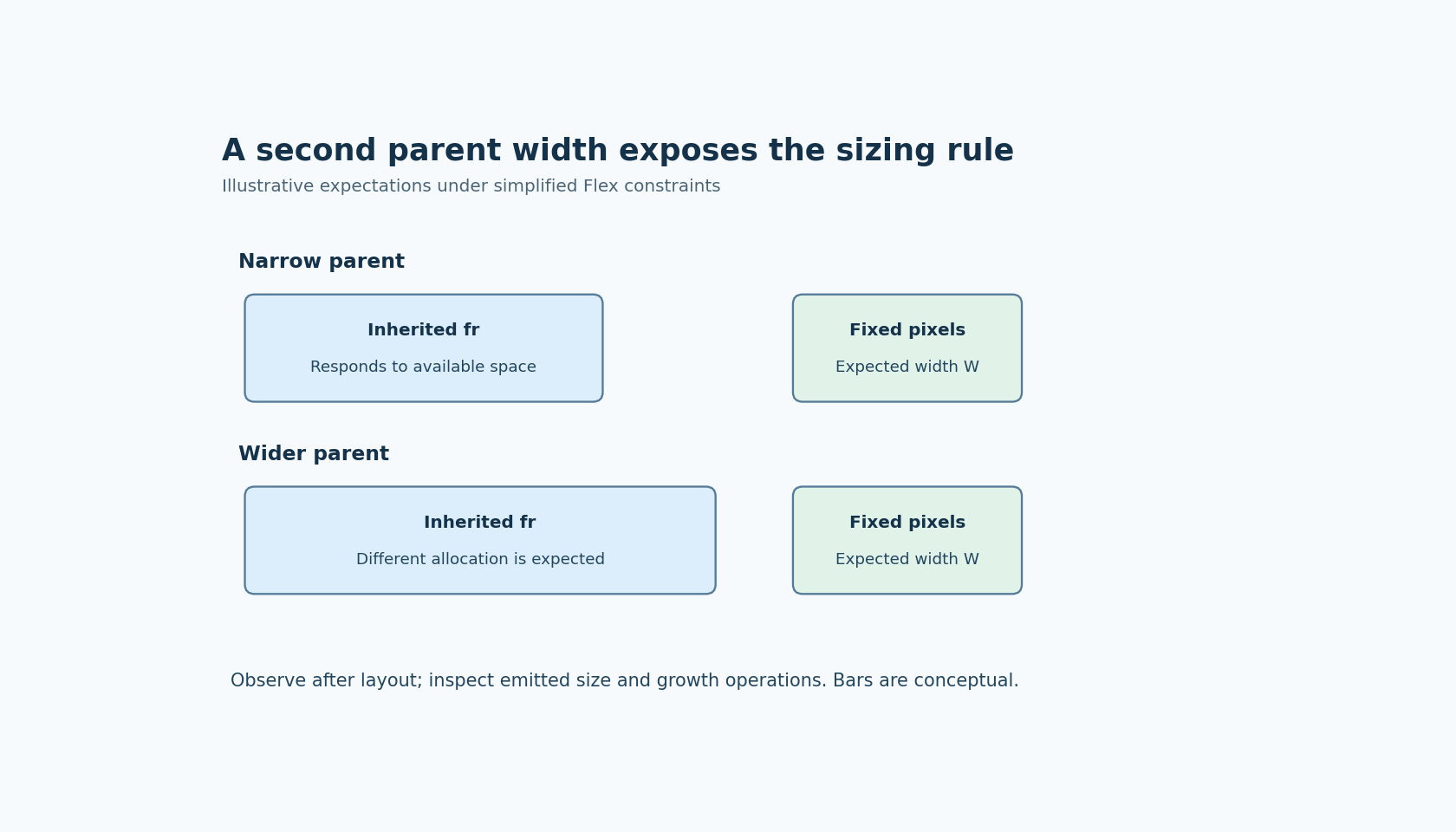
Create two instances from the same component definition. Leave one child on its inherited fractional setting. Give the other child an explicit fixed-pixel width override. Keep the remaining layout constraints as simple and comparable as possible.
Now inspect both instances at two substantially different parent widths. Under the deliberately simplified test conditions, the fractional child is expected to respond to available Flex space, while the fixed-width child is expected to retain the intended pixel width. These are test expectations, not measurements reported by this article.
Choose parent widths that leave enough room for the fixed child and its siblings. A constrained layout, minimum or maximum size, unexpected padding or another layout rule can obscure the unit-conversion question. The diagnostic should first remove those competing explanations, then reintroduce the production constraints later.
Observe dimensions after layout has been resolved
An inspector value, a requested size and the final laid-out size are not the same observation. Record the intended setting in the editor and the actual child dimensions after the target's layout processing has had an opportunity to complete. Use the corresponding observation method for the selected LVGL integration.
The two-width experiment is valuable because it tests a relationship. If the supposedly fixed child expands in proportion to the parent while its configured pixel value is unchanged, that is a useful symptom. It points toward remaining growth behavior or another layout constraint, rather than a simple typo in the requested width.
Do not identify the historical SquareLine bug from that symptom alone. A custom native setter or a different active layout rule could create a similar result. The changelog supplies a reason to include the case in regression testing, not a universal diagnosis.
Inspect the generated sizing operations
Locate the operations generated for the affected child in the selected LVGL version. Compare the inherited fractional instance with the fixed-pixel instance. Look for the operations that establish the dimension and any remaining Flex-growth behavior, using the actual emitted API rather than a guessed function sequence.
The important question is whether the generated instructions express the intended unit change consistently. Merely finding the new pixel number in a generated file is insufficient if another instruction still determines the effective allocation. Equally, a different instruction sequence is not automatically wrong if it produces the intended supported behavior.
If the generated code appears correct but the final dimensions do not, inspect later application writes and the remaining layout constraints. If the editor display changes but the generated sizing operations do not, the issue is closer to the design-to-export transition. This split keeps the investigation specific to the unit conversion.
Include persistence in the regression case
Repeat the two-width observation after saving and reopening the project. Then regenerate and repeat the target-side observation. These steps test whether the override survives the transitions the team actually uses, rather than only the editor session in which it was entered.
For an upgrade assessment, preserve an unmodified copy of the earlier project and compare it with the migrated copy. Record the versions used to open and export each one. Avoid repeatedly moving a single working file between versions and then trying to infer which version last rewrote its representation.
The release note justifies checking the fixed case in 1.6.0 or later. It does not replace the regression test, especially when the production component includes additional nesting, sibling constraints or native modifications that the short release note does not describe.
Define the pass condition in pixels and behavior
For the simple test, state the intended fixed dimension and an observation tolerance appropriate to the layout and display configuration. Require that the fixed instance meets that expectation at both parent widths. Separately require that the inherited fractional instance still responds as intended, so the test has not accidentally removed Flex behavior from the entire component.
Then restore the production constraints and repeat the cases that matter to the actual screen. If those constraints legitimately force a different result, document that layout decision instead of attributing every difference to the old regression.
This is a focused migration check, not a general override tutorial. No editor session or native test was executed here. Its value is that a second parent width turns a visually plausible but ambiguous screen into a test of whether a specific fr-to-pixel change really took effect.