Zephyr OS Twister Harnesses: Match Success Evidence to the Test You Ran
A program can compile, run, and print plausible output without satisfying the success condition Twister expects. The harness interprets execution evidence. If its configuration does not match the test's output contract, a timeout or failed result can reflect recognition trouble rather than the application behavior being tested.
Use the opposite caution as well: a broad success pattern can accept output that does not prove the intended behavior. This article uses Zephyr 4.4.0 to review harness selection and success recognition. It does not present a completed test run.
Separate three questions
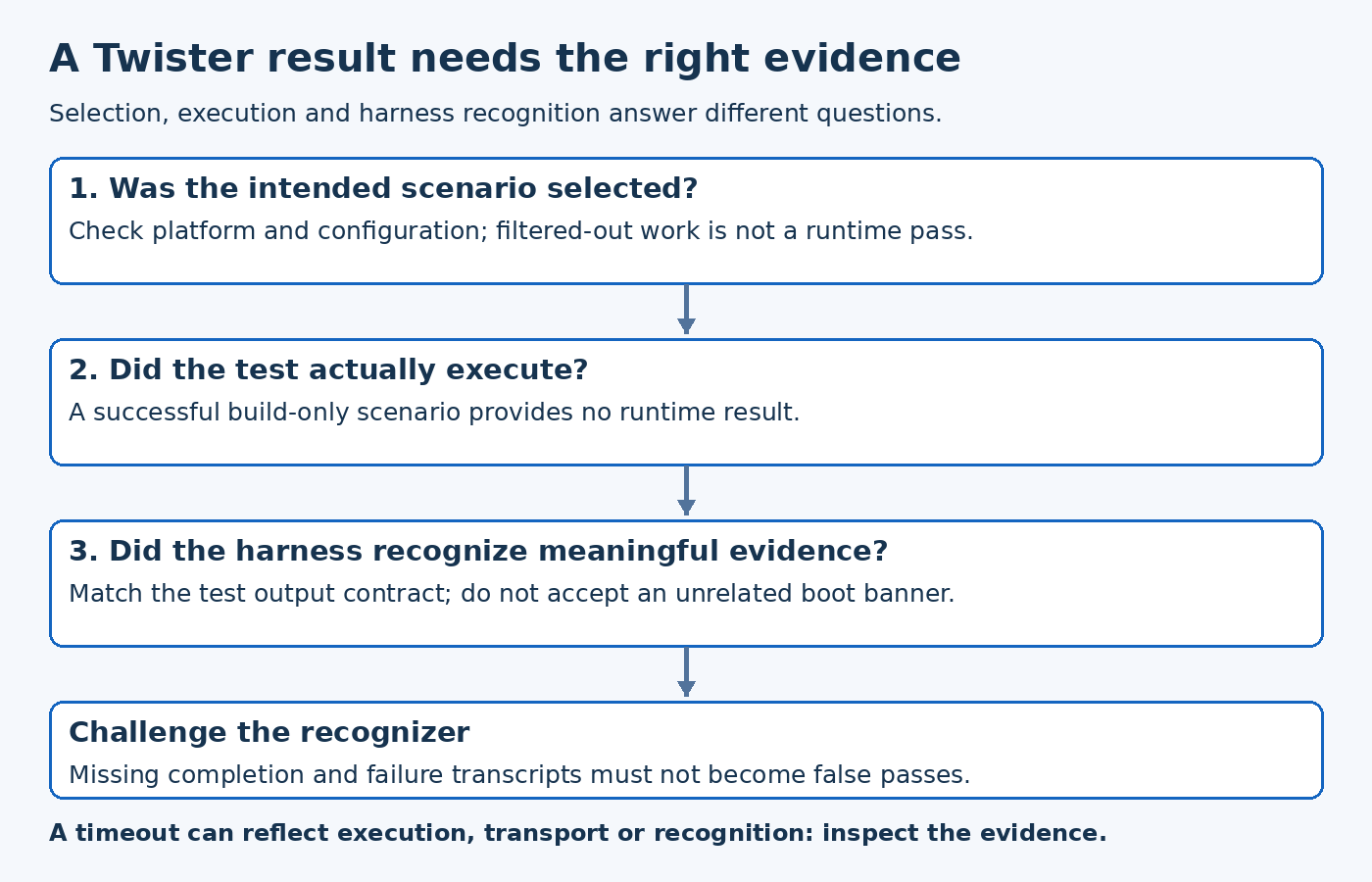
First, was the scenario selected for the intended platform and configuration? Second, was it built and executed, rather than only built or filtered out? Third, did the harness recognize the expected result? Those questions require different evidence.
Inspect the scenario descriptor and actual Twister report together. A build-only scenario does not provide runtime evidence. An excluded platform does not demonstrate a passing implementation. Avoid presenting a summary count without checking which scenario-platform instances it includes.
The tagged test-suite schema includes build_only, platform controls, harness selection, and harness configuration as separate properties. Their presence in one YAML file does not make them interchangeable.
Choose a harness that understands the output
The Twister guide describes harness selection as part of running a test successfully. Select the harness for the test implementation, such as structured test-framework output or an explicitly defined console pattern, rather than choosing one merely because another sample used it.
A console pattern can suit a small integration sample with a deliberate completion line. It should not be used to discard useful case-level assertions from a richer test suite without understanding what evidence is lost. Conversely, an ordinary demonstration program does not acquire structured test semantics just because its output contains the word “pass.”
Define the success evidence before writing the recognition expression. State which completed action allows the application to emit that evidence, and which failure path prevents it. This links the harness result to behavior instead of to an incidental startup message.
Make console patterns discriminate
The tagged console harness implementation distinguishes one-line and multi-line pattern configurations. Its one-line path searches for the configured pattern, while the ordered multi-line path advances through expected patterns in sequence. Missing patterns or an invalid configuration type are configuration problems, not evidence of a device failure.
For a hypothetical command-response test, a generic pattern such as “ready” could match a boot banner before the command under test executes. A more useful completion token should identify the intended operation and appear only after its checks succeed. If ordering matters, ensure the harness is configured to enforce that ordering rather than merely observing that several words occurred somewhere.
Do not use an overly specific timestamp or unstable diagnostic prefix as the essential success condition unless those fields are part of the requirement. Recognition should distinguish valid behavior without depending on unrelated formatting noise.
Validate the recognizer with negative evidence
Test the harness design against deliberately unsuccessful output. A transcript that stops before completion must not pass. A transcript containing a startup banner but no successful operation must not pass. If the operation emits a failure message, verify how the chosen harness handles it rather than assuming an unrelated success-looking line always loses precedence.
This is a proposed test of the recognition contract. It can reveal a false-positive expression before repeated board runs create misleading confidence. Keep the output stream's line boundaries and encoding behavior in mind when constructing those cases.
Diagnose timeouts at the correct layer
A timeout can mean the application stalled, output was lost, the success line changed, or the wrong harness was selected. Compare the captured output with the exact expected condition. If the required line exists but is not recognized, investigate the harness configuration and processing. If it does not exist, investigate execution and transport without immediately widening the pattern.
The useful outcome is an explainable result: this scenario ran on this target, produced this evidence, and satisfied this harness contract. That is substantially stronger than either a successful build or a terminal window containing reassuring text.