SquareLine Studio Image Dither: Track the Export Filter Separately from the Original Artwork
A designer sends the same PNG twice. Its checksum is unchanged, yet the gradient in a new SquareLine export looks different. Before investigating a corrupted asset, inspect the image's export settings. SquareLine can transform the image without rewriting the original artwork, so the source file alone is an incomplete description of the delivered pixels.
The Image Dither documentation describes a non-destructive filter applied to both preview and export, with a strength control from 0 to 100. The 1.6.1 changelog records its introduction. This discussion uses the documentation labeled 1.6.2. It proposes an acceptance experiment; it does not report measurements from an executed export or display.
The missing input in an image review
An asset review often records filename, dimensions and a source checksum. Those identify the original image, but they do not identify a dithered result. Add the enabled state and strength of the SquareLine filter, the selected output color configuration and the exporter version. These are separate inputs to image generation.
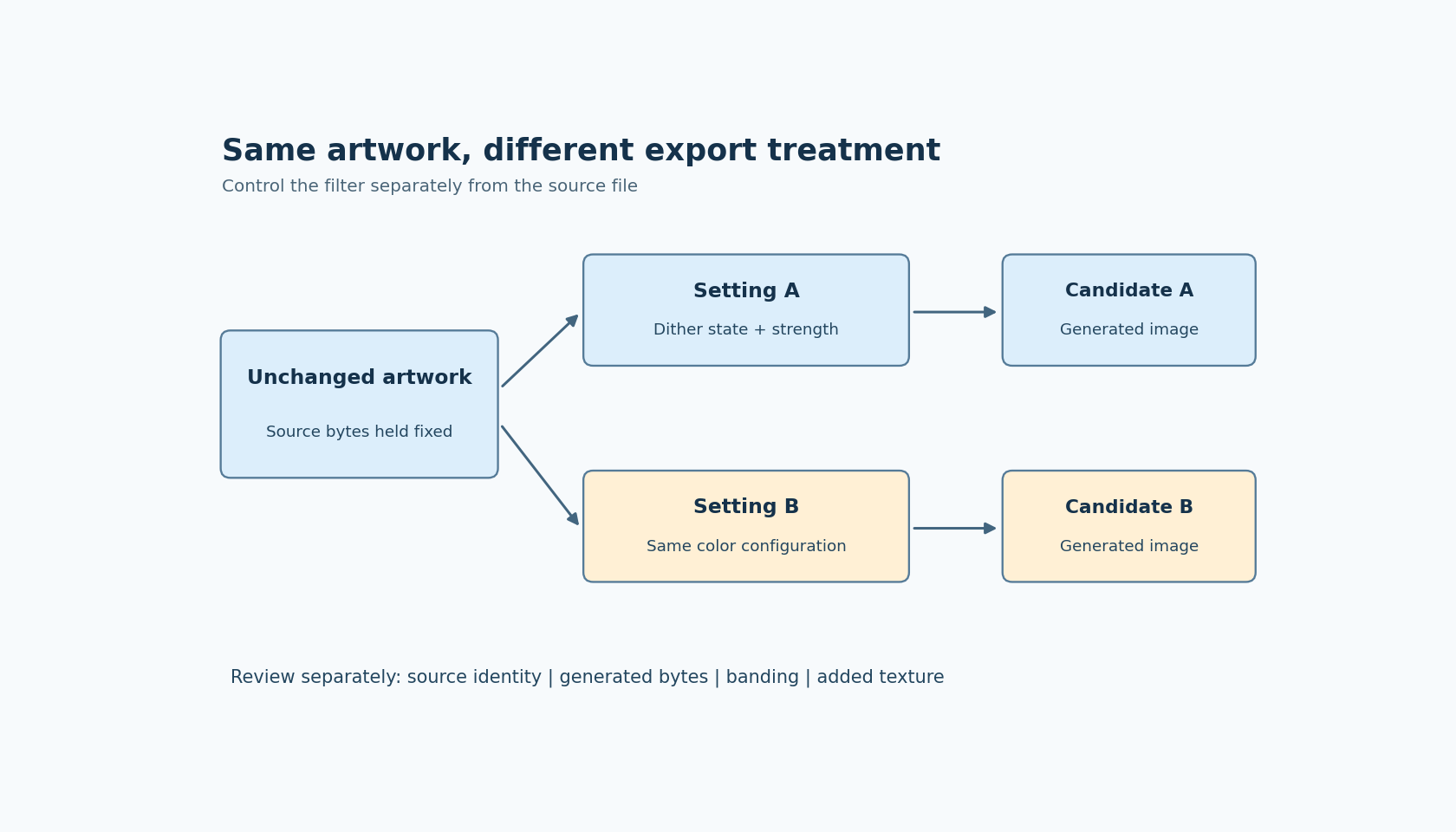
That distinction changes how a surprising difference should be investigated. If the source bytes changed, ask what the designer delivered. If the source stayed fixed but the filter setting changed, ask whether the resulting texture was approved. If both stayed fixed across an exporter upgrade, compare generated representations before blaming either person. A source checksum is useful evidence, just not evidence about every transformation performed afterward.
Do not use the strength number as a quality score. A value of 80 is a setting, not a claim that an image is 80 percent better. The documentation does not establish a universal relationship between strength and perceived quality on every panel, output format or background.
Build a small comparison that can answer one question
Choose one production-like gradient and one flat-color control image. The gradient should include the dark or low-contrast region where banding matters to the product. The flat control helps reveal an unwanted texture that a gradient-only review could overlook. Keep their source bytes unchanged throughout the comparison.
Create two export candidates with identical project color settings and different recorded dither settings. Use a clearly documented disabled baseline and one enabled strength. If the interface represents the disabled condition separately from strength zero, record the actual control state rather than treating those two conditions as interchangeable without checking.
For each candidate, capture three observations:
- The original source checksum remains the same.
- The generated image data and descriptor are identified separately from their filenames.
- The displayed result is examined at the intended size and on the relevant background.
These observations answer different questions. Equal source checksums confirm that the test did not accidentally substitute artwork. Different generated bytes demonstrate an export difference, but do not prove a visual improvement. A pleasing preview suggests a design direction, but does not establish the appearance of the physical display.
Evaluate the gradient and the texture separately
Ask reviewers to look for both reduced contouring and added grain. These can move in opposite directions. In a dashboard, a smooth background might benefit from a treatment that makes a small icon look noisy. Avoid approving the whole asset library from one attractive sample.
Define the viewing conditions before choosing a winner: display brightness, normal viewing distance, image dimensions and surrounding colors. For an instrument that is read from a distance, magnifying individual pixels on a desktop can overemphasize differences that are irrelevant in use. Conversely, a close-view handheld product may expose texture that a scaled screenshot hides.
A useful acceptance note states which region was inspected and what tradeoff was accepted. For example, “the dark ramp must not show distracting bands at the normal viewing distance, and the flat control must remain visually quiet” is actionable. “Dither looks better” leaves the next reviewer without a reproducible decision.
Change color configuration only in a second comparison
After selecting a candidate under one output configuration, repeat the comparison if another supported color configuration is part of the product. Do not change dither strength and color depth simultaneously and then attribute the result to one control. That experiment has two moving inputs.
Also keep transparency handling separate. An edge halo, missing alpha or incorrect background composition is not automatically a dither problem. First establish that the image is interpreted and composed correctly, then judge the quantization treatment. Otherwise the filter can become a distraction from a different rendering defect.
For the same reason, avoid drawing firmware-size conclusions from the visual result. This acceptance exercise evaluates generated pixels and perceived appearance. Any storage or timing claim needs its own measurement of the actual generated representation and target build.
Leave a review record that survives the original PNG
Save the approved filter setting alongside the image's intended output configuration and the image review decision. If a future editor version moves the control or changes its behavior, this record provides a question to re-test rather than an unexplained preference.
The practical boundary is simple: the original artwork is one artifact, and the configured export transformation is another part of the design. Reviewing both explains how identical source bytes can legitimately produce different deliverables, without inventing a corruption problem or promising that stronger dithering always improves an embedded screen.