EEZ Studio TabulatorAction: Name the Sheet When Active-Sheet State Must Not Select the Export
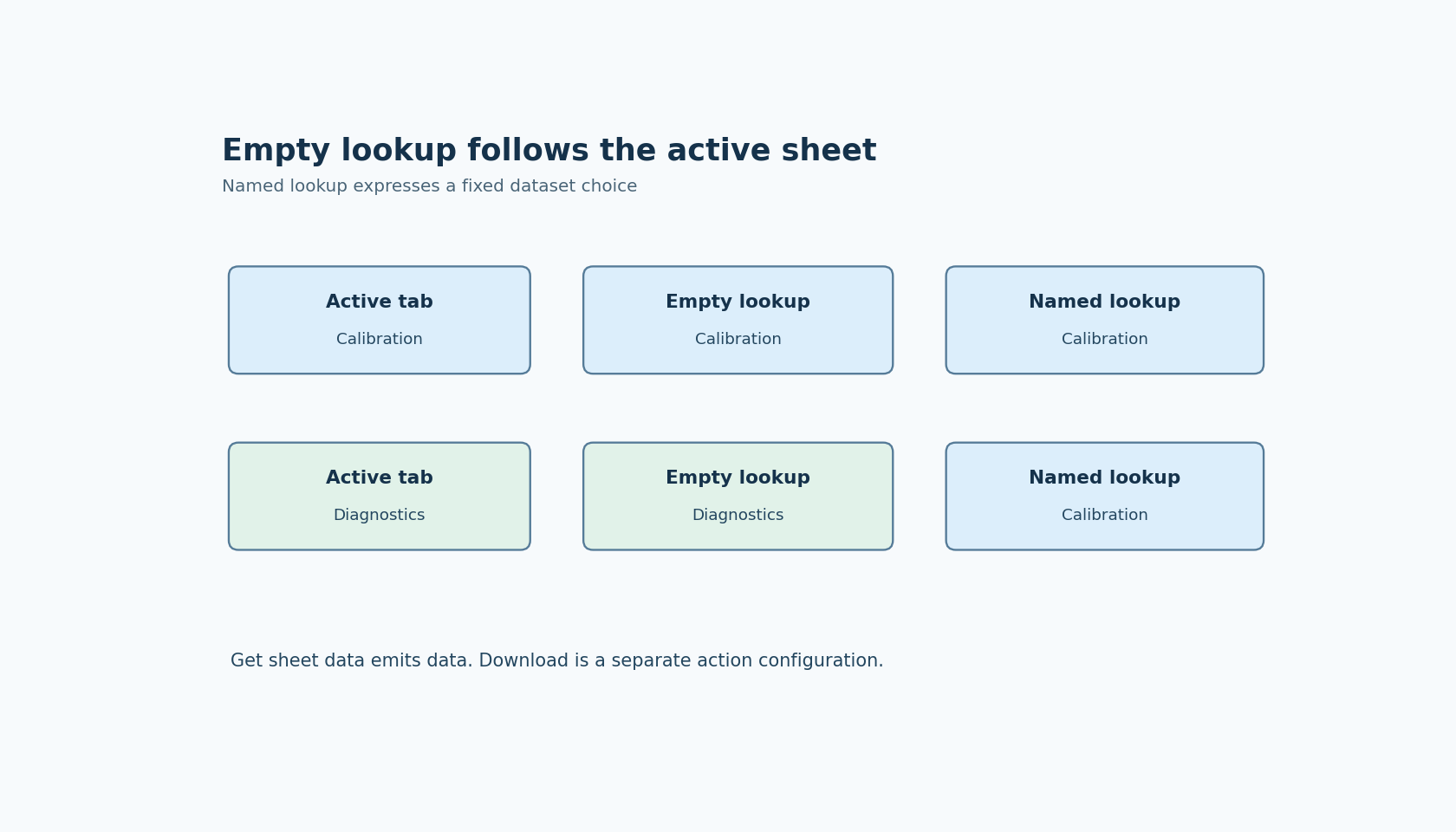
An empty TabulatorAction lookup means that the active sheet can select the data being retrieved. That is convenient for “export the sheet I am viewing,” but it is a different contract from “always retrieve the named calibration sheet.” Changing tabs can change the former operation without changing its Flow wiring.
The TabulatorAction documentation states that an empty Get sheet data lookup uses the active sheet. The pinned action implementation passes lookup to the widget, substituting an empty string when the property evaluates to undefined.
This article covers EEZ Studio v0.29.0 commit 3000161d09d40a5c1dc2477ddc30b38037b3a612 and its Dashboard Tabulator integration. It does not assert that an ordinary non-spreadsheet table has multiple sheets or that all Tabulator API operations are exposed by EEZ.
Get sheet data and Download are separate configurations
The action offers two configured operations. Get sheet data retrieves data through a data output. Download delegates a requested file format and filename to the widget. The output factory adds data for Get sheet data, not for Download.
That distinction matters when integrating a report pipeline. A downstream formatter requiring raw sheet data should not assume that selecting Download will emit the same data while also saving a file. The configured operation changes both the method invoked and the available output contract.
The inspected Download choices are CSV, JSON and HTML. Its invocation passes a style option for HTML and leaves the row-range argument undefined. Do not infer additional workbook formats or a specific custom row filter from those exposed choices.
Make active-sheet behavior an explicit user choice
For an interactive command labeled “read current sheet,” an empty lookup may be intentional. The UI should make the current sheet visible when the command is invoked. For a background operation that always needs one logical dataset, use the documented lookup for that named sheet instead of inheriting whichever tab the operator last selected.
Do not derive the choice indirectly from a remembered tab index unless the application owns and maintains that mapping. Sheet names, their existence and the configured spreadsheet data remain part of the project's input contract. A renamed or missing sheet should be diagnosed as a lookup problem, not silently replaced with the active sheet to make the operation appear successful.
The EEZ source does not define every missing-name outcome. It delegates getSheetData to the installed Tabulator widget. Check that library's behavior in the actual project before deciding which failure or empty-result presentation to show.
A widget handle is necessary but not sufficient
Before invoking the operation, the action resolves the widget handle and obtains its component execution state. It reports separate errors for an invalid handle, missing initialized state or an absent getSheetData capability.
The widget integration source installs the getSheetData function while constructing the Tabulator instance. A reference to a widget does not prove that this capability has already been installed.
Keep an initialization failure distinct from retrieving the wrong sheet. The first concerns the target widget's readiness; the second concerns the lookup supplied to a working widget. Retrying with a blank lookup can hide the latter error by changing which data is requested.
Compare two sheets with unmistakable contents
For a proposed fixture, configure two supported sheets with names such as Calibration and Diagnostics and put a different sentinel row in each. Invoke Get sheet data with an empty lookup while each sheet is active. Then invoke it with Calibration explicitly selected while switching the visible tab.
Record the returned sentinel and the active tab for every call. The named request should be evaluated against the named dataset contract, while the empty request should be evaluated against the current-sheet contract. Also check the project's response to an absent sheet name without assuming the result from a different Tabulator release.
No widget or download was executed for this article. The source and documentation establish the decision to make before running the fixture: either the active tab is allowed to select the dataset, or the Flow must name the intended sheet. A successful method call does not resolve that product decision automatically.