Embedded Linux Device Services: Diagnose Access Failures Inside the Service Boundary
When a peripheral works from an interactive shell but fails in the shipped service, compare the environments before changing the driver. The service can see a different device namespace, run with different credentials and face a device-access policy that the shell never exercised. Making the executable run as root is not a complete diagnosis.
This guide uses systemd v257 documentation and its device-management contracts. It concerns a product service opening an intended physical interface, such as a serial adapter. It does not prescribe permission changes on a deployed device, and no service configuration or target access test was performed.
Begin with the failing operation
Capture the exact device path, operation and error under the service's normal launch path. Distinguish failure to find a node from rejection when opening it, and distinguish both from a later device-specific ioctl failure. Preserve the effective unit and relevant drop-ins rather than assuming the file in the source repository is the configuration in use.
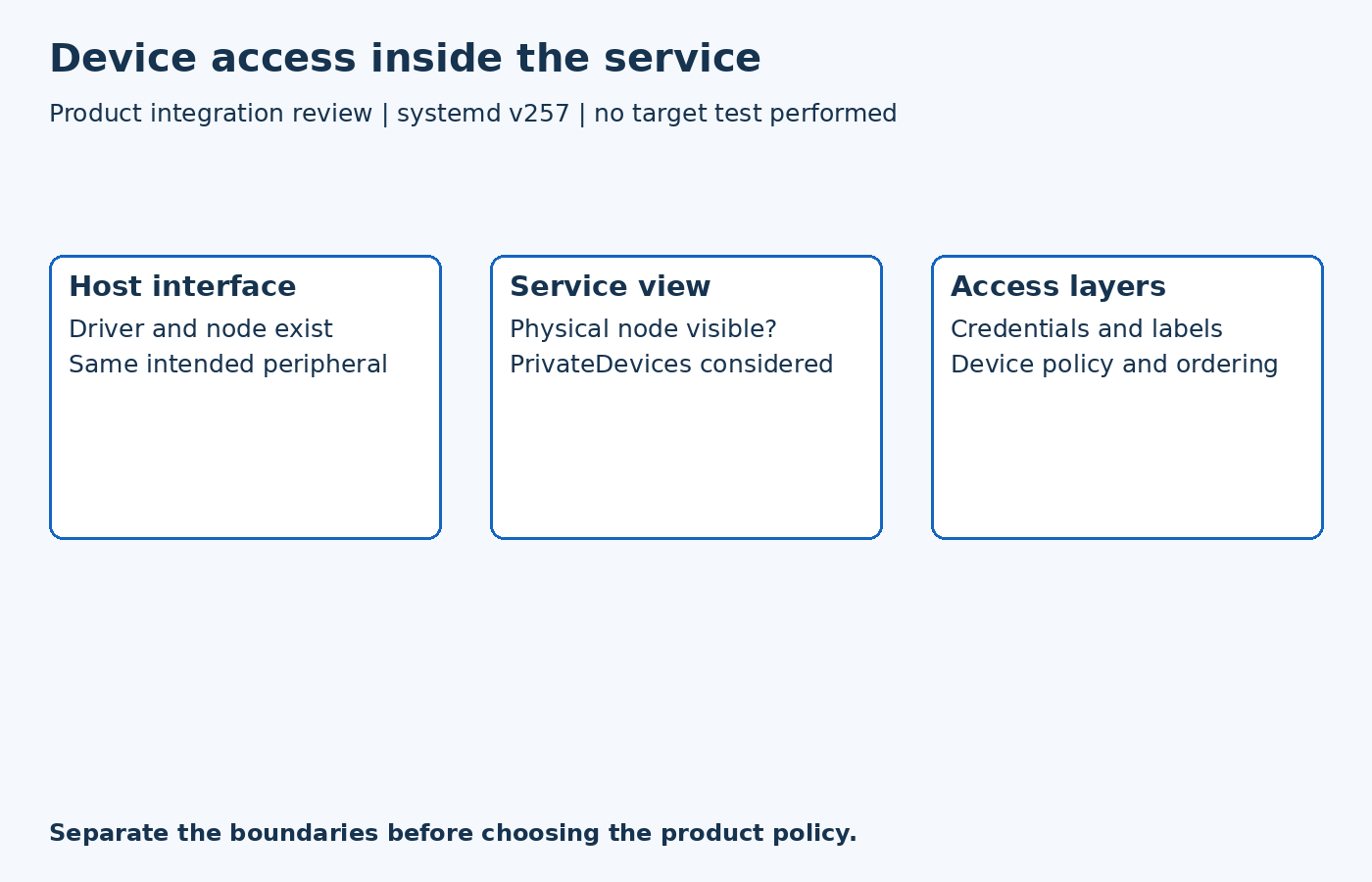
Then establish whether the kernel driver created the expected interface on the host. A missing driver or disconnected peripheral is a different problem from an existing node hidden from one service. The diagnostic comparison should use the same physical device and product image; two successful tests on different boots may not describe the same interface assignment.
Check visibility before access policy
The tagged execution-environment reference explains that PrivateDevices creates a restricted device view containing API pseudo-devices, without ordinary physical devices. It also applies additional raw-I/O and capability restrictions and a closed device policy.
Consequently, adding an allow rule is not equivalent to making a hidden node appear in that namespace. Treat namespace visibility and permission to use a visible device as separate checks. A host-side listing cannot establish what the service sees.
For a service that legitimately needs selected hardware, review a narrowly scoped design with the system owner. Do not disable all sandboxing merely because one interface is required. Conversely, do not retain a private device view that contradicts the application's documented access requirement and expect a mode change on the host to solve it.
Inspect the device filter and its timing
The resource-control reference distinguishes DevicePolicy from DeviceAllow. The latter specifies permitted operations on device nodes or groups. A read-only acquisition task and a task that configures hardware may require different operations; the product contract should explain that difference.
Device-group permissions also depend on when the group becomes resolvable. Here, a device group means a char- or block- group listed in /proc/devices, not a Unix user group. The documented policy does not add an unresolved device group at unit startup. If the group appears only after a module loads, review the module dependency and start ordering rather than treating a later host inspection as proof that the original rule took effect.
Avoid using unstable major/minor assignments as a portable product identity. Also verify whether the deployed kernel and system manager support the required filtering mechanisms. A configuration line is an intended policy, not evidence that every target enforces it identically.
Keep node permissions in the diagnosis
The udev reference separately describes node owner, group, mode and security labels. These controls remain relevant after a device becomes visible and passes the service's device filter. Here GROUP refers to the node’s Unix group, a separate layer from the device groups used by DeviceAllow. Check the actual service credentials and the node produced by the deployed rules.
A hypothetical acquisition service may therefore have two independent faults: its namespace hides the adapter, and its configured group does not match the node's access policy. Correcting only one can leave the same user-facing symptom. Record each boundary instead of repeatedly broadening permissions until the program starts.
Qualify the product launch path
On an isolated development image, compare normal startup with the supported peripheral reconnect and module-load sequence. Verify that the intended interface opens and that unrelated physical interfaces remain outside the approved access contract. Keep driver initialization, interface selection and service restrictions visible in the result.
The useful outcome is a justified service boundary for one product function. It explains why the shell and service differed, preserves the intended restrictions and avoids turning an access failure into an unreviewed system-wide permission change.