SquareLine Studio Separate Screen Files: Merge Two Designers Without Losing Shared Changes
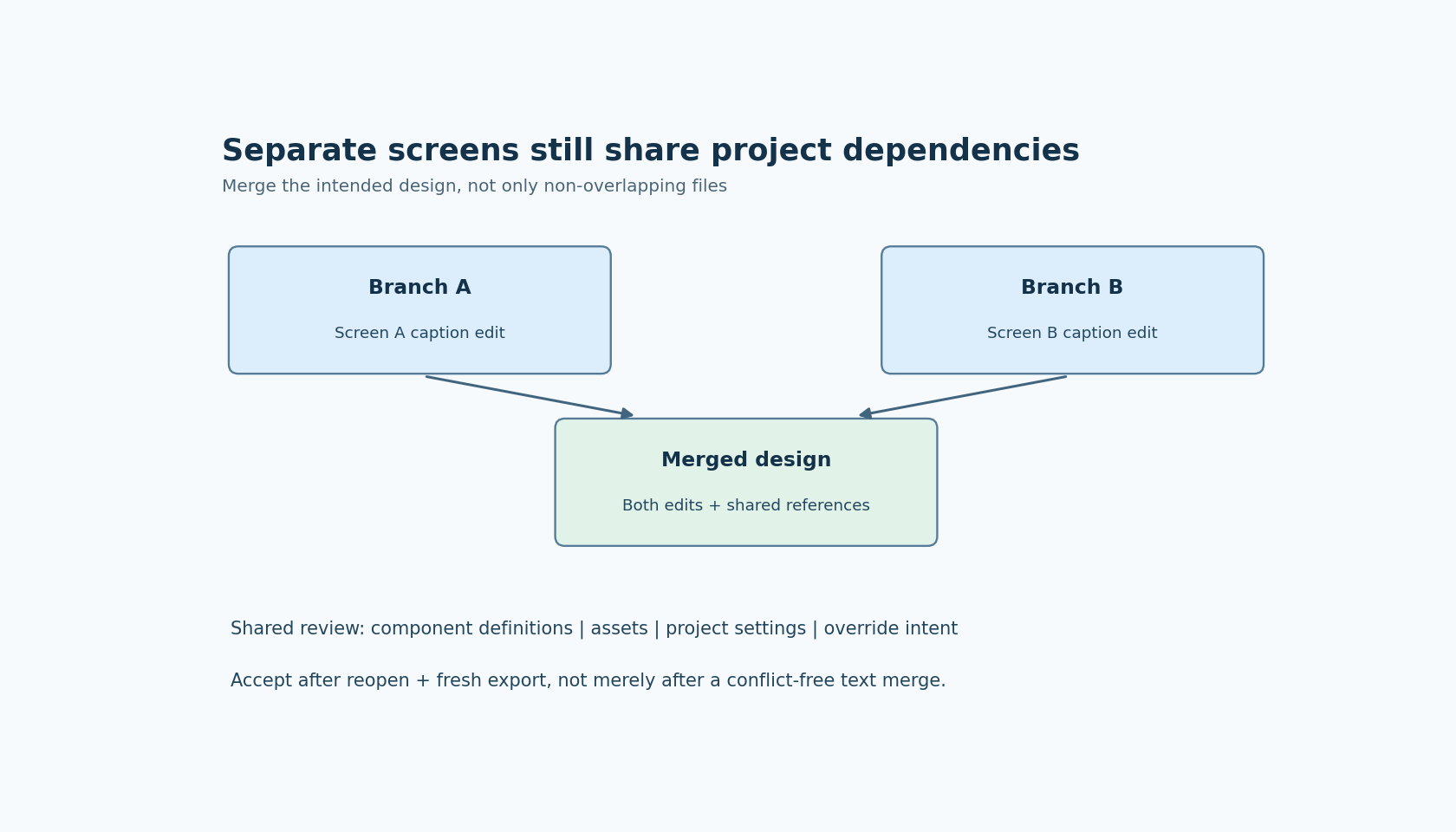
Saving each SquareLine Studio screen in a separate file can reduce the number of edits competing inside one project file. It does not divide every project dependency by screen. Two designers can change different pages while both depend on one component, one asset name, or one project setting.
The useful merge test therefore has two questions: did both screen edits survive, and do their shared references still mean the same thing? A clean text merge answers neither question completely.
Know which separation you enabled
The Project settings documentation describes Save screen separately as storing screens outside the main project file. The same page describes Save hierarchy state as persisting expanded and collapsed editor state, with additional repository-management difficulty.
These are separate decisions. Screen serialization can support parallel work; saving personal expansion state can add changes that have no intended product effect. Agree on both settings before comparing branches, and preserve a baseline so that a change in storage format is not mixed with a large design change.
The changelog places separate-screen saving in version 1.6.0 and lists a multiple-screen hidden-flag save fix in 1.6.1. This article uses documentation labeled 1.6.2 and treats those versions as explicit test boundaries. It does not claim that an untested mixed-version collaboration will serialize identically.
Also distinguish saved design files from exported screen C files. Separate source screens are inputs to the editor. Generated C files are outputs. Merging outputs while ignoring conflicting design inputs can produce a build that nobody can regenerate coherently.
Establish the smallest parallel-edit experiment
Start from one clean revision containing two screens. Have branch A change a visible caption on screen A and branch B change a different caption on screen B. Keep shared components, assets and project settings unchanged for this first test.
Before merging, save and reopen each branch in the chosen Studio version. Confirm that its own edit survives the round trip. This separates a save/reload problem from a merge problem. Record the actual files changed by each branch rather than assuming the setting affects only one file per operation.
Merge the design inputs, reopen the result, and check both captions. Export the merged project into a fresh destination and confirm both changes appear in the generated sources or runnable test UI. This establishes a useful baseline: the simple independent case works in the team's actual project structure.
Do not stop at a screenshot from one branch. The acceptance artifact is the reopened merged project and its new export, not the fact that each contributor saw the correct local screen before merging.
Add a shared-resource conflict on purpose
Next, use a reusable component that appears on both screens. In one branch, change a component property that both screens inherit. In the other, change a local property on one instance. The intended result must state whether that local value should override the new component value.
Review the component definition and the instance override separately. Both screen files can merge without a textual conflict while still producing an unintended combination. The question is which source owns the final property, not merely whether the merge tool reported overlapping lines.
Repeat with an asset rename or replacement if those changes are common in your workflow. Record which references should be updated and which source file owns the replacement. A same-named asset with different bytes can be a semantic conflict even when each branch edits a different screen file.
These experiments are proposed checks, not observed results. Use harmless diagnostic properties and copies of assets so that you can inspect the failure without losing the baseline.
Classify the remaining project-level edits
For each merge, separate screen-specific edits from shared component edits, assets, project configuration and editor-only state. The categories can be recorded in an ordinary review checklist; they need not become a new file format.
Pay particular attention to changes that affect generated output globally: object naming, target LVGL selection, export mode and any setting that changes source organization. Such a change is not local to the screen whose designer happened to make it.
If hierarchy expansion changes dominate the diff, compare the team's Save hierarchy state choice with the intended repository policy. Do not automatically discard every unexpected project-file change as editor noise. First establish what it represents; configuration and references can be important even when the visible canvas looks unchanged.
Keep migrations to a new Studio release in a separate review where practical. A version migration can change many serialized details at once, making it difficult to attribute a missing screen edit to the correct cause.
Use a semantic merge acceptance list
The merged project should pass four observations. It opens in the agreed editor version. Both contributors' deliberate edits are present. Shared references and overrides resolve according to the agreed design. A fresh export and native build consume the merged inputs rather than an older output directory.
Include a check of hidden and excluded objects when those properties changed. The documented historical save fix is a reason to exercise that property on affected versions, not a reason to assume every current hidden flag is suspect.
When a merge fails, keep the two parent revisions, the merged revision and the smallest failing screen or component. Identify whether the defect appears before saving, after reopening, after export, or only on the target. That first failing boundary is more useful than describing the issue as a general “Git problem.”
Separate screen files can make collaboration easier, but shared design meaning still needs review. The goal is that the merged project preserves both edits and one coherent set of dependencies, not simply that it produces fewer conflict markers.