Yocto SDK Relocation: Find Custom Tools Still Bound to the Original Install Path
A custom SDK-host tool is present in the installed Yocto SDK, but it still tries to open a schema beneath the SDK build prefix. Another tool will not start because its requested dynamic loader does not exist. Both symptoms involve paths, yet the SDK installer processes different file types through different mechanisms.
This diagnosis follows the examined Scarthgap standard-SDK relocation scripts. Start with the installer generated by the product checkout: maintenance-branch source is a guide to inspect, not proof that every shipped installer contains identical code.
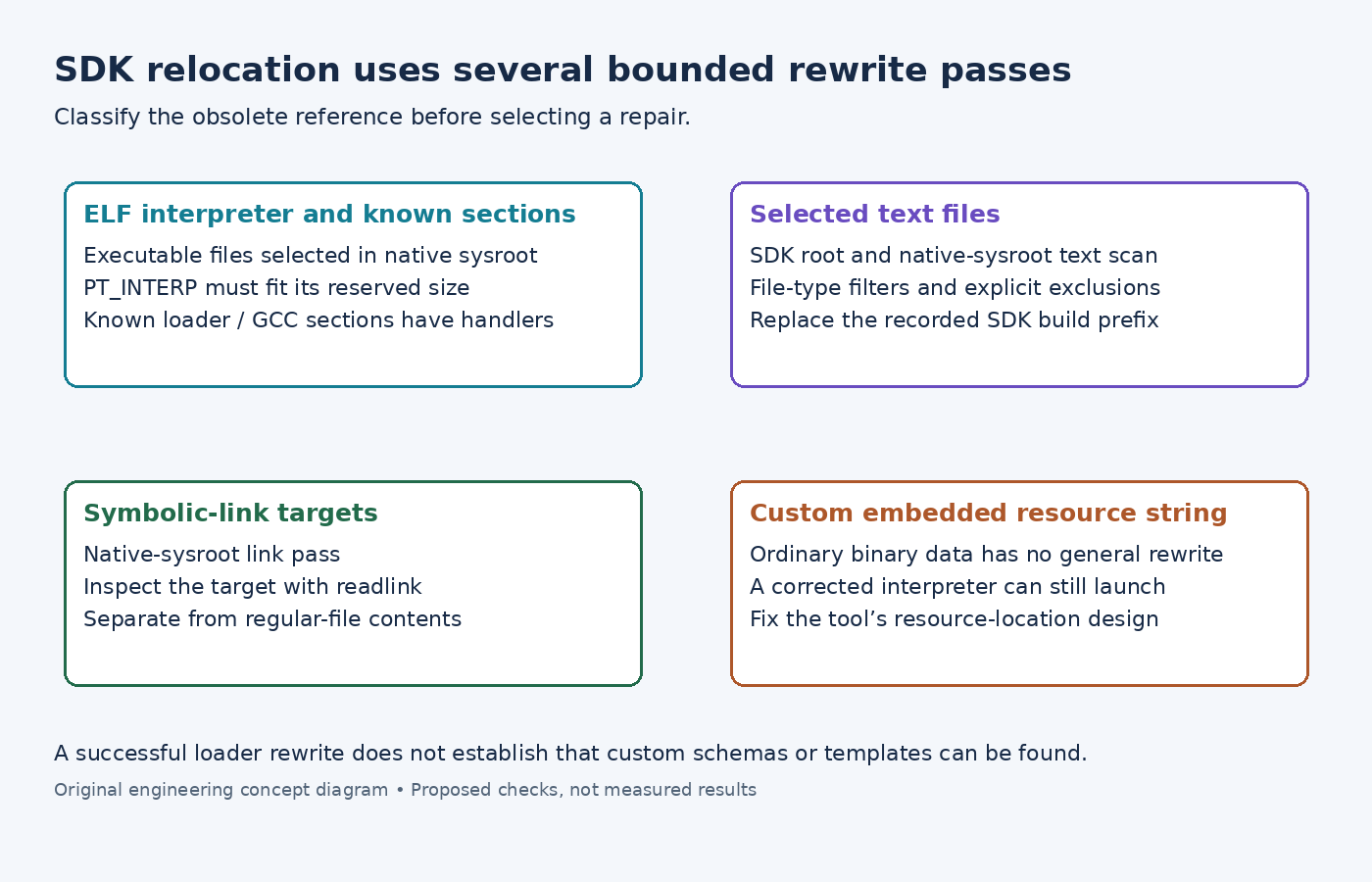
Classify the reference before changing it
First determine whether the obsolete path is an ELF interpreter, recognized relocation data, a script or configuration string, or a symbolic-link target. Record the exact installed file and the reference that causes the failure.
Use readelf -l tool for program headers, readelf -S tool for section names, and readelf -d tool for dynamic entries. The GNU readelf manual documents those separate views. A loader pathname and a library search entry are not interchangeable, and neither establishes where an application searches for its own schema files.
This classification prevents an overly broad text substitution from corrupting an ELF file while leaving the actual cause unexplained.
Inspect which files the installer selects
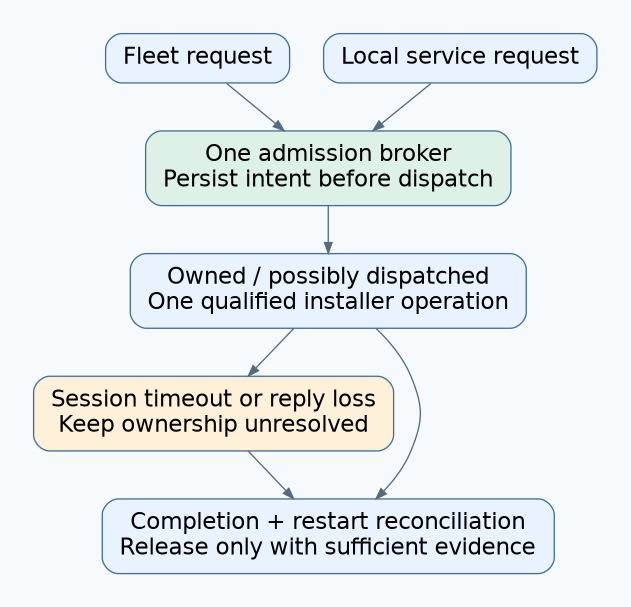
The examined shell relocation stage derives the native sysroot from the environment setup script and locates its loader. It selects regular files with an executable permission bit beneath that sysroot for the Python relocation step.
Its text pass searches top-level SDK files and the native sysroot, filters them through file-type output, and excludes several installer/setup-related paths. It replaces the recorded SDK build prefix in the selected text. A separate pass rewrites matching prefixes in native-sysroot symlink targets.
These boundaries matter for a custom tool. Check its installation location, file mode and type classification before concluding that the installer attempted a replacement. A binary data file containing a schema path is not automatically covered by a pass that selects recognized text.
Likewise, inspect the link target itself with readlink when a failing pathname is reached through a symlink. Searching only regular file contents misses that reference class.
Distinguish supported ELF relocation from arbitrary strings
The examined relocate_sdk.py implementation locates PT_INTERP and rewrites the interpreter path when applicable. It deliberately leaves certain conventional system-loader prefixes unchanged for mixed external binaries.
The replacement must fit the reserved interpreter segment. If the new loader path is too long, the script reports failure rather than expanding the executable indiscriminately. Inspect that diagnostic and the relevant program-header size when only a longer installation prefix fails.
The script also recognizes specific sections for loader system directories, their lengths, the loader cache path and GCC relocation prefixes. This is structured handling of known data, not a general search-and-replace over every string in an executable.
Consequently, a custom absolute schema pathname embedded in ordinary application data can survive even when PT_INTERP was correctly relocated. Treat that conclusion as a diagnostic inference from the examined selection and rewrite logic. Prefer an application-supported relative lookup or an explicit installation-time configuration mechanism for that custom resource.
Locate the first unsupported reference
Install the same SDK installer into two supported test prefixes, preserving its complete output. For each failing tool, compare the interpreter, relevant recognized sections, selected text file and link target according to its reference class. Do not assume that sourcing the environment setup script edits those files again.
The standard SDK guide describes installing the SDK and establishing its development environment. Environment setup remains necessary, but it cannot by itself make an embedded absolute resource name relocatable.
If the tool starts and only resource lookup fails, concentrate on the custom resource reference. If interpreter relocation reports insufficient space, fix the build or supported installation constraints. If a selected text file retains the old prefix, inspect the exact prefix and the generated installer's filters. Rebuild the SDK with the correction, then repeat the same reference-specific check rather than patching one installed copy and declaring the SDK relocatable.