LVGL Charts for Streaming Data: Ring Buffers, Decimation and Honest Time Axes
Preserve the meaning of time before drawing the line
A sensor samples steadily, the UI refreshes irregularly, and the chart appends one value per refresh. The resulting line looks smooth but its horizontal spacing no longer describes the sensor’s time base. Start by separating acquisition, history storage and presentation. This guide uses LVGL 9.2 and verifies chart types and APIs against v9.2.2. It proposes a data-integrity design, not a measured frame-rate optimization.
The official LVGL repository is the implementation source, while the 9.2 Chart reference defines the widget’s data interface. The application must supply the sampling meaning, gap policy and time labels. A chart can render valid coordinates while telling the wrong engineering story if those decisions are left implicit.
Keep acquisition independent of refresh
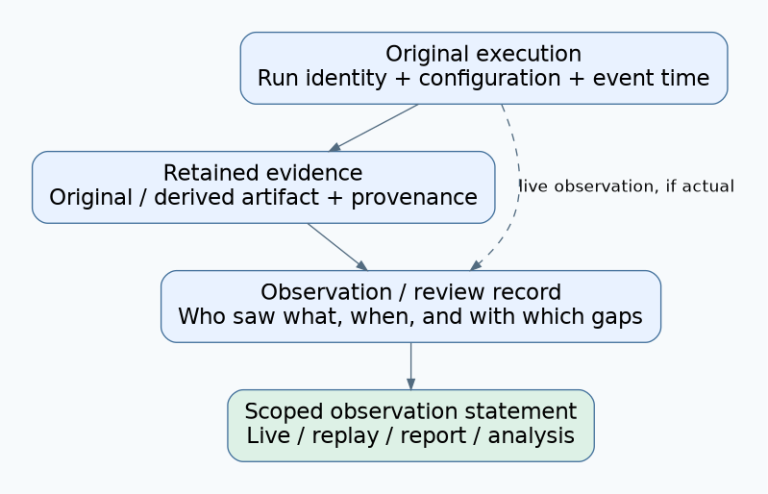
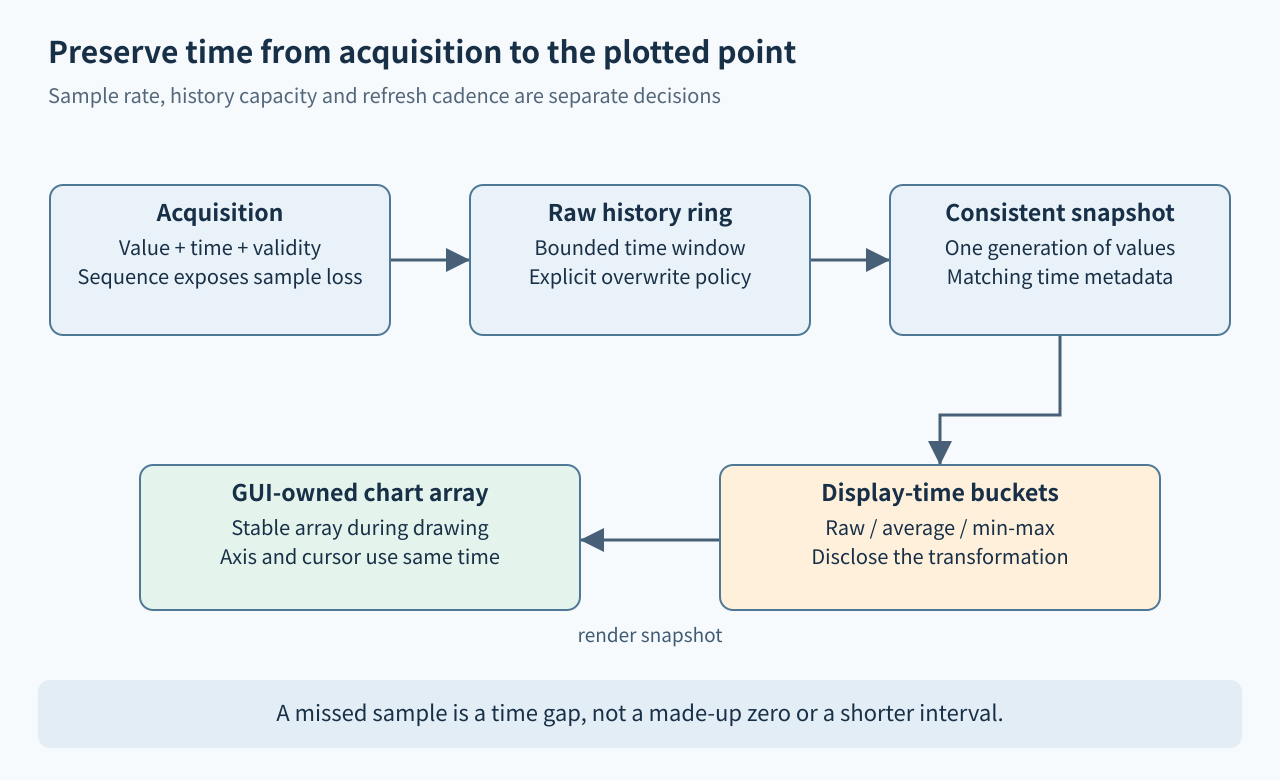
Store each acquired sample with a sequence number or timestamp and a validity indicator. The acquisition path should not wait for a GUI timer merely to preserve history. A bounded ring can retain recent samples, with a documented overwrite or backpressure policy. If samples are dropped before they reach the ring, maintain a loss counter or discontinuity marker rather than silently pretending the surviving values are adjacent in time.
Choose history length from the time window and acquisition rate, then choose the number of displayed points from the visual requirement. These are different capacities. For example, a hypothetical 100-sample-per-second source needs 3000 records for a 30-second raw window before metadata and alignment overhead. That arithmetic does not imply a particular RAM footprint or achieved display rate. Variable-rate sources need timestamps; sample count alone does not define a stable duration.
Give external chart arrays a clear owner
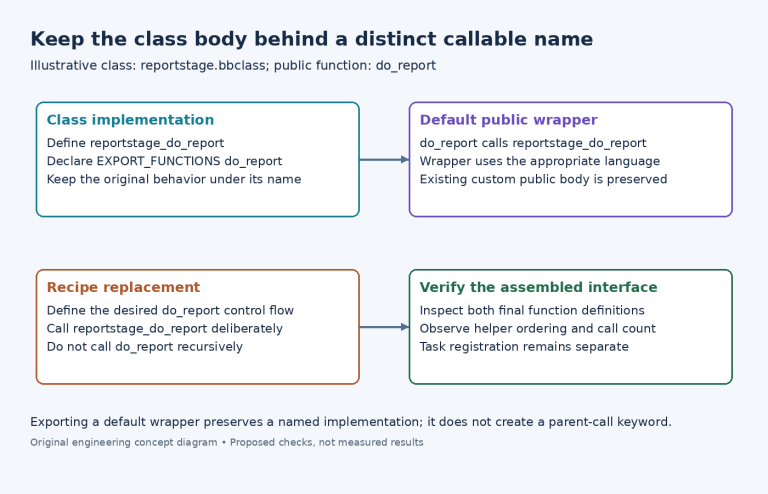
LVGL can use an application-supplied Y array through lv_chart_set_ext_y_array(). The v9.2.2 header uses an int32_t pointer, and the allocated array must cover the configured point count. The chart keeps the pointer, so a temporary local array is unsuitable. Changing point count without resizing the backing allocation can turn a harmless UI setting into an out-of-bounds access.
Do not let an ISR or acquisition task overwrite the same external array while LVGL is drawing it. One practical policy is that the GUI owns the display array and copies a consistent snapshot from the acquisition ring. Another is an explicitly synchronized buffer handoff. Either way, keep the sample metadata and values from the same snapshot generation. Call lv_chart_refresh() after updating external data through the documented interface; it does not itself solve concurrent ownership.
Decimate according to the question the chart answers
If many raw samples map to one horizontal pixel column, retaining every tenth sample can erase a short peak. A min/max envelope per display-time bucket is often more honest for detecting excursions. Preserve which extreme occurred first if you connect selected points in time order. An average serves a different purpose: it can summarize a trend but intentionally suppresses excursions. Label that transformation rather than presenting it as raw data.
LVGL’s line-chart implementation documents special handling when there are more points than horizontal pixels. That renderer behavior does not recover peaks already discarded by upstream decimation, nor does it replace a retained raw history when the user zooms in. Define decimation at the data-model boundary, record bucket time limits, and ensure cursor details identify whether a displayed point is a raw sample, an average, or an extremum.
Choose update mode and axis semantics together
The widget supports shift and circular update modes. Shift presents new values toward the right while older values move through the logical series; circular mode overwrites positions in a rolling sweep. These are display policies, not definitions of elapsed time. If a circular sweep wraps, make the write position or discontinuity understandable so users do not interpret the end-to-start join as a continuous trend.
A line chart ordinarily uses point order for horizontal spacing. For irregular timestamps, either resample onto a disclosed regular time grid with explicit gaps, or use an appropriate X/Y scatter representation with real relative-time coordinates. In v9.2.2, lv_chart_set_next_value2() accepts X and Y values for scatter data. Keep absolute timestamps outside the widget if converting them to its coordinate range would lose precision or overflow; label the axis from the same chosen time origin.
Make missing data visible and test the history window
LV_CHART_POINT_NONE can represent an omitted point or segment through the chart’s documented drawing behavior. Decide what a gap means before substituting zero, because zero can be a real sensor value. After a long pause or clock discontinuity, start a new segment or rebase the visible window deliberately. Never connect an old sample directly to a new one merely because they occupy adjacent array positions.
A proposed test sequence should include a ramp, a one-sample spike, a constant value, an intentional loss interval, and a timestamp jump. Verify ring wrap, a full display-buffer update, zoom changes if supported, and resizing while samples continue arriving. Assert the oldest and newest visible times, loss markers, peak preservation and cursor-to-sample mapping. Compare against the raw synthetic sequence. No acquisition hardware, GUI simulator or rendering benchmark was executed for this article.
Acceptance checklist
- Acquisition rate, refresh cadence, retained history and displayed point count are separate settings.
- Every displayed value has a defined timestamp or a disclosed regular sample interval.
- External arrays remain valid, correctly sized and protected during drawing.
- Decimation preserves the information required by the intended diagnostic question.
- Missing samples, sweep wrap and clock changes do not imply false continuity.
- Cursor labels and axis ticks derive from the same history snapshot as the plotted values.