SquareLine Studio Initial Actions: Separate UI Startup from Every Screen Visit
A screen looks correct on the first visit but shows stale values when the user returns. One possible cause in SquareLine Studio is placing per-visit work in Initial actions. Those actions belong to UI creation, not every navigation into a screen.
The opposite mistake is equally costly: putting one-time application setup in a screen-entry handler can repeat it on every visit. A duplicated subscription, repeated initialization request or reset of an in-progress operation may then look like an unrelated backend problem.
Define the lifetime of each action
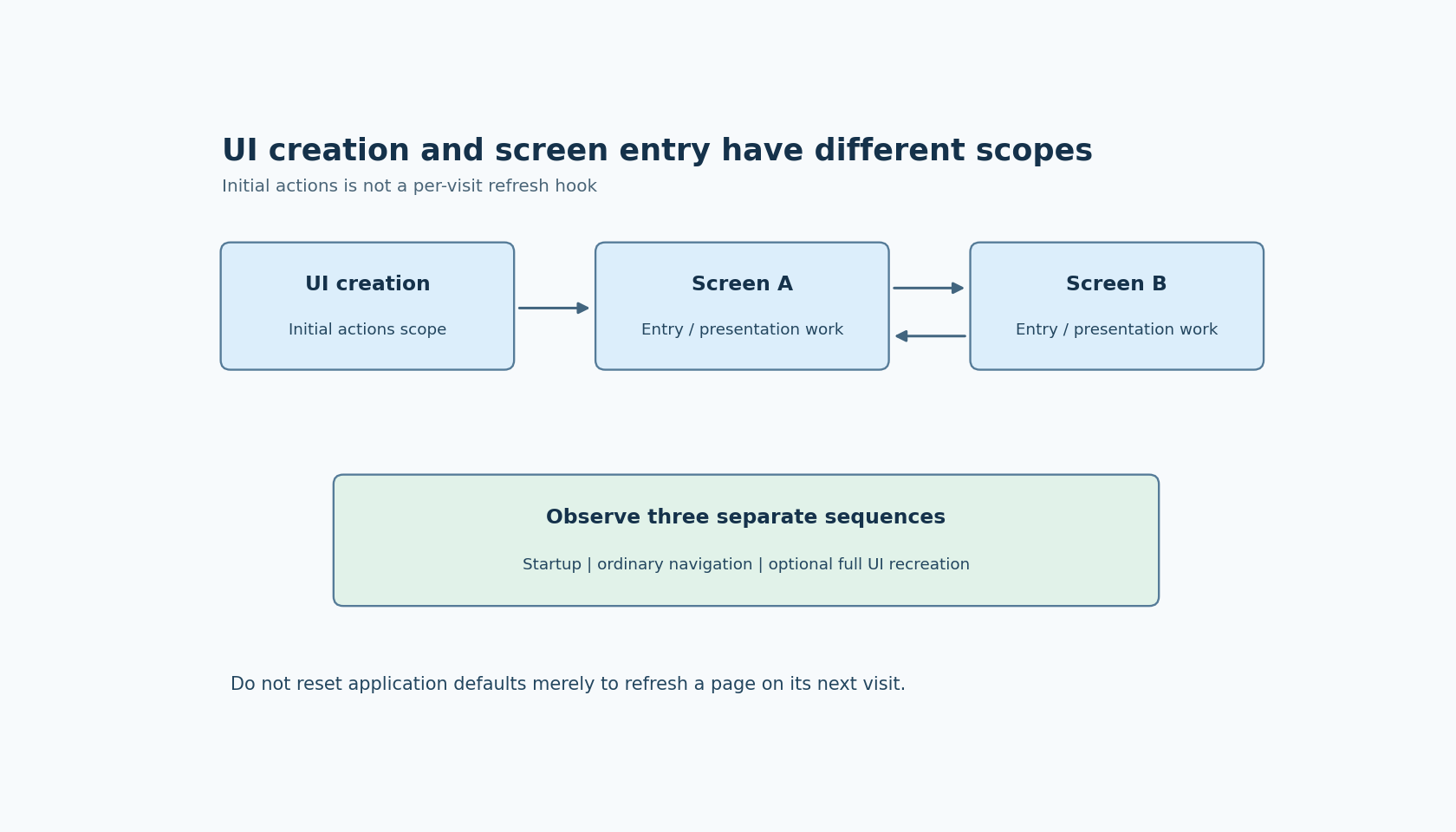
The official Screens panel documentation describes Initial actions as a special fixed element whose actions run once when the UI is created. It can be used for startup animations, but its scope is UI creation.
The Events and Actions documentation defines separate screen events. Screen loaded occurs after screen-change animations finish; screen load start occurs after the configured change delay. Screen unload start and screen unloaded describe different points on the outgoing side.
Choose an action's scope before choosing its event. Reading the current application value for a page may belong on each entry. Allocating an application-wide service usually belongs under application ownership. Starting a purely visual entrance effect may depend on whether the design wants it before or after the transition.
“Once” is also relative. Recreating the entire UI is another UI-creation event. Do not interpret Initial actions as a promise that an operation happens only once during the device's lifetime, including every possible UI teardown and restart.
This article uses documentation labeled SquareLine Studio 1.6.2 and proposes a navigation experiment. It does not report executed simulator or device results.
Use counters to expose event scope
Create two simple screens with navigation between them. Attach a distinct counter to Initial actions and to the entry event selected for each screen. Display or log these counters without tying them to a real device operation.
Start the UI, visit screen B, return to A, and repeat. The expected counter behavior should be written before testing: Initial actions corresponds to UI creation, while the chosen screen-entry counter reflects the relevant entry events.
Record the event names and the first active screen. Do not infer the exact startup event sequence from a later A-to-B transition; inspect the generated initialization and observe startup separately. That distinction matters when the initial screen is created and loaded as part of UI setup rather than through the same application navigation helper.
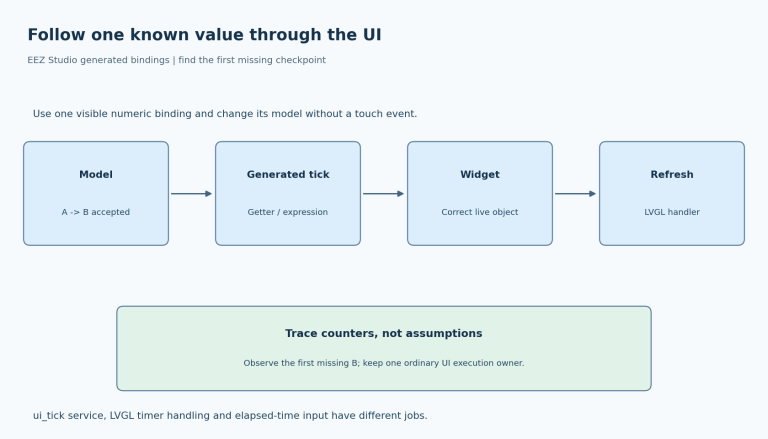
Use a second observation for the displayed data. Change an application-owned value while its screen is not visible, then return to that screen. If the page is meant to show a current snapshot, confirm that it reads the updated value on the intended entry path rather than retaining its first startup value.
Separate model initialization from presentation refresh
A page-entry handler should not reset durable application state merely to make a widget look initialized. Decide which values are defaults used when the application starts and which are current values copied into the UI when a page appears.
For example, a settings page may display the device's committed setpoint each time it opens. That does not mean it should write the factory default setpoint to the device on every visit. The read path and the initialization write have different authority and timing.
Keep a temporary edit buffer separate if the page supports Apply and Cancel. Define whether returning to the page restores an unfinished edit or reloads the committed value. That policy is application-specific; the event name alone cannot choose it correctly.
When inspecting the generated or handwritten callbacks, label their side effects. A function that only refreshes labels can often be repeated safely. A function that starts a job, registers a callback or creates a timer needs a deliberate repetition policy. Make repeated visits part of its acceptance test.
Choose the transition phase intentionally
Use screen load start when the work logically belongs at the beginning of the incoming transition, and screen loaded when it should occur after the transition's animations have finished. Verify the behavior with the actual delay and animation settings rather than assuming a navigation button click is equivalent to either event.
Place trace markers around the screen change request and the selected screen callbacks. A simple sequence number is enough to establish order; precise timing instrumentation is needed only if the product has a timing requirement.
Keep entry work short enough for the UI execution context. If refreshing the page requires a slow external operation, show the current known state and request the new result through the application's existing asynchronous design. Moving the slow operation from Initial actions to screen loaded does not make it nonblocking.
Test a rapid return or a second navigation request as a separate case. Define whether an outstanding data request can update a screen that is no longer the intended recipient. This article's scope is choosing the entry trigger; request ownership still needs an application-level policy.
Distinguish page visits from complete UI rebuilding
If the product supports tearing down and rebuilding the UI, repeat the counter experiment through that path. Record whether one-time setup is intentionally repeated and whether application-owned services remain outside the UI rebuild.
Do not trigger a full UI rebuild merely to force Initial actions to run again for a page. That changes far more than the presentation refresh you wanted and can introduce additional lifecycle requirements.
The acceptance record should separate three sequences: initial startup, ordinary navigation, and optional complete UI recreation. For each action, state which sequence should invoke it and which should not. The resulting design is easier to reason about than a collection of callbacks that all happen to run during the first successful demonstration.