Yocto Uninative: Diagnose a Host C Library Compatibility Warning
A host upgrade is followed by an uninative warning about the C library. Native tasks may still build, but the assumptions behind sharing their artifacts across host distributions have changed. Treat the warning as a compatibility decision, not simply a failed download that should be silenced.
Uninative supplies a controlled libc environment for build-host executables. Understanding its setup path helps distinguish missing configuration, archive acquisition, host compatibility and ELF interpreter changes.
Identify the libc environment being selected
The uninative class reference describes its goal: making native shared-state reuse across different host distributions practical by reducing dependence on each distribution's C library. Poky enables it through the yocto-uninative configuration include.
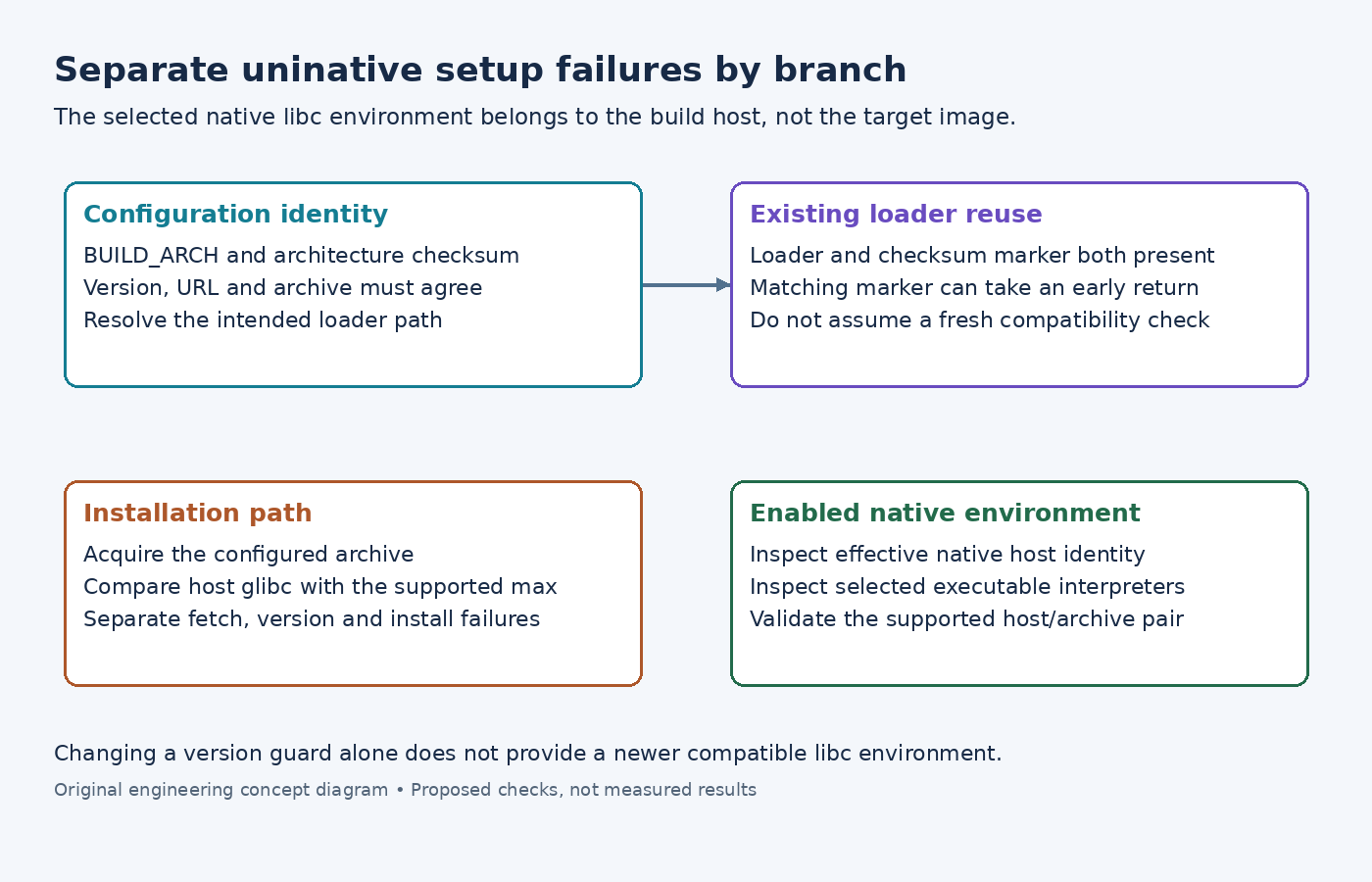
This is not the target device's libc selection. Changing a target image from one libc configuration to another is a different operation. Begin with BUILD_ARCH and the build host, even when the failing recipe ultimately contributes to an embedded target.
Read the product checkout's yocto-uninative include. It associates an uninative version and URL with architecture-specific checksums and a maximum supported host glibc version. These values evolve on the maintenance branch; use the checked-out combination instead of copying a number from another release.
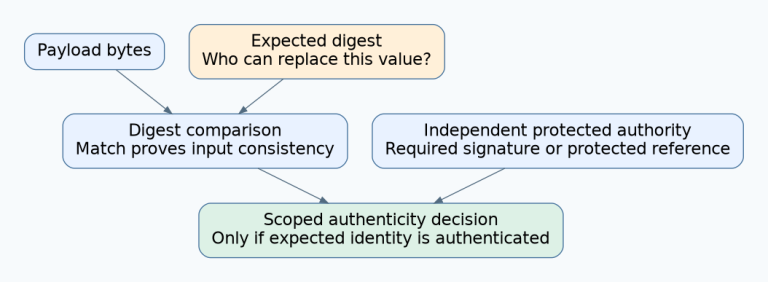
Record the effective UNINATIVE_LOADER, UNINATIVE_TARBALL and architecture checksum. If a distribution overrides the URL, confirm that the intended archive still corresponds to the declared checksum. Do not substitute a convenient binary archive and retain an unrelated version label.
Locate the exact setup branch
The examined uninative implementation has several distinct branches:
- A missing architecture checksum is a configuration error.
- An existing loader with its matching checksum marker can take an early reuse path.
- The installation path obtains the tarball and compares the host glibc version reported by ldd with UNINATIVE_MAXGLIBCVERSION.
- A newer host glibc raises the warning condition before unpacking and enabling that installation.
- Fetch and installation failures produce separate warnings.
The compatibility comparison is therefore not executed afresh on every possible invocation: the matching-loader fast path matters. Preserve the actual warning and setup state before diagnosing two builders that appear to use identical configuration.
Understand the observable effect of enablement
In the examined code, enabling uninative changes NATIVELSBSTRING, adds native linking settings and registers an sstate post-unpack interpreter hook. That hook handles selected dynamic executables for native, cross and crosssdk recipes; it is not a rewrite of every file in every target package.
For a suspicious native executable, inspect its ELF interpreter with the toolchain's readelf program-header display. Compare the recorded interpreter with the effective loader location, and verify that the loader is present. This is a proposed diagnostic; no host executable was patched for this article.
Do not infer that all shared-state use has stopped merely because uninative was disabled during setup. Instead, inspect the effective host identity and the cache decisions for the relevant native task. The specific lost assumption is the intended uninative portability arrangement, not a universal prohibition on using any cached artifact.
Repair the host and metadata combination
A download failure calls for investigation of the configured source and acquisition path. A host-version compatibility warning calls for a supported host/libc and uninative combination. Treating both as the same network problem can lead to repeated downloads without addressing the actual condition.
Check the release's supported-host requirements. A newer distribution is not automatically qualified merely because its compiler starts successfully. Where an upgrade is needed, update the maintained metadata and matching uninative archive together, or use a host environment supported by the chosen release.
Avoid raising the maximum-version variable solely to bypass the guard. That changes the asserted compatibility boundary without supplying a newer libc environment. Validate the corrected combination in a separate build area, inspect the effective loader and native interpreter, and exercise the native tool's real operation. Successful setup is useful evidence, but target-image correctness still requires its own build and tests.