MQTT Explorer Investigations: Define What the Topic View Can Actually Prove
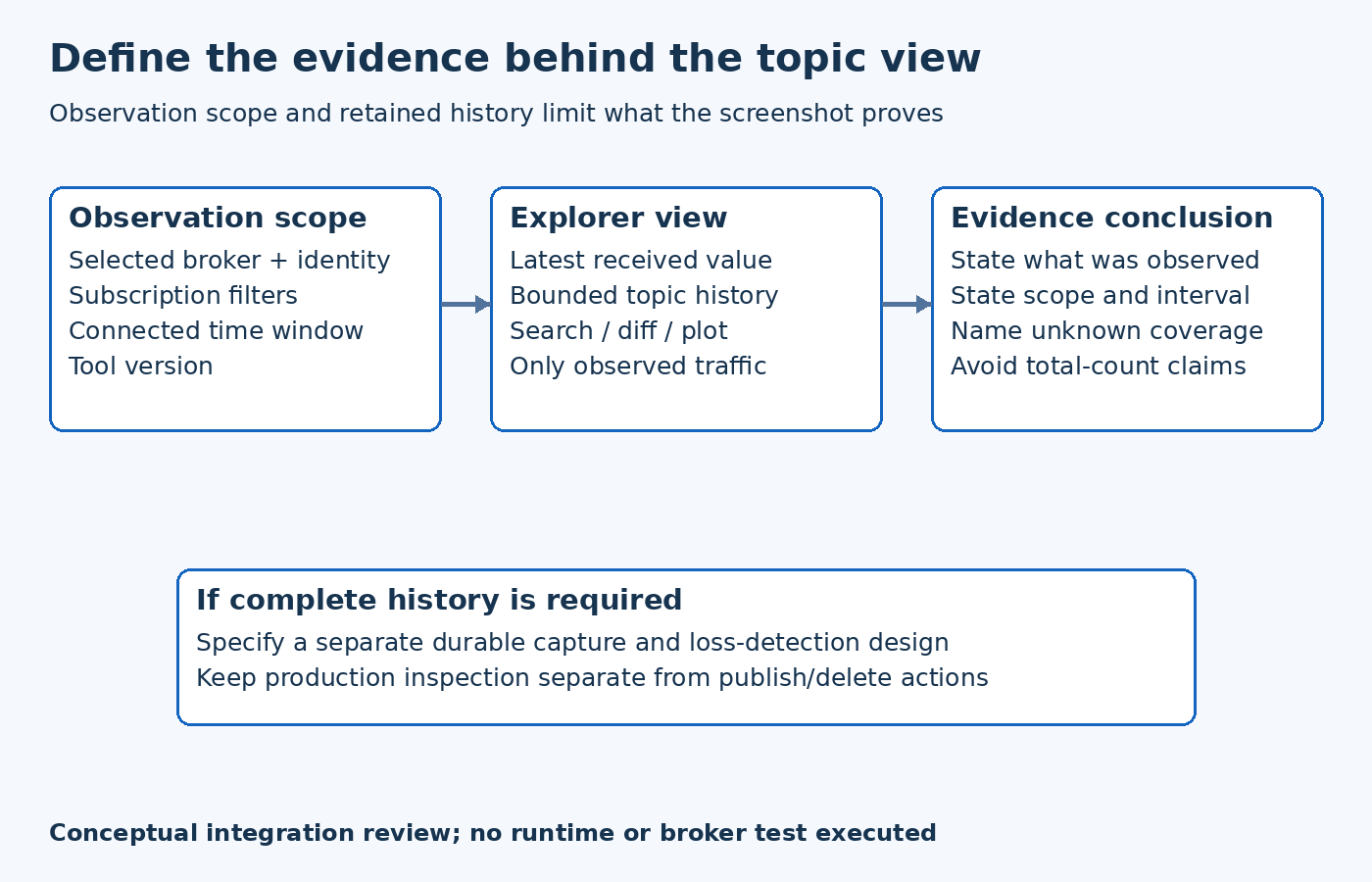
Use MQTT Explorer as a scoped observation client when investigating an industrial MQTT integration. Its topic tree and message history can help explain what this client received. They do not, by themselves, establish a complete broker inventory or a durable record of every publication during an incident.
This distinction matters when a commissioning screenshot becomes part of an acceptance report. A visible value supports a narrower statement than “the system recorded all equipment updates.” Decide the evidence requirement before choosing the tool and the observation window.
State the subscription boundary
The official MQTT Explorer site describes topic visualization, per-topic history, differences between received messages and custom subscriptions. It recommends limiting subscriptions in very large environments. Those features support focused troubleshooting; broad wildcard coverage is not automatically the best diagnostic setup.
For a hypothetical pump-monitoring installation, start with the approved equipment namespace needed for the investigation. Record the broker endpoint, authorized observation identity, configured filters, connection interval and tool version. Do not include credentials in the evidence package.
If an expected topic is absent, first compare the expected namespace with the actual subscription and access policy. Also check whether the publisher sent during the observation window. Absence from this view is not sufficient evidence that no application anywhere published the topic.
Separate the latest value from retained history
In the pinned v0.4.0-beta.6 topic model, a node keeps a current message and a separate message-history buffer. The initial buffer is configured with a size budget and an item limit. The ring-buffer implementation can discard earlier entries when admitting new ones.
Accordingly, do not derive an incident's total publication count from the number of history entries still visible. Do not assume a missing early value was never received. Installed versions and effective history settings need their own checks; this source review does not assert an immutable limit across every release or configuration.
If the requirement is a complete, durable trace, specify a recording system with an explicit capture interval, loss detection and storage policy. Explorer can remain a useful companion for navigation and interpretation, but its visible history should not silently become the contractual audit store.
Compare observations at the right layer
Suppose the pump publishes changing speed values while an operator reports that a downstream chart is frozen. Seeing new values in Explorer narrows the investigation: this observation client is receiving updates under its own subscription. It does not prove that the chart's client has the same permissions, filter, connection state or payload interpretation.
Capture one approved example from the observed stream and compare it with the downstream application's expected topic and data contract. Preserve the source value and the observation context. Avoid explaining a discrepancy solely by comparing two screenshots taken at different times.
Conversely, if Explorer shows no new messages, examine publisher and broker evidence before blaming the device. The client may have connected late, subscribed narrowly or lost its own connection. Name which boundary is supported by each observation.
Keep investigation actions within their scope
The tool also provides publish and retained-message deletion capabilities. These are state-changing operations, not passive inspection. An observation-only investigation should use an appropriately restricted identity and avoid those actions. A convenient button does not establish authorization to change a production namespace.
For a planned test, use a dedicated namespace and a harmless identifiable payload. Record the start and end of observation and compare the received example with the expected fixture. If message completeness matters, collect that evidence through the separately specified recorder rather than inferring it from the topic tree.
No live broker exercise was executed for this article. The intended result is an investigation report that says exactly what Explorer observed, within which subscription and time window, and which questions require additional evidence. That makes the visual tool useful without overstating the completeness of its view.