Buildroot Builds Incrementally but Fails Clean: Finding Missing Package Dependencies
When a package builds in a long-lived output directory but fails from scratch, preserve both results. The difference can reveal an undeclared library, a leftover generator or a configuration decision cached weeks earlier. The useful fix makes the required inputs explicit and survives a fresh output directory. This review method applies equally to handwritten and AI-assisted package recipes; the worked fragments use Buildroot 2025.02.18.
Compare incremental and fresh builds using the same inputs
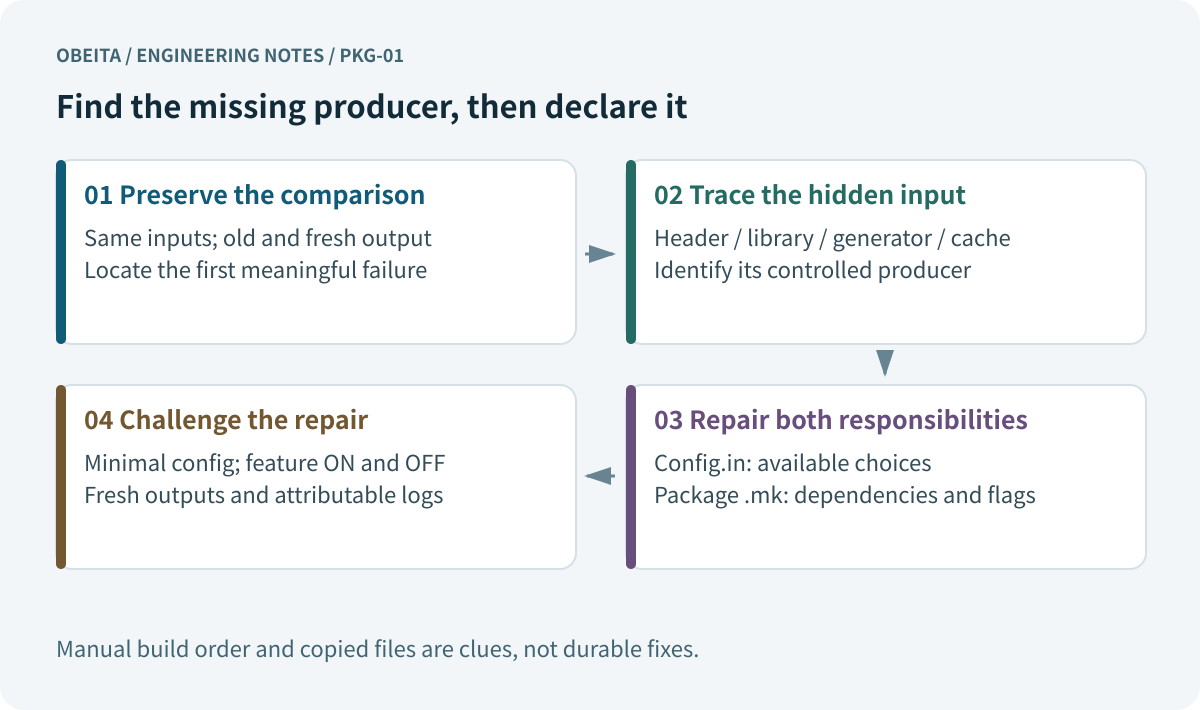
Keep the successful output and save its configuration, source revisions and original log. Create a separate O= directory using the same Buildroot tree, external tree, defconfig, package source and toolchain. Record environment differences. A fresh build with a different compiler or feature selection is not a controlled comparison, even when both commands have the same package name at the end.
Locate the first meaningful failure in the verbose log. A download failure precedes package dependency analysis; a configure failure often concerns feature detection; missing headers, undefined symbols and installation errors point to different stages. The last recursive make error usually reports propagation rather than cause. Preserve enough preceding lines to identify the actual command, working directory and missing input, then state one testable explanation before changing the recipe.
Identify the hidden inputs supplied by the old output
Trace each missing file or program to its intended producer. The old staging area may contain a library from a package that is no longer selected; host may contain a build-time generator; the package build directory may contain generated sources or cached detection results. Target files describe runtime installation, not a substitute development sysroot. These locations have different roles, so “it exists somewhere in output” is not enough.
If copying a header makes the error disappear, record the observation and undo the workaround in the test configuration. Ask which version owns that header, how it should be installed, and why the consumer did not wait for it. Copying development files into target or changing the order of manual make commands hides the producer-consumer relationship and leaves the next engineer with the same failure.
Separate configuration visibility from build-order dependencies
Config.in controls the available configuration choices and their requirements. The package .mk file declares the build dependencies that must be prepared before configuration. A selected library does not by itself document every consumer’s ordering requirement. For the precise rules, use the fixed-version configuration guidance and package infrastructure reference.
Consider an illustrative telemetry package with an optional zlib feature. Its Config.in option selects BR2_PACKAGE_ZLIB, subject to the package’s applicable configuration requirements. The matching .mk branch needs the dependency as well as an explicit feature argument. A teaching defect would omit the dependency line while keeping the feature enabled:
ifeq ($(BR2_PACKAGE_TELEMETRY_ZLIB),y)
TELEMETRY_DEPENDENCIES += zlib
TELEMETRY_CONF_OPTS += -DTELEMETRY_WITH_ZLIB=ON
else
TELEMETRY_CONF_OPTS += -DTELEMETRY_WITH_ZLIB=OFF
endif
This is a recipe fragment, not a complete package. The source must actually implement that CMake option and consume zlib through a cross-compilation-aware lookup.
| What changed | Useful iteration step | Evidence still required |
|---|---|---|
| Source implementation only | package-rebuild | Inspect compile log; fresh-output regression |
| Configure arguments or optional feature | package-reconfigure | Effective feature summary and consumer rebuild review |
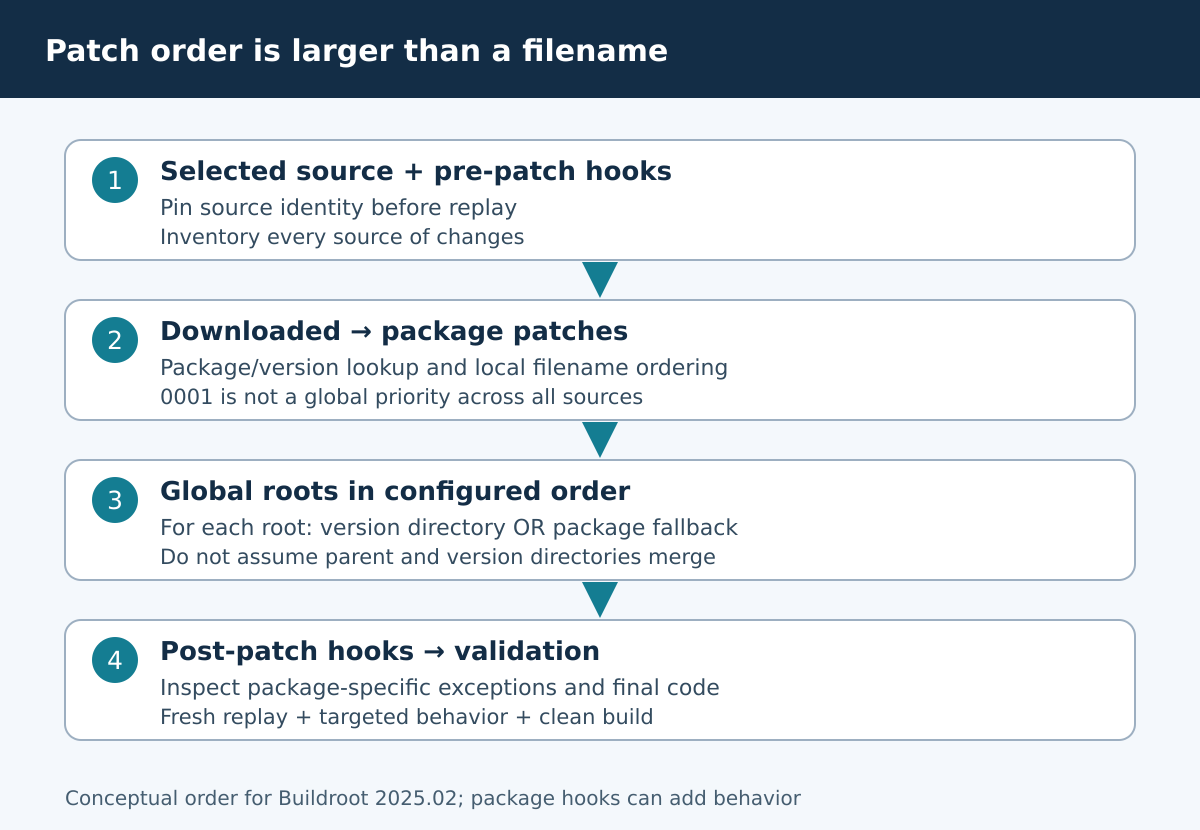
| Patch or extraction inputs | package-dirclean, then normal package build | Patch replay from fresh sources |
| Toolchain, ABI or selected package removal | Fresh complete output directory | Full image build and relevant runtime tests |
| Suspected stale installed dependency | New O= directory with minimal config | Dependency pulled in without old staging/host |
Make optional features and detection explicit
Compare configure summaries and CMake cache entries between the successful and fresh builds. An upstream “auto” feature can become enabled only because a previous package happened to leave a library available. That difference can change the compiled functionality even when both builds finish. Identify whether each optional feature is required, forbidden or deliberately selectable by the product configuration.
For enabled features, pair the dependency with the relevant upstream enable option. For disabled features, use the supported disable option and check that configuration confirms it. Do not assume an unused library cannot influence autodetection. Keep target libraries separate from host tools: a generator invoked during compilation needs a host executable, while the library linked into the application needs the target variant. One dependency name cannot casually substitute for the other.
Choose rebuild, reconfigure or dirclean deliberately
Use local rebuild targets for iteration after understanding which stage needs repeating. In this release, package-rebuild restarts the build step; package-reconfigure restarts configuration; package-dirclean removes the package build directory so its preparation can be redone. These operations do not automatically clean every file the package previously installed or rebuild all consumers. Consult the fixed-version rebuild guidance before deciding what evidence a retry provides.
A changed patch generally needs fresh extraction and patching; a changed feature needs configuration rerun; toolchain changes call for a full clean system build. After package-level work, regenerate the required final images through the normal build target. The decision table separates convenient iteration from the fresh-output check needed to establish that the repair no longer relies on residue.
Try to disprove the dependency fix
Reduce the test configuration to the architecture, toolchain capabilities and packages genuinely needed by the consumer. Remove unrelated applications that could accidentally provide its dependency. Exercise both feature branches. In the teaching example, the enabled branch should declare zlib and the disabled branch should request OFF without that dependency; a small Make-variable fixture can check this declaration, but cannot prove a complete target build.
Then run the actual clean builds in the intended environment and inspect their logs. Where supported by the selected Buildroot setup, vary package build parallelism and test the declared dependency ordering rather than relying on incidental scheduling. Retain a deliberate missing-dependency variant as a negative test only in a controlled test branch. A useful regression should fail for the expected reason; an unrelated network failure does not validate the test.
Deliver a minimal failure and a reviewable correction
Keep the failing and corrected recipe, Config.in, minimal configuration, source identifiers and complete logs together. Explain which missing producer was identified and why the chosen dependency and feature control address it. List any remaining assumptions, including supported toolchain features and runtime files that must be checked on the device. Avoid marking a package production-ready on the basis of a syntax fixture.
If compiler paths or ELF architecture point to a host/target mix-up, continue with cross-compilation leak diagnosis. Once the repair is established, use package-level CI gates to keep it covered. The same evidence requirements apply to AI-assisted embedded changes: plausible recipe text still needs controlled inputs, a falsifiable test and a result another engineer can inspect.
References and version boundary
Examples are engineering illustrations for the stated version. No board execution, full cross-build, performance benchmark or field-deployment result is claimed.
- Buildroot 2025.02.18 source archive
- Buildroot manual package and rebuild guidance
- Buildroot 2025.02.18 package configuration
- Buildroot 2025.02.18 generic package infrastructure
- Buildroot 2025.02.18 package rebuild boundaries
For a focused BSP maintenance or build review, contact Obeita with the relevant version baseline, a sanitized configuration and the first complete failure log. Include the hardware or toolchain scope and the result you need to establish.