Moving a Vendor BSP into Buildroot LTS: BR2_EXTERNAL, Board Patches and Build Baselines
A vendor BSP often mixes reusable board support with release-specific edits, local tools and files copied into output directories. Moving that project to Buildroot LTS is an exercise in recovering ownership of those inputs. This workflow uses Buildroot 2025.02.18 as a fixed reference and separates the product external tree from the upstream tree. The example layout is illustrative; it contains no board-ready defconfig or flashable image.
Freeze the working vendor build and its inputs
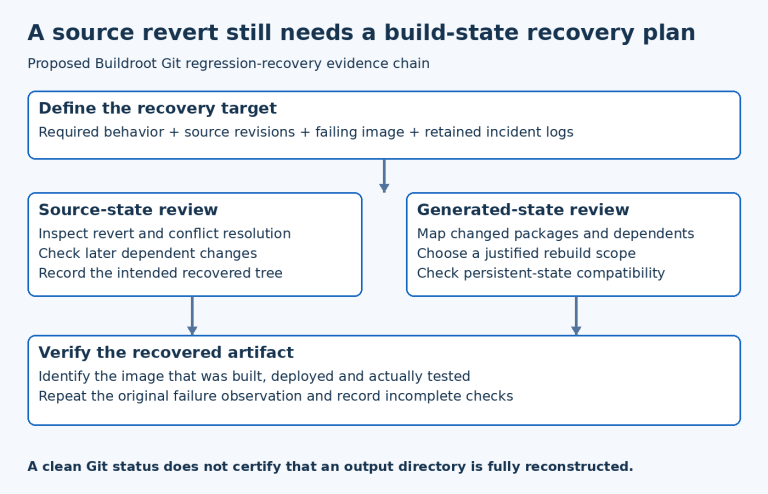
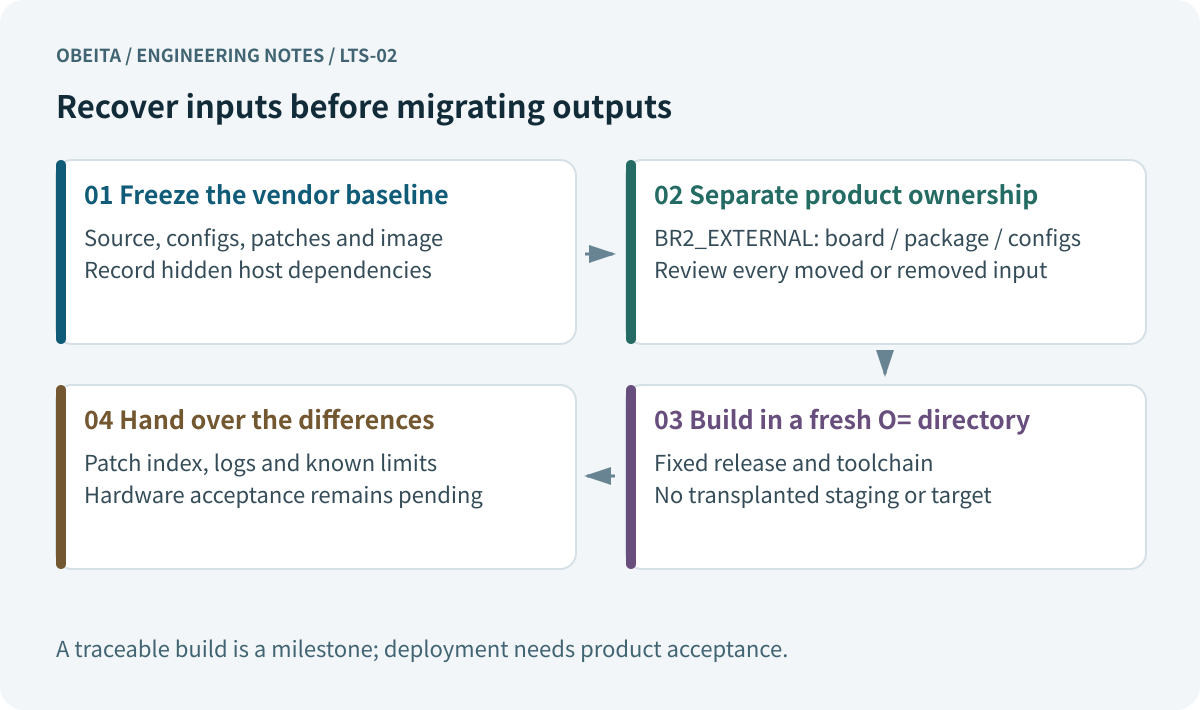
Archive the working vendor tree before rearranging it. Capture the exact command used for a release, the effective Buildroot configuration, kernel and bootloader configurations, patches, downloaded inputs, and image checksums. Record the host environment separately. Preserve a copy of the original output for investigation; deleting it at the start can destroy the only evidence of an undocumented customization.
Compare generated directories with version-controlled inputs. A modified header under staging, an application copied into target, or a binary generated by a developer’s private script needs a declared producer in the new project. Mark unrecovered inputs as blockers. When a file’s origin is unknown, copying it into the new overlay merely relocates the uncertainty. Keep the original reference image available for later behavior comparisons and recovery planning.
Define board and product boundaries in the external tree
Use a small named external tree for product-owned material. The fixed-version external-tree documentation describes the required entry points. Keep board files, package recipes and saved configurations in visibly different locations. Choose whether board revisions need separate defconfigs based on actual configuration differences, rather than folder aesthetics.
product-bsp/
  external.desc        # name: PRODUCT
  Config.in            # package menu entries
  external.mk          # include product package .mk files
  configs/
    product_a_defconfig
  board/product/a/
    linux.config
    rootfs-overlay/
    patches/
    post-image.sh
  package/
    telemetry/
For a tree named PRODUCT, project paths can use BR2_EXTERNAL_PRODUCT_PATH. A small external.mk can use include $(sort $(wildcard $(BR2_EXTERNAL_PRODUCT_PATH)/package/*/*.mk)). Directory separation improves change review; it does not create an access-control boundary or prevent a script from reading undeclared files.
Migrate requirements instead of copying an old config blindly
Start from the features the shipped product requires: architecture, toolchain capabilities, init system, selected packages, kernel sources, bootloader settings and image formats. Review the target release’s migration notes and Legacy options. Use the new configuration machinery to resolve renamed or removed symbols, then compare the effective configuration with the old requirements. A disappeared symbol can silently represent a disappeared capability if review stops at a successful save.
Keep Buildroot, Linux and U-Boot configurations distinct. Store both concise defconfigs and the effective configurations used for the trial build so reviewers can distinguish intentional choices from changed defaults. For every removed option, write either its replacement or why the feature is no longer needed. This is particularly important for authentication, filesystem and networking settings that may not be exercised by the first serial-console boot.
| Vendor-tree finding | Destination or action | Required review |
|---|---|---|
| Board configuration and DTS changes | board/product/revision plus saved configs | Exact base, variant scope, hardware assumptions |
| Custom application recipe | package/name | Source, license, dependencies, installation |
| File edited under output/target | Overlay or package-owned install rule | Origin, permissions, overwritten defaults |
| Private post-image command | Versioned post-image script | Inputs, tool versions, partition implications |
| Unknown binary or host utility | Blocker register | Owner, provenance, redistribution and replacement |
Give every patch a source and replay order
Separate kernel, bootloader and userspace patch queues, and attach each queue to an exact upstream or vendor base. Use filenames with a stable ordering convention and maintain an index stating the purpose, provenance, upstream status and affected hardware. Configure project patches through the supported mechanism for the selected version; avoid a second undocumented shell step that applies additional patches after configuration.
Replay from freshly extracted sources. Inspect warnings and changed context, then review the resulting behavior assumptions. A patch that no longer applies may already have an upstream equivalent; a patch that still applies may now duplicate or contradict one. Record the decision to drop, rewrite or retain it. The official patch policy is the reference for application behavior, while the product index explains why each private change remains necessary.
Move overlays and image-generation steps into version control
Move configuration files into a controlled rootfs overlay and keep generated outputs out of it. Inspect each overwritten file against the new package default. An old service script can suppress a security improvement or rely on a directory the new image no longer creates. Record user IDs, groups, permissions and writable directories explicitly; copying a file from an old target directory does not preserve a complete filesystem policy.
Review post-build and post-image scripts for hard-coded paths, environment variables, assumed working directories and tools from the old SDK. Image assembly needs a recorded partition layout and boot argument baseline. Keep device identity and credentials out of generic source and example overlays. Provisioning belongs in the product’s authorized process. Changes to persistent partitions or startup order should generate acceptance tasks for the system-test matrix.
Build into an independent output directory
Select a fresh, uniquely named output directory, a fixed source tree and a recorded host environment. The following shell fragment illustrates the entry point after the product tree and real defconfig exist. It is not a complete build or CI result.
BR=/work/buildroot-2025.02.18
EXT=/work/product-bsp
OUT=/work/out/product-a-trial-001
make -C "$BR" O="$OUT" BR2_EXTERNAL="$EXT" product_a_defconfig
make -C "$BR" O="$OUT" BR2_EXTERNAL="$EXT" V=1
Do not transplant old host, staging or target directories to make the trial pass. Track source downloads, patch application and toolchain selection in the log. A successful independent build provides evidence about declared inputs; byte-identical reproducibility requires a separate comparison with controlled conditions. If a single package fails, narrow it with the clean-build dependency workflow rather than changing the whole migration plan without evidence.
Hand over a reviewable migration difference package
Deliver the external tree, source identifiers, build entry point, patch index, configuration differences and a list of unresolved items. Explain which old files moved, which were replaced and which were deliberately removed. Include logs and image checksums from actual runs only. Another engineer should be able to identify every required input without access to the original developer’s home directory.
A completed build and an initial boot are useful milestones, but the release decision belongs to hardware, update and recovery acceptance. Retain the approved boundaries from migration planning. For device-tree changes, the existing device-tree review guide helps connect source review to real peripherals. Finish the engineering handover with clear evidence gaps, so the next owner knows exactly what still needs measurement.
References and version boundary
Examples are engineering illustrations for the stated version. No board execution, full cross-build, performance benchmark or field-deployment result is claimed.
- Buildroot 2025.02.18 source archive
- Buildroot manual BR2_EXTERNAL and customization
- Buildroot current LTS snapshot
- Kernel device-tree schema validation
- Buildroot 2025.02.18 external-tree documentation
- Buildroot 2025.02.18 patch policy
For a focused BSP maintenance or build review, contact Obeita with the relevant version baseline, a sanitized configuration and the first complete failure log. Include the hardware or toolchain scope and the result you need to establish.