EEZ Studio Image Export: Trace C Descriptors and Binary Files as Different Deployment Contracts
Changing EEZ Studio's image export mode changes more than the filename extension. A generated C image is supplied through the firmware build. A generated binary image is supplied through a runtime file path and a deployed asset. Those paths fail in different places.
When an image appears in Studio but disappears on the target, establish which contract the generated code actually uses before enabling decoders or adjusting display settings. This diagnostic follows the Studio v0.29.0 LVGL generator and the LVGL 9.4 image model. The examples are illustrative checks, not measurements from a target integration.
Read the generated source argument first
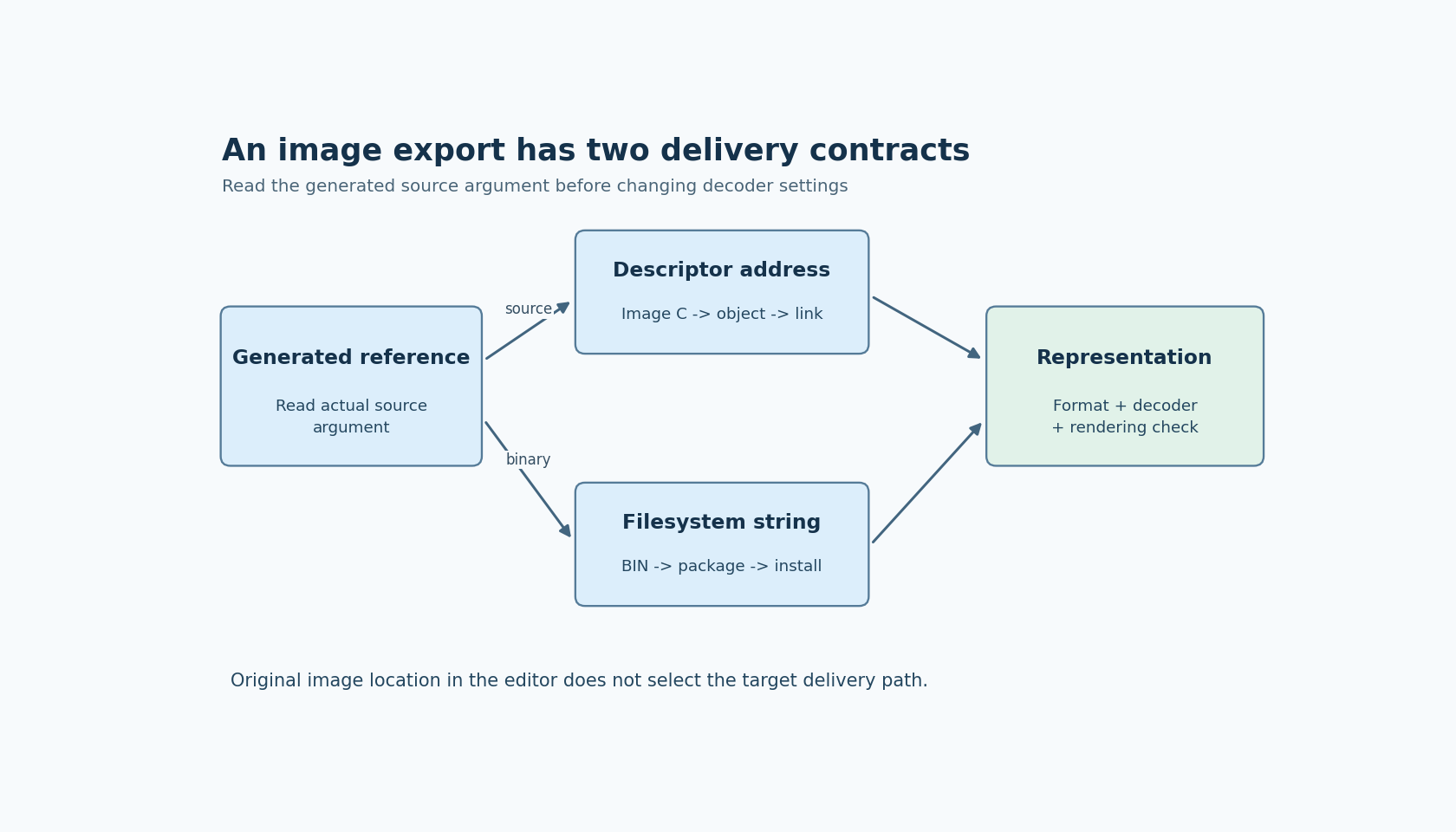
Locate the generated source reference for one visibly recognizable image. In Studio v0.29.0, the LVGL generator's getImageAccessor implementation returns an image descriptor address for source export. For binary export it constructs a string from the configured filesystem path and a generated ui_image_...bin filename.
Write down the actual argument. Do not infer it from the original PNG or JPEG filename in the editor. That original file is a conversion input, whereas the argument identifies what the device will consume.
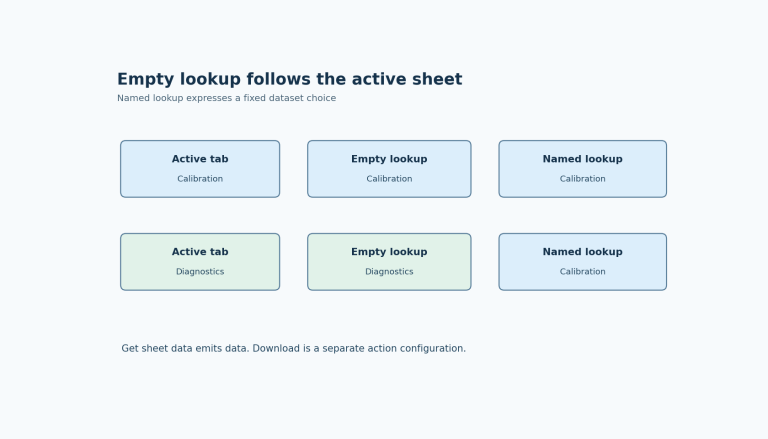
Also distinguish the editor's embedded-versus-external bitmap setting from image export mode. Keeping an original image outside the EEZ project does not by itself make the device load that original file from storage. Conversely, an image embedded in the editor project can still be exported as a runtime binary asset.
Contract A: source export reaches the linker
For source export, trace the generated image C file into the native build's active source list. Inspect the declaration, definition and use of the descriptor. Confirm that the output directory used by generation is the directory compiled by the product build.
A common integration mistake is to regenerate into a new directory while the native project continues compiling an older image file. Another is to add the screen sources but omit newly created image sources. A successful editor build does not establish either connection.
Use a deliberately recognizable change, such as replacing a diagnostic icon with a different shape. Regenerate, rebuild, and confirm that the linked output changes and the target displays the new shape. Keep this change in a disposable test branch rather than altering a production asset without a record.
For a negative check, remove the actively referenced diagnostic image file from the build inputs. The useful observation is whether the build exposes the missing definition or whether another copy still supplies it. If the result remains unchanged, investigate duplicate or stale sources before interpreting the visual result. Do not assume that an unused image must survive optimization or create a linker error.
The LVGL image documentation describes variable-backed images as descriptors and image data linked with the application. Use the link map and actual section placement to assess storage cost; selecting source export alone does not establish where every byte resides on a particular platform.
Contract B: binary export reaches the installed asset
For binary export, preserve three separate names in the diagnostic record: the generated file on the build machine, the installed file on the device, and the string passed to LVGL. They may differ because of packaging directories, mount points or the filesystem driver's naming convention.
The v0.29.0 generator writes a .bin output and constructs the runtime reference from the project's filesystem path. That construction does not register a device filesystem driver or copy the asset onto the target. The native integration and packaging process must satisfy those responsibilities.
Begin with one binary image and confirm that its exact bytes reach the intended installation location. Record its size and hash before packaging and after installation where the platform permits it. Trace file-open and read failures through the registered LVGL storage interface. LVGL's official image documentation explains that file-backed sources require that interface.
Then perform a controlled missing-file test: rename or omit only the diagnostic asset in a disposable deployment. Confirm that the expected access fails and that the UI takes its intended missing-image path. Restore the file and retest. This demonstrates that the screen is actually consuming the packaged asset rather than a cached or alternate copy.
Storage mode and pixel representation are separate decisions
A binary file is not automatically a PNG, and a C array is not automatically decoded pixels. Inspect the selected color format and emitted representation. LVGL distinguishes built-in image formats from raw content that needs a suitable decoder.
Studio's version-dispatched bitmap conversion code selects conversion behavior through the project's LVGL version. Its bitmap property definitions also show that some export controls are version-specific; for example, the separate Binary output format selector is disabled for the LVGL 9 branch. Do not transplant an LVGL 8 settings recipe into a version 9 project without checking the actual controls and output.
For a format investigation, hold the deployment method constant and compare one simple image in a known supported representation with the failing image. Record dimensions, format selection and any required decoder configuration. This isolates representation from file delivery instead of changing both simultaneously.
Decide what the evidence proves
A complete source-export check establishes that the intended generated object is linked and used. A complete binary-export check establishes that the emitted asset is installed, addressed and read. Both still require a rendering check for the selected representation.
Measure startup time, storage usage and runtime allocation only if those properties matter to the product decision. Neither export mode is universally faster or smaller across all memory systems and decoders.
Keep the final record compact: Studio version, LVGL target, export mode, emitted artifact, runtime source argument, build or packaging evidence, and the recognizable target result. That record turns an ambiguous missing picture into a specific broken connection.