SquareLine Studio Don’t Export: Test the Generated Dependency Boundary, Not Just the Canvas
SquareLine Studio's canvas can contain objects that are useful for design but should not be part of the product. The Don't export option expresses that boundary. It is different from hiding a runtime widget, and it needs a dependency check rather than a visual check alone.
A design-only object may still be named by an event, have a custom alias, or be the only visible user of an image. Excluding it raises several questions: which code disappears, which references remain, and which assets are still exported under the project's asset policy?
Distinguish three kinds of absence
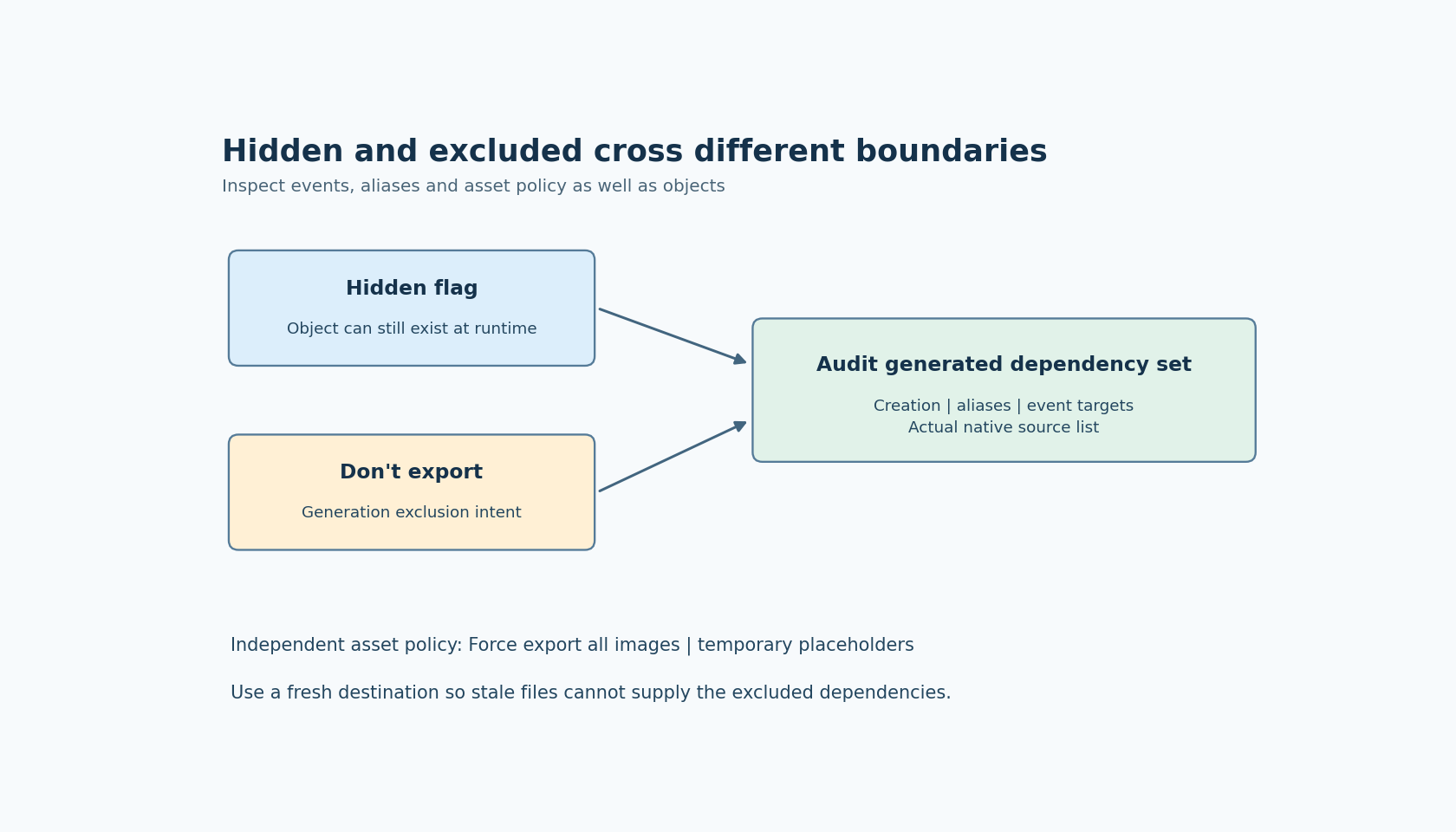
The official Inspector documentation says Don't export prevents a widget from being exported and displays it dimmed in the hierarchy. The same documentation describes Hidden as a widget flag. One changes generation; the other describes a property of an object that can still exist at runtime.
There is also a third case: an object that is absent because a required source asset or reference is missing. Do not use a placeholder image or a missing target as a substitute for an intentional exclusion policy.
Choose one diagnostic widget and state which case you intend. If it is a design-only color reference or experimental component, record that it should have no product runtime instance. If it is a temporarily hidden dialog, retain its runtime behavior and test the condition that reveals it.
This article uses official documentation labeled 1.6.2. The export comparisons are proposed checks, not results from a generated or deployed project.
Construct a small dependency probe
Create a disposable screen with a parent container, one child button, one image and one event that targets the child. Give the diagnostic objects recognizable names so their generated references can be found without guessing.
Export a baseline and record the emitted object creation, event wiring, aliases and asset outputs. Then mark the intended design-only object as Don't export and export into a clean second destination.
Compare the two trees. Search for the excluded object's generated name and any alias, then inspect the remaining event target references. Follow the actual emitted code: a source file containing a name in a comment is different from a live expression that dereferences it.
If you exclude a parent, check its descendants as a group. Do not assume a child's individual checkbox settles what happens when its parent is excluded. Establish the behavior of the selected exporter and preserve the small probe if the result is unexpected.
Compile the changed output with the intended native build inputs. A successful build is useful, but it is not the entire check. An obsolete source file retained in the build can supply declarations or functions that make an incomplete new export appear valid.
Make the asset policy visible
The Project settings documentation includes Force export all images, which can export images beyond those currently used by the UI. It also includes Export temporary image for undefined source images.
Those options explain why removing a widget from generated code need not remove every related image file from the export directory. Inspect the setting before interpreting a surviving asset as an exclusion bug.
Use two assets in the probe: one referenced only by the excluded object and another still referenced by an exported object. Compare the emitted asset list with Force export all images enabled and disabled, if both configurations matter to the product. Record the expected set for each mode.
Keep placeholder behavior explicit. A temporary image can make a missing source visible during development, but it can also let a test screen remain renderable when the real asset is absent. A production acceptance check should identify whether placeholders are allowed and how their presence is detected.
Do not infer firmware size reduction from the number of generated files alone. Compilation, references and linker behavior determine what enters the executable. The exclusion experiment first establishes the generated dependency boundary; memory measurement is a separate step if needed.
Use historical fixes as test cases, not universal diagnoses
The official changelog records version 1.5.1 fixes concerning images and event components associated with excluded objects. That is a useful reason to include both assets and events in an upgrade probe.
It does not prove that every earlier export contains the defect, that every later export is correct for every project, or that a current missing-object error has that historical cause. Keep the editor version and minimal reproducer with the observation.
When updating an older project, compare the intended exclusion policy with the new output rather than preserving every old generated file. Otherwise a corrected exporter can appear to have removed something the application had accidentally relied on.
Close the boundary in both directions
After excluding the diagnostic object, verify that no remaining product interaction requires it. Then restore the export option and confirm that the object, its intended event path and required asset return. The reverse check makes sure your native source list and packaging process can follow both changes.
Document the distinction between editor scaffolding and runtime UI in the project review. A dimmed canvas item is convenient evidence of intent, but the stronger evidence is the new generated tree, its active build inputs and the behavior of the remaining exported controls.
The desired result is an explicit, testable product boundary. Design-only objects can remain available to designers without relying on hidden runtime instances or stale generated dependencies to keep the firmware working.