EEZ Studio Switch Events: Separate the CHECKED Constant from the Widget’s Current State
An EEZ Studio switch controls a container. Turning it on works, but turning it off leaves the container visible. Before replacing the visibility action, inspect the condition: is it reading the switch's current state, or merely evaluating the constant that names the CHECKED state?
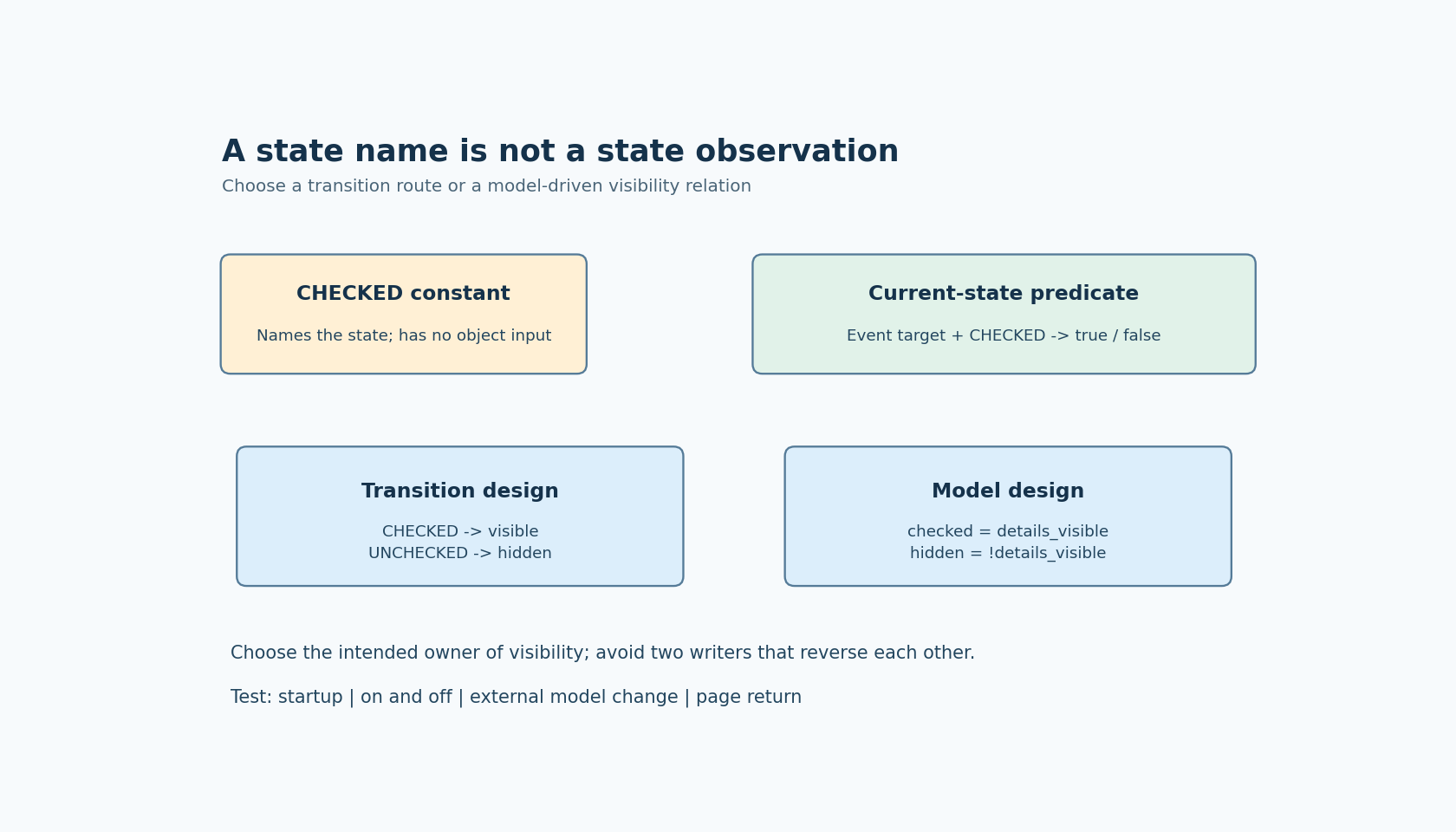
Those expressions answer different questions. A state constant identifies a bit or state value. It does not identify an object whose current state should be read. This distinction is particularly easy to miss when constructing a Flow graph from named constants.
A documented symptom with a narrow cause
In the official EEZ Studio discussion about a switch and the HIDDEN flag, a maintainer identifies LV_STATE.CHECKED used directly as a condition as the problem: that expression is always true in the reported setup. The answer offers two approaches, using CHECKED and UNCHECKED handlers or binding the checked state to a variable and deriving visibility from that variable.
This does not establish that every one-way switch failure has the same cause. It supplies a precise diagnostic question: where does the condition obtain the current value of the intended widget?
The procedure below focuses on Flow-enabled LVGL projects and examines Studio v0.29.0 source. It proposes checks for your generated project; it does not claim that the author's firmware or simulator has executed them.
Choose either an event route or a state relation
For an event-driven implementation, assign explicit behavior to the two transitions. The CHECKED route makes the controlled container visible; the UNCHECKED route hides it. Give each route a separate diagnostic counter so that you can tell which route executed independently of what the screen displays.
For a model-driven implementation, use one boolean value with a clear meaning, such as details_visible. Bind the switch's checked state to that value and derive the container's hidden state from its inverse. This approach expresses a lasting relation: visibility should match the model even when the model changes without a touch gesture.
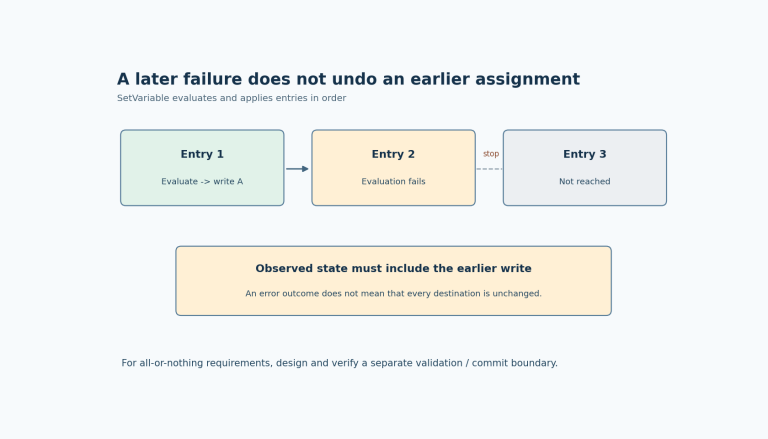
Avoid mixing both approaches casually. If an event handler directly hides the container while another binding continuously derives hidden state from a different value, the next update can overwrite the action's result. A brief visual change followed by reversal is then a question of competing writers, not necessarily a failed visibility API.
Write the intended truth table before wiring the graph: false means unchecked and hidden; true means checked and visible. If your product uses the opposite meaning, change the table and names together. Names such as disabled, hidden and enabled make accidental double inversion easy.
Understand what the generator is testing
In the tagged v0.29.0 widget event implementation, CHECKED and UNCHECKED handlers apply opposite tests to lv_obj_has_state on the event target. The LVGL code generator maps those handler names to the LVGL VALUE_CHANGED event in the Flow-enabled dispatch path.
Thus the useful condition combines an object and a state identifier. The identifier alone is not a current-state query. When inspecting generated code, follow the event target used in that test and then the action or Flow output that the selected branch invokes.
The official LVGL 9.4 switch documentation describes the CHECKED state and VALUE_CHANGED event. Studio's named handlers are an editor-level convenience around that behavior; do not assume that they are additional LVGL event codes with identical names.
Keep source investigation version-scoped. Generated event registration can differ with Flow support and editor revisions. Compile a tiny switch example using your actual configuration before transferring conclusions from a different branch or generated project.
Run four observations, not one successful tap
First, test initial presentation. Start with the model false and confirm both the switch and container match the truth table before any interaction. Then start with it true. An event-only implementation may need explicit initialization because no user transition has occurred yet.
Second, alternate the switch repeatedly. Record the current widget state, the CHECKED and UNCHECKED route counters, and the container's hidden state after each interaction. One route should not be accepted as correct merely because the other route worked once.
Third, change the model from application code without touching the switch. For the model-driven design, both widgets should converge on that value through the binding path. Do not presume that a programmatic state setter emits the same event sequence as user input; observe the path required by your integration.
Fourth, leave and reopen the page using the actual screen-lifetime policy. Confirm that the restored model and initial visual state agree. A handler that only reacts to future transitions cannot by itself define the first visible frame after recreation.
These are distinct acceptance checks. A gesture test does not prove initialization, and an initialization test does not prove reverse transitions.
Find the first contradictory checkpoint
If both transition counters increment correctly but the container never hides, inspect the controlled object reference and every writer of its hidden flag. If the UNCHECKED route never runs, inspect the selected event, target object and state predicate. If the model changes correctly but a later tick reverses it, trace the binding and assignment sources.
The v0.29.0 source contains a guard around writing an expression-bound checked state during generated updates. That guard is another reason to inspect the project's actual path rather than treating every state change as a fresh user command. It does not establish a universal application-level feedback-loop solution.
The stopping condition is a consistent truth table across startup, both user transitions, external model updates and page return. Once those observations agree, remove the temporary counters but keep the small test project. It protects the distinction between a state name and a state observation when the next event binding is edited.