EEZ Studio User Widgets: Test Instance Bindings Before Blaming Shared State
Two copies of an EEZ Studio User Widget can look independent while reading and writing the same application variable. When adjusting channel A also changes channel B, inspect the bindings before assuming that the generated widget objects share storage.
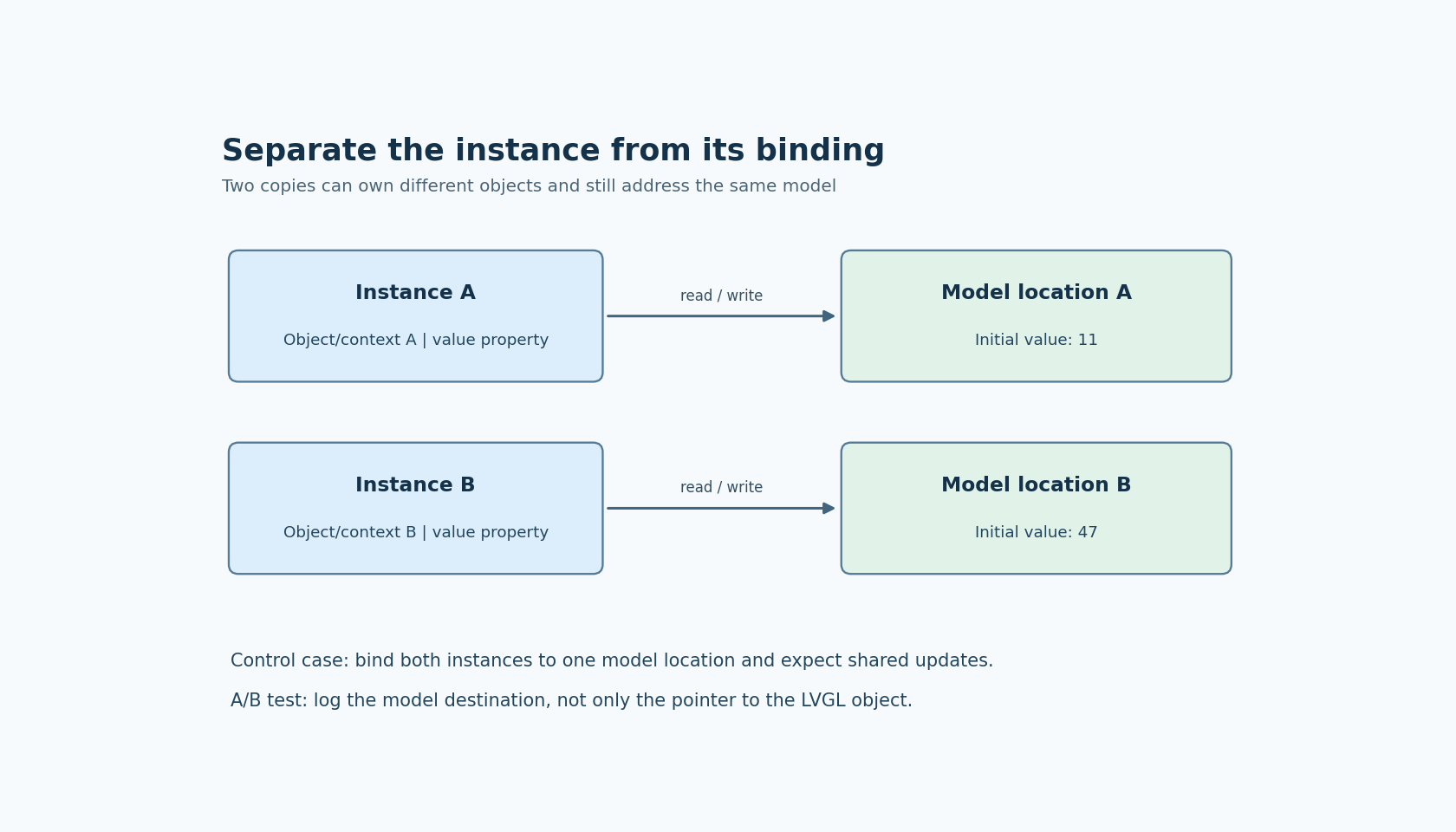
There are two different identities to establish: which widget instance received the interaction, and which model location its properties address. A separate LVGL object does not imply a separate model value. This article develops a two-instance experiment for LVGL projects with EEZ Flow, using the Studio v0.29.0 implementation as a reference. The experiment is a proposed diagnostic procedure, not a reported target test.
Separate object identity from data ownership
The tagged LVGL User Widget implementation generates creation and tick calls with an object-index offset. For Flow-enabled projects it also supplies a child Flow context obtained using the User Widget's component index. These are concrete places to investigate instance identity; they do not guarantee that every expression inside the reusable page references instance-specific data.
Consider a reusable channel card containing a label, a numeric value and an increment button. If both cards directly reference a global variable named setpoint, both should show that variable. This is shared application data by design, even when the cards occupy different screen coordinates and have different object pointers.
A more useful component contract exposes the information that varies: channel label, current value, and an explicit write destination or change request. Whether a value should be copied, read from a parent expression, or written through to a model is an application decision. Decide it before tracing generated C.
Make the two instances deliberately unequal
Create a small diagnostic page with only two instances of the reusable card. Use clearly different initial values, such as 11 and 47, and visible labels A and B. Equal defaults can conceal aliasing until much later.
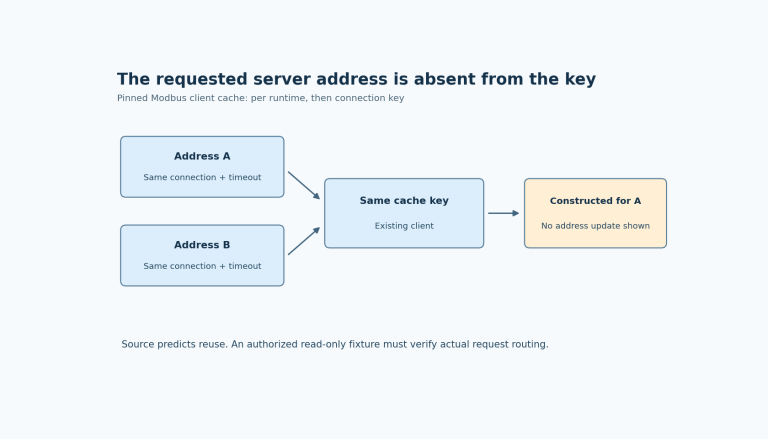
Record the complete expression supplied to each instance property. Do not record only the property's display name. A property called value can be bound to two distinct variables, two different array elements, or the same global variable twice.
Use the following sequence:
- Open the page and confirm that A displays 11 and B displays 47.
- Change A through its own control. Record the addressed model location and the value written.
- Confirm that B's model location and display remain unchanged.
- Change B and perform the mirror check.
- Update each model value from outside the card and confirm that only the intended instance follows it.
These observations distinguish write routing from display refresh. If the model locations remain distinct but both labels display A, investigate the read expressions. If changing A writes B's model, investigate the assignable property or action parameter. If both controls invoke the same handler, that alone is not a defect; a shared handler needs enough instance context to select the correct destination.
Check whether a property is a value or a write target
Studio v0.29.0's User Property implementation distinguishes ordinary expression properties from assignable expression properties. It constructs different property editors and checks for those cases. That distinction matters when a reusable widget edits its parent's data rather than merely displaying it.
An expression such as a computed display value answers what to show. It may not describe a valid place to store a changed value. For an editable card, identify the intended assignment target explicitly and test it with one known update. Do not assume that displaying a transformation automatically defines its inverse.
For example, a card might display a scaled engineering quantity while the model stores a raw count. Choose where that conversion belongs. One defensible design uses a read-only display property plus a change request carrying the channel identity and requested engineering value. Another uses an assignable property with a deliberately defined model representation. Neither design becomes correct merely because the editor accepts the expression.
Keep the diagnostic card's first version simple: independent scalar variables, no scaling, no indirect array index, and no asynchronous operation. Introduce those features one at a time after the basic read and write directions are observable.
Inspect generated context only after the bindings are clear
If the minimal test still behaves incorrectly, inspect both instance creation sites in the generated source. Compare their object offsets and, for the Flow-enabled case, the component indexes used to obtain child Flow state. Follow each instance through its tick call as well as its creation call.
The v0.29.0 LVGL generator also constructs state fields for User Widget instances when generated state is required. Its state bookkeeping identifies instances by object ID and passes their state fields to generated functions. This is an implementation clue, not a recommendation to edit those fields manually or depend on their names as a stable public API.
Compare an unchanged two-instance export with the failing project. Keep the editor release, LVGL selection and Flow option fixed during that comparison. A difference in generated indexes is a useful lead only when the project structure explains which instance each index represents.
Define what happens when an instance returns
Instance separation and lifetime are different requirements. Repeat the A/B experiment after leaving and returning to the page, using the project's actual screen-lifetime settings. Decide whether an uncommitted edit should be discarded, retained locally, or restored from the application model.
The acceptance record should identify each instance, its read expression, its write target, and the expected behavior after recreation. It should also include the deliberately shared case: bind both cards to one model location and confirm that both update. That control case helps distinguish intentional sharing from accidental aliasing.
A reusable card is ready to expand when separate instances remain separate where the contract requires it, and share data only where the contract explicitly permits it. The evidence is the addressed model location and observed update path, not the number of rectangles drawn on the screen.