SquareLine Studio Autosave: Preserve a Recovery Copy Before Opening a Risky Project Revision
Before opening an uncertain SquareLine Studio project revision, make a separate recovery copy of the project and its available dependencies. Autosave is useful, but it is not a promise that the currently named project file remains an untouched reference while you investigate a bad edit or migration.
The Preferences documentation says Autosave periodically overwrites the project file and also keeps files from different times in an autosave folder. The 1.4.2 changelog records the change from copy-only behavior to overwriting the project file as well. This matters when an engineer opens an old design merely to inspect it and assumes that not pressing Save protects the original.
Separate the working file from the recovery evidence
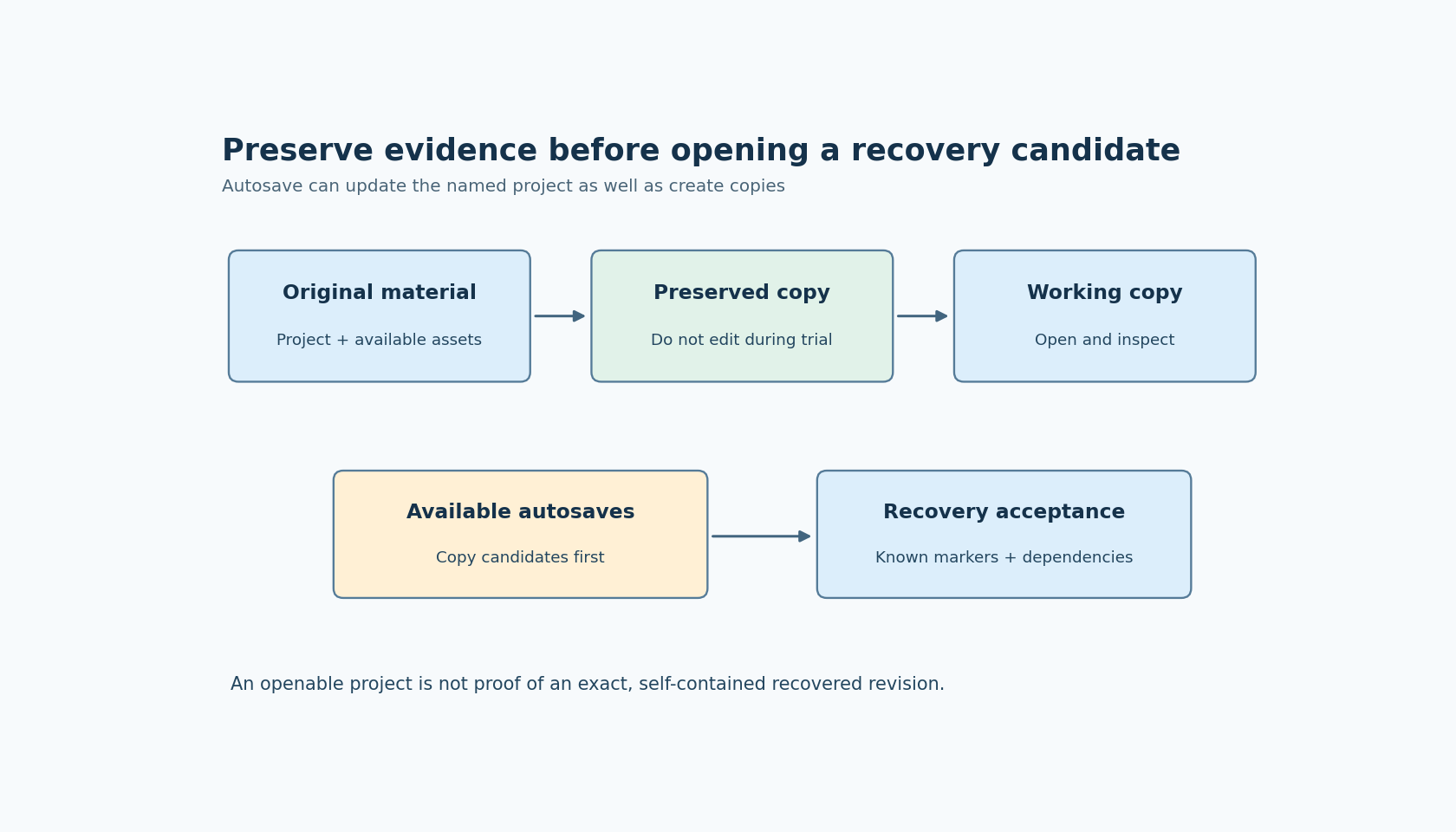
Use three conceptual locations: the original material as received, a preserved recovery copy and a disposable working copy. The exact directory names are unimportant. Their roles are not. An editor should operate on the working copy while the preserved material remains available for comparison.
Include the dependencies you actually have: source images, fonts, component definitions and relevant local project configuration. Do not infer that an autosaved project file contains every external dependency. The cited autosave description does not establish complete asset backup coverage or a self-contained recovery package.
A project that opens with missing images may still contain useful layout work. Conversely, a visually plausible screen may reference different local assets than the original author used. Recovery therefore has two questions: can the project state be opened, and does the recovered state refer to the intended dependencies?
Inspect available candidates without rewriting them
If autosave material is needed, first identify what is actually available in the installed environment. Copy candidate files into a separate recovery workspace before opening them. Do not invent a location, retention count or naming scheme from another installation; those details are not guaranteed by the documentation cited here.
Keep the candidates distinguishable. Record the observed file timestamp and size as clues, together with the editor version used to inspect them. A timestamp helps order an investigation, but it does not prove that a candidate contains the desired design change. A later autosave could preserve the unwanted state just as faithfully as an earlier one preserves the useful state.
Choose a concrete design marker to inspect: a known screen, a particular event binding or a component change that should exist in the wanted revision. This is more informative than opening candidates until one “looks about right.” It also reduces the temptation to overwrite a promising candidate while experimenting.
Recovery should preserve meaning, not just open successfully
After a candidate opens, check a short list tied to the lost work. If the problem involved an event change, verify the relevant target and action. If it involved component edits, inspect the affected instances. If it involved artwork, verify the asset identity rather than only the widget position.
Then inspect missing-reference warnings and the dependencies those warnings identify. Restoring an older project file beside a newer asset folder can create a hybrid revision. Such a combination may be usable, but it should be accepted deliberately rather than called an exact restoration.
For a generated application, the accepted design candidate still needs its normal export and integration checks. The existence of an autosave file says nothing about whether a previously compiled firmware image contains that design. Keep design recovery and application deployment as separate decisions.
Establish a safe migration trial
When the risk is opening a project in a newer editor, preserve the pre-migration material before launching the trial. Open a working copy, observe any conversion behavior and inspect the known design markers. If the trial is rejected, return to the preserved copy rather than trying to reconstruct the original through a series of undo operations.
Do not claim that every version change rewrites every project. The practical issue is that autosave can overwrite the working project, and a migration experiment can change the material under inspection. A separate copy makes the trial reversible without needing to predict every editor action in advance.
If the team decides to adjust Autosave preferences during a controlled experiment, record that choice and restore the intended workflow afterward. Turning autosave off is not a substitute for making a recovery copy: a crash or accidental manual save can still spoil an unprotected investigation.
Verify the recovered copy before replacing a working revision
Keep the original evidence until the chosen candidate has been reviewed and accepted. A useful recovery note states which candidate was selected, which design markers were found and which dependencies were missing or reconstructed. It should also distinguish an exact available revision from a best-effort combination of recovered files.
Nothing in this procedure requires deleting old candidates or overwriting the only remaining copy. Those irreversible shortcuts make the investigation harder without improving the recovered design.
The central lesson is a behavior of SquareLine's documented autosave mechanism: periodic saving can update the named project as well as create recovery material. Treat autosave as one source of possible recovery evidence, and preserve a separate reference before a risky inspection. No recovery operation or editor session was executed for this article.