SquareLine Studio Dynamic Widgets: Register Theme Colors Instead of Copying a Current Value
A dynamic status badge can look correct when it is created and still fail the first theme switch. The application copied the current color into the badge, while the rest of the SquareLine Studio interface retained a relationship to a theme variable. Matching initial pixels concealed two different update paths.
For a handwritten widget that should follow the generated UI, check registration with SquareLine's theme manager. Debug the widget, property and state involved before adding a general redraw or recreating the whole screen.
A color value and a theme relationship are different inputs
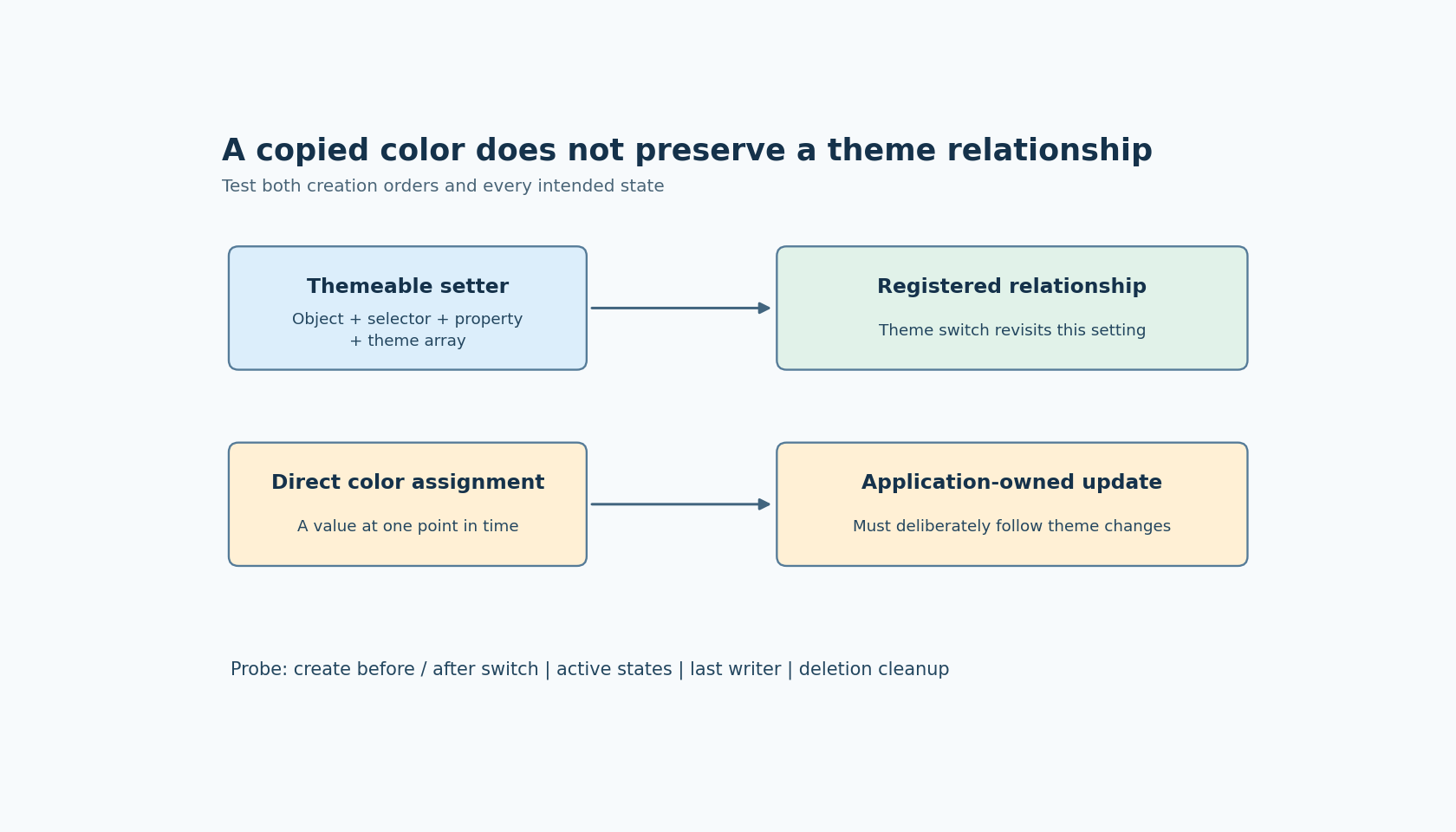
The official theme-handling documentation describes ui_object_set_themeable_style_property as the registration path. It associates an object, a part/state selector and a style property with a theme-variable array. Calling ui_theme_set revisits those registered settings using the selected theme index.
A direct LVGL color assignment can produce the same initial appearance without establishing that relationship. The documentation explicitly warns that such assignments need their own management to follow subsequent theme changes. This applies even when the copied value originally came from a generated theme array.
Choose one ownership rule for each property. Either the SquareLine theme manager controls it, or application logic deliberately supplies it. A fault indicator may intentionally remain red in every theme; a general panel background probably should follow the selected palette. Treat the exception as a design decision rather than fixing every unchanged color indiscriminately.
Inspect a generated example before adding a dynamic widget
Create a small exported widget using the global color intended for the dynamic badge. Inspect its initialization and the current theme headers. Identify the actual array name, selector and property in this export rather than reconstructing symbols from a label visible in the editor.
Then review the handwritten creation path:
- Identify the newly created object that should receive the property.
- Match the intended part and state to the generated reference.
- Use the themeable setter with the relevant generated array.
- Keep the creation and update path inside the application's existing GUI execution rules.
Do not copy a whole generated initialization function into application code. The useful reference is the small assignment that expresses the intended theme relationship. Copying unrelated initialization also copies assumptions about parents, events and object lifetime that may not fit the dynamic widget.
This discussion uses the official documentation labeled SquareLine Studio 1.6.2. It proposes integration checks; no SquareLine export or hardware experiment was run for this article. Read the declarations in the actual generated headers before adapting any call to a project with a different exporter or LVGL selection.
Use three controls to expose a missing registration
Place an exported reference widget beside two handwritten widgets. Give the first handwritten widget a one-time direct color assignment. Register the second with the themeable setter. Choose two clearly different theme colors so the difference is easy to observe.
Switch from theme A to B and back. Record each widget's expected and observed property. The direct-assignment widget is a useful negative control: if it changes anyway, investigate another application update path before crediting the registration experiment.
Repeat with a widget created after theme B is already active. This catches a creation path that always starts with a default-theme value and only becomes correct after a later switch. Also repeat with the relevant pressed or checked state active. Correct default-state colors do not demonstrate correct state-specific selectors.
The Events and Actions reference documents a Switch Theme action. If production uses that action, exercise it as well as any direct application call to ui_theme_set. Two entry paths can share the manager while differing in the application work performed before or after the switch.
Find the last writer when the result changes twice
A badge that briefly changes and then returns to its old color may be registered correctly. A periodic status refresh can overwrite the theme result with a literal color on its next execution.
Trace every writer to the property. Include initialization, event callbacks, telemetry refresh and alarm-state presentation. Log the semantic reason for each write, not merely the numeric color. This reveals whether the apparent theme defect is actually a competing owner.
For a property that combines theme and application state, define the result explicitly. For example, normal status uses a theme foreground, while a fault uses a reviewed fault color. On either state change or theme change, the displayed result must reflect the current combination. Avoid relying on whichever callback happened to run last.
Do not expand that rule into an assumption that theme switching synchronizes all application state. It updates the registered styling relationship described by the manager; model updates and deferred work remain part of the integration.
Give deletion its own acceptance test
Registration solves future color updates, but it does not by itself prove safe destruction. Inspect the generated manager's object-deletion handling for the exact export in use before promising that dynamic widget churn cannot leave stale references.
Create a dynamic widget, switch themes, delete it through the supported application lifecycle, then switch again. Repeat the cycle under the project's ordinary memory and diagnostic tooling. Check for invalid accesses and unexpected registry growth. Keep callbacks from retaining a deleted object independently of the theme manager.
Accept the integration when both creation orders work, relevant states use the intended selectors, repeated switches preserve the chosen ownership rule, and deletion has a verified cleanup path. The practical result is a dynamic widget that participates in a defined theme relationship, with evidence extending beyond its first correctly colored frame.