Testing Rust Embedded Graphics: Distinguish Untouched Pixels from Deliberate Erasure
A rendering test can need more information than the final visible color. If a drawing operation should leave its surroundings alone, an untouched pixel and a pixel explicitly painted black are different outcomes, even when a screenshot makes them look identical. Rust embedded-graphics MockDisplay can expose that difference, provided the expected pattern and test policy express the intended contract.
This guide targets embedded-graphics 0.8.2. It proposes host-side component tests; no Rust test executable was run. It addresses what the mock observes, not physical panel color, bus reliability or display refresh timing.
Decide whether the operation owns its background
Consider a hypothetical status icon drawn over a retained background. The icon's transparent surroundings should remain untouched. Another operation intentionally erases the old icon before drawing its replacement. Those two operations can produce similar images on a black background while having different effects over a patterned background.
Give each test one of those responsibilities. For an overlay, expect writes only where the icon contributes pixels. For an opaque replacement, expect the promised background coverage as well. Do not change every untouched location into black merely to make the expected result resemble a familiar screenshot.
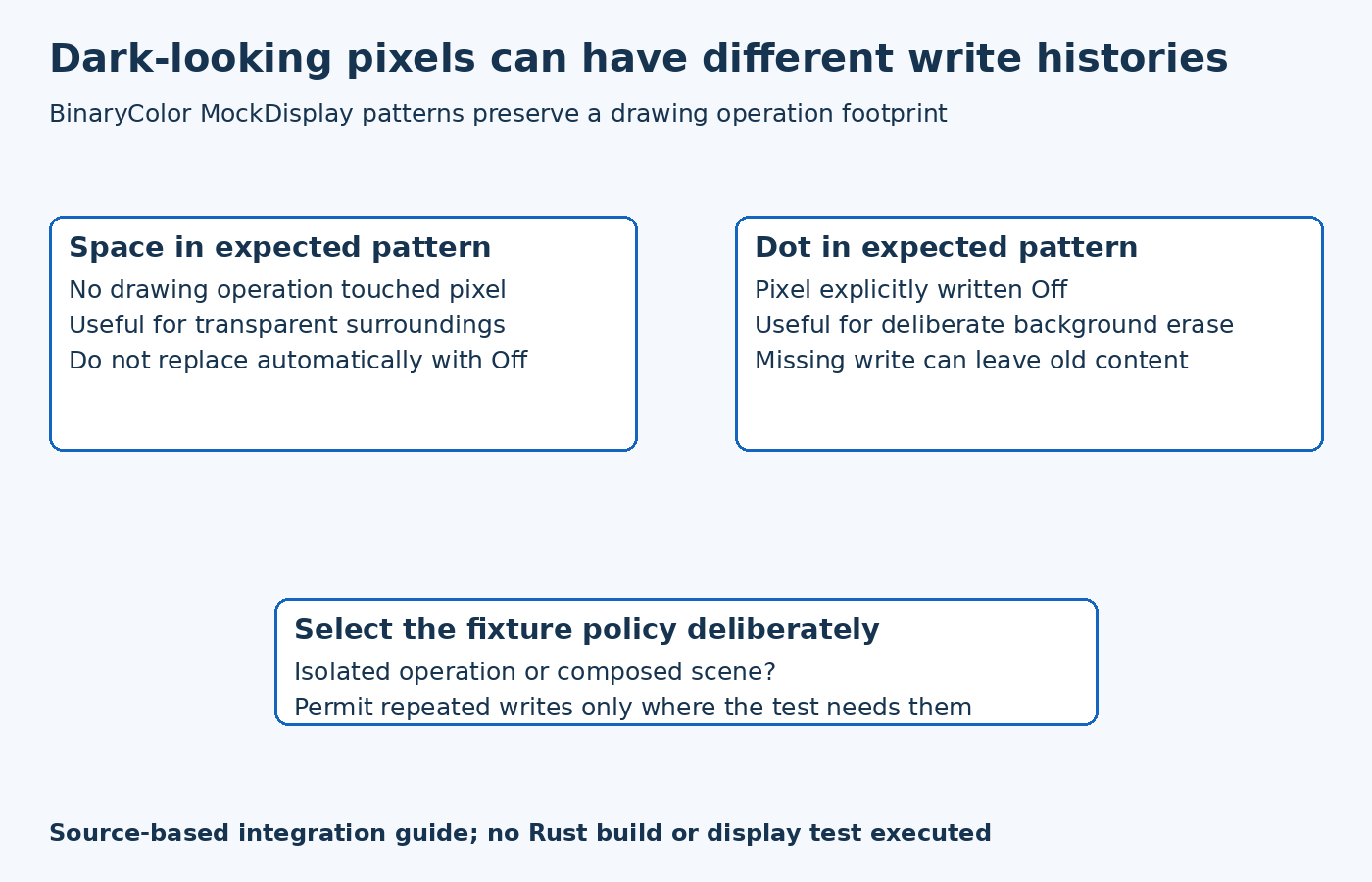
The MockDisplay module documentation describes per-pixel optional color storage. In BinaryColor patterns, a space represents an untouched location, a dot represents an explicit Off value, and a hash represents On. This lets a test retain the distinction between no write and an intentional dark write.
Construct an expectation that can fail meaningfully
Start with a small asymmetric icon and a documented drawing origin. Mark its bright pixels and any intentional erasure separately. A symmetric solid rectangle is a weak first fixture because translated or swapped details may be harder to recognize.
Compare the drawing result with the expected pattern through the mock's assertion helpers. If an unexpected dot appears around the icon, investigate whether a background fill was introduced. If a dot expected for erasure is still untouched, investigate whether the routine left stale content possible. Neither difference should be dismissed simply because both locations appear dark in a separate image viewer.
The fixture should state whether it checks an isolated drawing operation or the composition of several operations. An empty mock is useful for identifying an operation's own footprint. A composition test answers a different question because earlier drawing may already have written the same locations.
Treat strict checks as test policy
The MockDisplay API checks out-of-bounds drawing and repeated writes by default. These additional checks are useful for finding unexpected behavior, but the module documentation explicitly distinguishes them from normal display-target requirements.
A background fill followed by foreground text can legitimately write a location twice. If that is the composition under test, permit overdraw deliberately and explain why. Do not disable every check globally after the first panic. An isolated primitive test may still benefit from the stricter default, while a composed scene needs a different policy.
Similarly, an intentionally clipped drawing case can require allowing out-of-bounds input in the mock. Keep that allowance local to the relevant fixture. It should not silently weaken tests whose entire drawing area is supposed to remain inside a small component boundary.
Keep the mock's scale and evidence clear
MockDisplay is internally limited to 64 by 64 pixels in this release. Use appropriately sized component fixtures or a separately designed target for larger scenes. A failing large-screen scenario can otherwise reflect the test target's capacity rather than a defect in the product's display coordinates.
Preserve both the expected footprint and the reason for any relaxed checks. A passing test establishes the selected pixel-write behavior under that fixture. It does not establish that the real driver transferred the buffer, that the panel retained the intended background, or that a complete application scene is correct.
The practical result is a test that catches accidental erasure and missing cleanup without confusing them with ordinary image differences. Keep that write-footprint check alongside, rather than hidden inside, the separate checks for final appearance and hardware presentation.