Yocto FILESEXTRAPATHS: Capture THISDIR Before Multiple Appends Change Context
A bbappend adds a configuration file, and the file is found when one
layer is enabled. Adding a second layer changes the selected file or
produces a fetch failure. Before changing layer priority, inspect how
each append extends the file search path and when its directory
expression is evaluated.
This article uses Yocto Project 5.0.12 Scarthgap and its colon-style
override syntax. The layer names and marker files below are
illustrative. The goal is a reproducible path-selection review, not a
claim that a particular build was executed.
Separate finding a file
from using it
Three questions belong in the initial report: does the append apply
to the intended recipe, does the recipe reference the file, and does the
search path resolve that reference to the intended bytes? A directory
existing in a layer answers none of those questions on its own.
Do not start with a broad rebuild. Preserve the relevant recipe, all
matching append files, the enabled layers and the final parsed metadata.
Record the exact file URI and the symptom: not found, wrong file
selected, patch rejected or installed content unexpected. Those failures
occur at different boundaries.
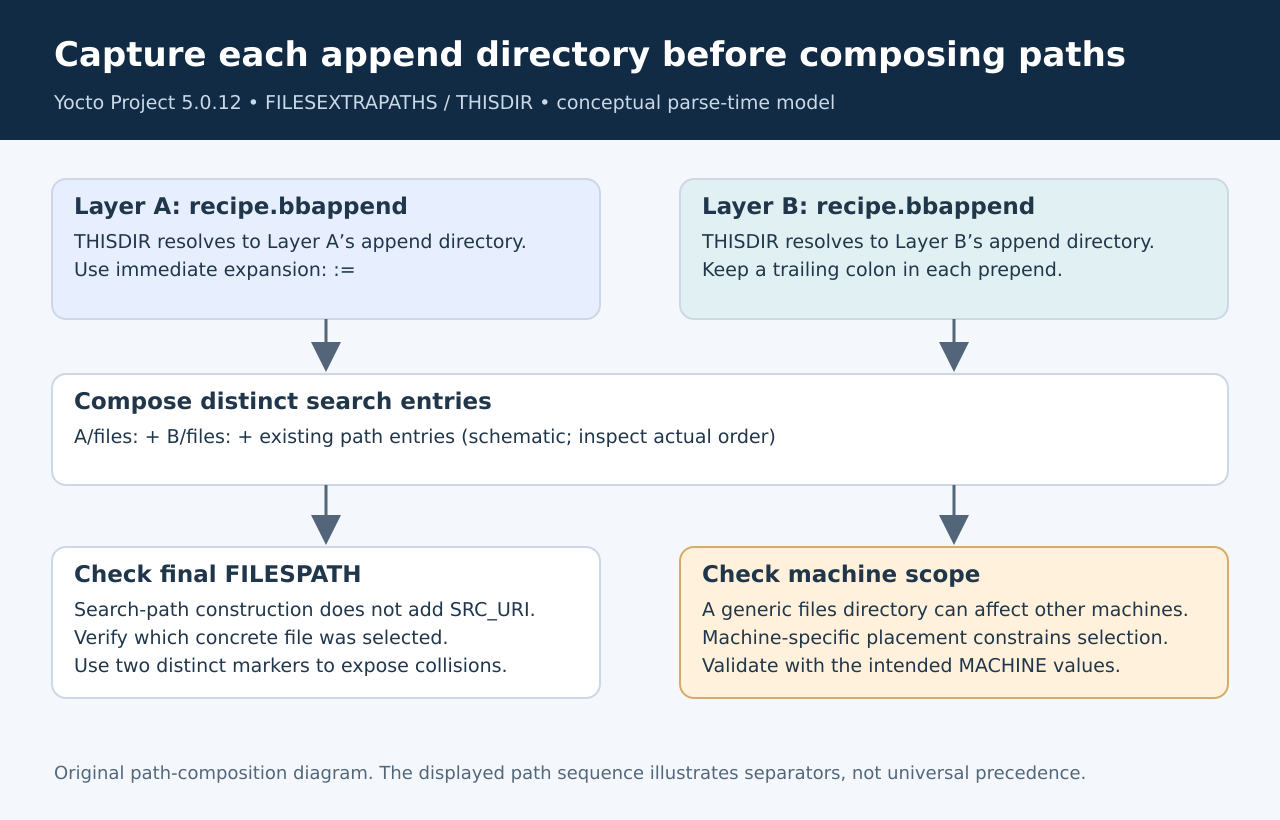
The FILESEXTRAPATHS
reference describes extension of the colon-separated search path. It
recommends immediate expansion when referring to THISDIR and a trailing
separator when prepending. Those details are functional, not cosmetic
formatting preferences.
Capture the append’s own
directory
THISDIR must resolve in the context of the append that supplies the
files. Immediate assignment with := evaluates that
reference when the directive is encountered. A deferred expression can
be evaluated later in a different context, undermining the assumption
that it still names the append’s neighboring directory.
A typical pattern is:
FILESEXTRAPATHS:prepend := "${THISDIR}/files:"The layer
overlay guide explains why this immediate expansion and the trailing
colon matter. Treat the pattern as a starting point, not proof that a
particular file is now selected. The final search list still needs
inspection.
Consider two illustrative append directories, one supplying a product
default and another supplying a machine-specific override. Each should
contribute its own intended path. Write down those two expanded paths
before looking at the combined value. If one contribution unexpectedly
names the other append’s location, investigate evaluation timing before
changing the search order.
Preserve
separators across multiple contributions
A prepended string must remain a distinct element in the
colon-separated list. Missing punctuation can concatenate what the
author intended as two paths. The resulting string may still look
familiar in a long log while naming a directory that does not exist.
Inspect the final FILESPATH as individual entries rather than one
wrapped line. Check the boundary between contributions, including empty
or unexpected components. Then compare each entry with the file layout
in the source layers. This makes the separator defect visible without
guessing which layer “won.”
Keep the example small during reproduction. Two append files and two
unmistakably different marker contents are enough to reveal most
ownership and ordering mistakes. Do not use a real production
configuration with many equivalent lines if a harmless marker can
identify selection more clearly.
Make machine
scope visible in the directory layout
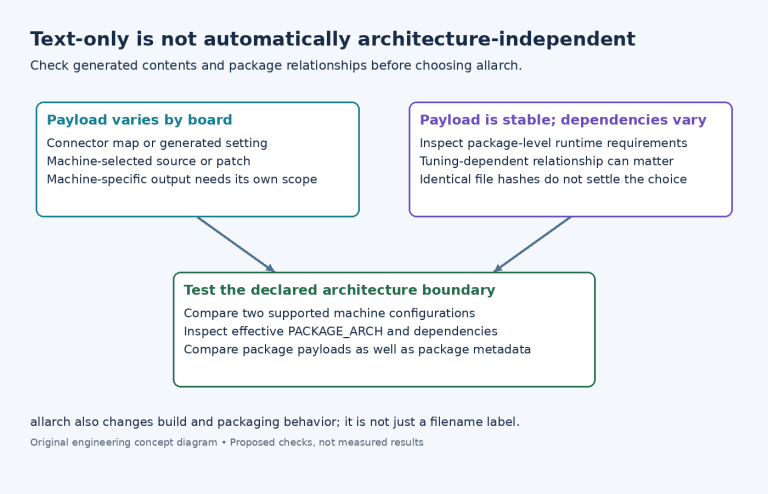
The layer guide warns that a machine-specific file placed in a
generic searched directory can affect other machines. A layer being
associated with one board in the team’s naming convention does not
automatically restrict every file it supplies to that board.
Put machine-specific content under the intended machine scope and
inspect the relevant overrides. Then test at least one other enabled
machine that should continue using the generic file. The negative case
is essential: a build that succeeds for the target board can still
introduce an unintended file into another product.
Avoid assuming layer priority alone expresses the desired scope.
Priority, append applicability, search-path construction and machine
overrides answer related but different questions. Preserve the final
parsed values and selected file identity so the diagnosis follows the
actual combination rather than a single setting.
Verify the bytes that
cross each boundary
Use a disposable fixture with a generic file and a machine-specific
file carrying distinct, harmless marker text. Inspect the resolved
search path and identify the source file selected for the URI. Then
check its unpacked location and, when appropriate, the installed or
packaged output.
If selection is correct but the final content is wrong, stop changing
FILESEXTRAPATHS. Investigate the later transformation or installation
step. Conversely, if the wrong source file is selected, editing the
installation command can hide the symptom while leaving the search-path
bug intact.
The proposed regression should include both appends enabled, each
relevant machine configuration, and a controlled missing-file case.
Record which file is expected in every row. A missing-file result is
useful when it proves that the build does not silently fall back to a
product-inappropriate default.
Leave the next
engineer a narrow explanation
A good resolution states which append contributes which path, why
THISDIR is captured at that point, how separators remain intact, and
which override selects machine-specific content. Include the tiny
fixture and its expected file identities rather than only a successful
full-image build log.
Do not describe every path failure as a cache problem or every wrong
file as a priority problem. The immediate-expansion and separator rules
give the engineer a concrete model to inspect. Once the final list is
correct, the remaining work is to verify that the intended bytes proceed
through the recipe’s later tasks without unrelated changes.