Yocto Locale Images: Separate Generated GLIBC Locales from Installed Translations
A German-language image can fail in two different ways: the application keeps showing its original messages, or the C library cannot activate the requested locale. Generating locale data does not establish that application translations were installed, and installing a message catalog does not establish that the matching libc data is available.
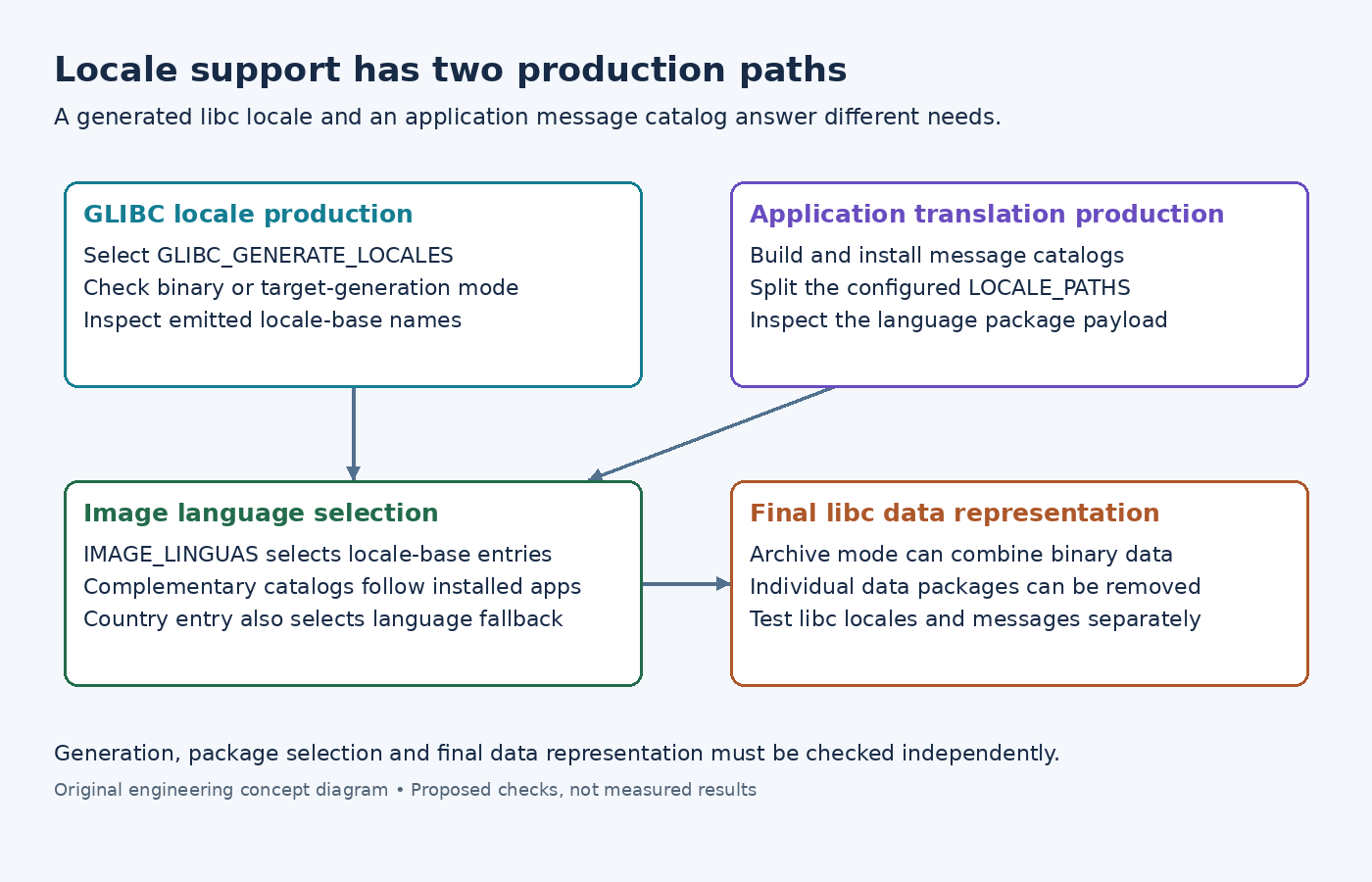
Yocto has separate production and image-selection mechanisms for these inputs. Diagnose them as connected package paths rather than treating every language-related file as one locale bundle.
Select GLIBC generation in the libc recipe context
The GLIBC_GENERATE_LOCALES reference controls which GLIBC locales are generated. Inspect the effective value for the glibc-locale recipe. A setting visible only inside an image recipe does not automatically configure that separate producer.
For a deliberately narrow German UTF-8 build, GLIBC_GENERATE_LOCALES = "de_DE.UTF-8" is an illustrative configuration choice, not a universal product default. Confirm that the locale is supported and that other image requirements do not still request an omitted locale.
The examined libc-package class reads the supported locale list and constructs locale-base packages. Its binary-generation mode controls whether those packages depend on binary locale data or arrange target-side generation from source inputs. Inspect that mode rather than assuming generation always occurred on the build host.
Package names are normalized, and UTF-8 naming options affect which suffixes are emitted. Derive the actual locale-base package name from generated package data instead of mechanically copying the source locale spelling into IMAGE_INSTALL.
Select the image language and its complementary catalogs
The IMAGE_LINGUAS reference describes installation of language packages corresponding to software already selected for the image. Its package-oriented spelling uses names such as de-de, rather than the GLIBC generation spelling above.
The examined image class constructs LINGUAS_INSTALL by prefixing selected entries with locale-base-. Separately, the package-manager helper builds complementary translation patterns from both the full language entry and its language-only part.
Thus IMAGE_LINGUAS = "de-de" can seek German catalogs named for de-de and de. This fallback accommodates applications that ship language-level translations. It does not manufacture a catalog that the application never installed, and it does not select every German-translated application in the repository.
Find where a missing translation disappeared
The examined locale splitter scans locale directories under configured LOCALE_PATHS, creates per-language packages and assigns their files. PACKAGE_NO_LOCALE can disable that splitting.
For an illustrative sensor-ui application, inspect its staged installation before changing image settings. Is the expected catalog present under the configured locale path? If not, investigate the application's translation build and install rules. Expanding IMAGE_LINGUAS cannot recover files absent from the producer.
If the catalog exists, inspect the resulting sensor-ui locale package and its file list. A custom installation directory outside LOCALE_PATHS can require packaging changes. Then examine the rootfs complementary-install log and final filesystem. This separates a producer problem from a package-selection problem without rebuilding every available language.
Interpret binary-locale package disappearance carefully
There is another boundary after installation. In the examined package-manager helper, IMAGE_LOCALES_ARCHIVE enables conversion of installed binary locale data into an archive when the relevant directory contains data. The helper then removes the individual glibc-binary-localedata packages.
Consequently, absence of those package names from a final inventory is not sufficient evidence that locale support vanished. Inspect the resulting locale archive or standalone data according to the selected mode. Do not reinstall every individual package merely to make the inventory resemble an earlier build stage.
On a diagnostic target with the locale utility installed, locale -a can help inspect available libc locales. Test application messages separately under the intended language environment. A successful libc locale check cannot prove the catalog exists or that the application uses it.
Keep the correction at the missing boundary: generation scope, locale-base selection, application catalog packaging, complementary installation or archive construction. That gives the image the required language support without confusing build-time availability with installed behavior.