Why Is /sys/fs/pstore Empty After Reboot? Troubleshooting Missing ramoops Logs
Establish whether a panic actually occurred
Start with the event, not the directory. Build a timeline from the last serial output, power events, reset-cause information and watchdog state. Record who observed the failure and whether the device restarted itself or someone removed power. If a reset-cause register is cleared during boot, arrange to preserve its value at the appropriate stage rather than inspecting it much later.
A sudden power loss or direct hardware reset may leave no panic message because the kernel never reached its dump path. A lockup can be serious even when /sys/fs/pstore is empty. This guide uses Linux v6.6 as its upstream reference; vendor patches and boot-chain behavior must be checked against the deployed build. It proposes observations and controlled tests, with no claimed hardware result.
Rule out an unmounted filesystem and an earlier collector
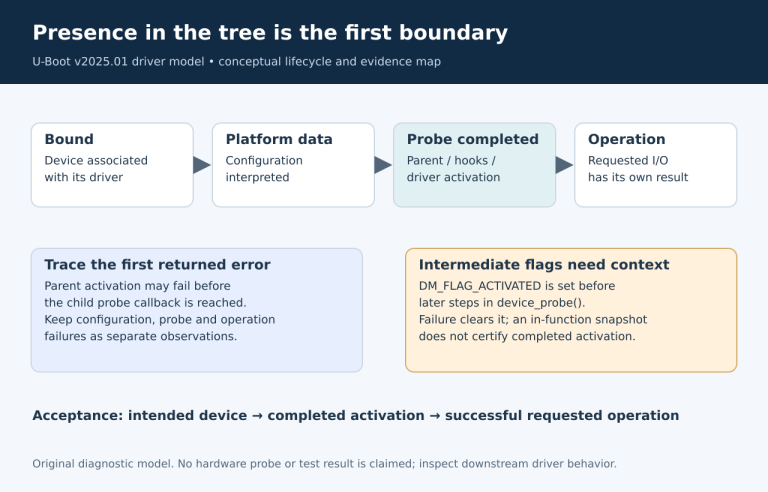
Check /proc/mounts to identify the actual pstore mount. Distinguish an empty mounted filesystem, an ordinary empty directory and a permission failure. Record the time of inspection relative to boot. Then look for boot scripts or services that copy and remove records before an interactive login is possible.
For systems using systemd, inspect the installed systemd-pstore unit, its journal and effective configuration. The v254 service documentation describes processing pstore records; v254 pstore.conf defines Storage and Unlink. In that version, external storage normally writes /var/lib/systemd/pstore and the journal, while unlinking after processing is enabled by default. Distribution overrides and the installed version take precedence.
A BusyBox or Buildroot product may have a custom collector or none at all; it need not use systemd or its archive directory. Check the actual init path instead of treating a missing systemctl command as a diagnostic failure. Do not disable collectors or delete files before preserving what they already captured.
Verify the running kernel and backend
Compare the booted kernel identifier, effective DT, command line and backend registration messages with the release manifest. A source-tree DTS is only a proposed configuration. Confirm that the deployed bootloader loaded its compiled DTB and did not select a fallback image. If the backend is a module, identify its load time relative to the failure.
Look for reservation, probe or registration errors, including overlap with another owner and backend-selection issues. The v6.6 Kconfig and ramoops implementation are useful references, but diagnose the vendor tree when behavior differs. Record exact log lines and return conditions rather than converting every failure into “pstore not enabled.”
Use read-only collection first. The following shell commands are observation examples, not a tested script for all distributions; access restrictions and utility availability vary.
uname -r
cat /proc/cmdline
cat /proc/mounts
ls -la /sys/fs/pstore
# Only on a systemd-based image with these utilities:
systemctl status systemd-pstore.service
journalctl -b -u systemd-pstore.service
Missing log permissions should be resolved through the product’s approved support access, not by broadly weakening kernel-log or filesystem protection.
Check eligibility, record types and capacity
For a kernel-message record, compare the actual dump reason with the configured filter. In upstream v6.6, max-reason can distinguish panic-only capture from panic plus oops; the reason enumeration is the versioned reference. A console record and a panic snapshot answer different questions, so a console-only configuration cannot be judged by expecting a dmesg-ramoops file.
Review total reservation and the portions assigned to record, console, ftrace and pmsg data. Check the accepted sizes and any rounding in the target driver. Small records can truncate context, repeated events can overwrite earlier evidence, and compression or ECC choices can alter effective capacity. A missing beginning or tail is a different symptom from no record at all.
Keep the observed filename, byte count and record content together. A zero-length, truncated or unfamiliar record deserves its own description rather than being collapsed into an “empty pstore” report.
Find where RAM stops retaining the evidence
If writing seems plausible and reading is configured, follow the region through reset. Compare reviewed warm-restart behavior with watchdog and cold-boot behavior on a development board. Check whether firmware clears DRAM, performs destructive memory tests or places a boot image over the reservation. Linux cannot recover bytes that an earlier stage has already overwritten.
Reconcile the reservation with all memory users again, including dynamic allocations such as CMA and framebuffers. Do not change the physical base or mapping policy at random: a seemingly better result can conceal a memory collision that fails under another workload. Unknown retention properties should remain explicitly unknown until the board owner or a controlled experiment establishes them.
A previous warm-reset success is evidence for that build and route. It is not proof for a newer bootloader, a different watchdog or a power interruption.
Use one controlled experiment to separate hypotheses
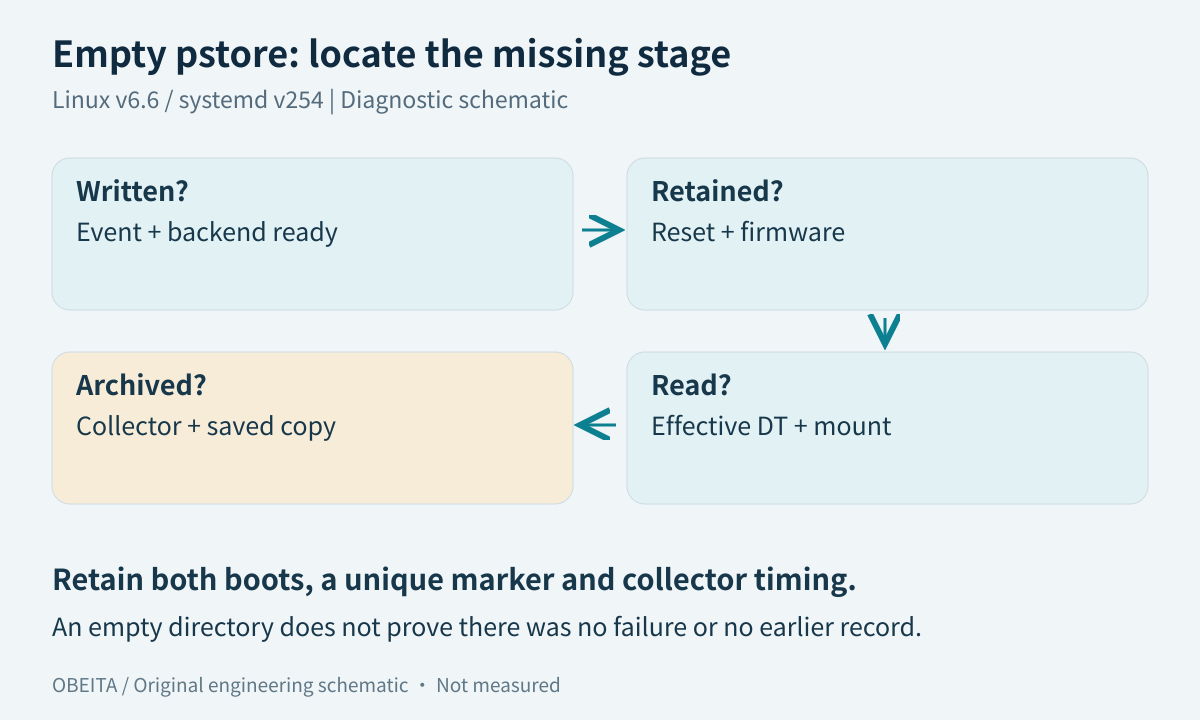
Select a backed-up laboratory device with serial capture and recovery access. Use the same approved trigger, marker, build and reset path, changing only one suspected cause. Capture the previous boot’s final output, the next boot’s earliest output and collector timing. Avoid repeated panic tests on deployed equipment merely to increase the sample count.
| Stage under suspicion | Evidence to seek | Next bounded action |
|---|---|---|
| Not written | No eligible event or backend not ready | Review trigger and initialization window |
| Not retained | Record known before reset; missing afterward | Audit firmware and reset path |
| Not read | Registration/mount/probe mismatch | Check running configuration |
| Already archived | Collector logs and matching saved record | Inspect archive lifecycle |
| Partly preserved | Truncated or overwritten record | Review capacity and event sequence |
Use a unique marker to distinguish the test event from an older record. If stopping a collector is necessary for an experiment, obtain approval and preserve its existing archive first; restoring the normal collection behavior belongs in the test procedure.
Choose the remedy for the missing stage
Fix initialization when the backend was absent, the boot-chain reservation when memory was overwritten, the mount or permissions when records were unreadable, and archival handling when a service already collected them. Repeating the same device-tree edit without establishing the stage adds little evidence.
For failures that ramoops cannot cover, evaluate serial capture or netconsole with explicit reliability assumptions. A network-based path needs functioning drivers and a reachable receiver during the failure; a serial path needs an available port and an external collector. Neither should be sold as universal crash coverage.
Return to initial ramoops configuration only for missing setup steps. Use field evidence packaging once a record is located. If the archive lives on a read-only or volatile filesystem, review the persistent-storage boundary. For a BSP diagnostic review, supply both boots’ logs, reset type, effective configuration and collector settings.
Technical references and verification scope
Versioned references: ramoops · binding · kconfig · ramcode · reasons · systemd · pstoreconf