TinyML Inference Timing: Validate the Clock and Profiling Scope Before Reporting Latency
A TinyML profiler prints zero milliseconds for every operator, or its total exceeds a separately measured inference interval. Either result can come from instrumentation rather than the model. TFLM permits timing hooks that compile successfully while returning zero, and its profiler adds event durations without removing overlap.
Before reporting inference latency, verify the clock implementation, event construction and measurement scope in the firmware actually being evaluated.
Prove that the timing hooks do real work
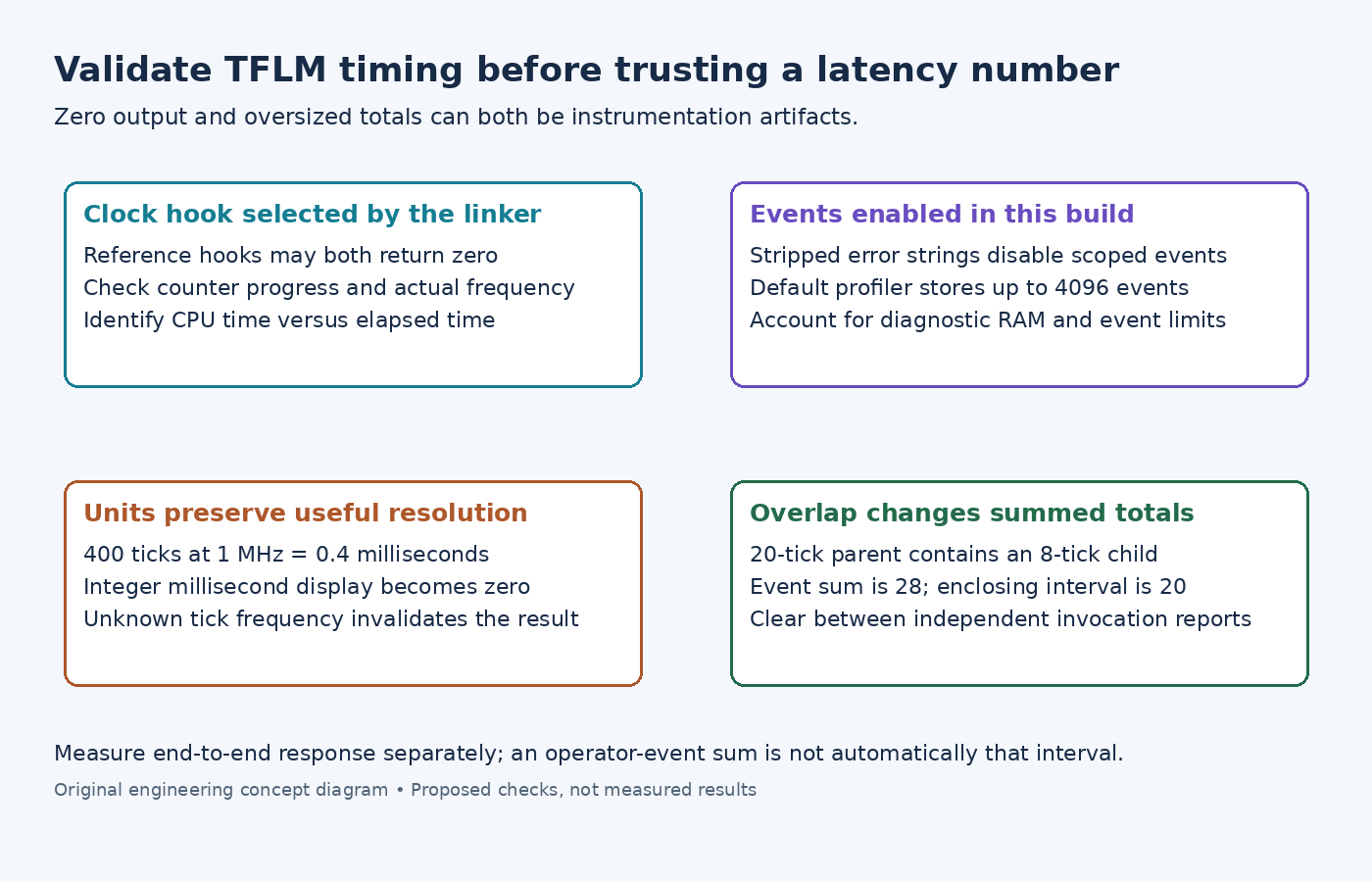
The pinned reference timing implementation returns zero from both GetCurrentTimeTicks() and ticks_per_second() unless the C-time implementation is enabled. Timing is optional, so these defaults deliberately do not prevent a normal build.
Find the implementations selected by the link. Repeatedly read the counter around a known nonzero interval and check that the reported tick frequency matches the timer's actual configuration. Enabling profiling does not configure a peripheral counter or correct its prescaler automatically.
If TF_LITE_USE_CTIME selects clock(), determine what that function measures on the platform. Do not silently present CPU-time observations as elapsed sensor-to-decision time. A target-specific hardware counter also needs an explicit rollover and interval-length policy.
Check build flags before expecting operator events
The profiling guide describes passing a MicroProfilerInterface implementation to the interpreter. Automatic per-operator events depend on error strings being enabled.
In the examined profiler header, defining TF_LITE_STRIP_ERROR_STRINGS makes ScopedMicroProfiler a no-op. An empty event collection in that build is therefore not evidence that no operators executed.
The default profiler reserves storage for 4096 events and additional per-tag aggregation. That is a substantial diagnostic object for a small MCU. Check its actual size and placement; a custom implementation can use a deliberately bounded event budget. Pair each begun event with its completion and keep tag storage alive for the profiler's lifetime.
Keep raw ticks when milliseconds hide the result
The time-conversion helper returns an integer number of milliseconds. A valid sub-millisecond interval can therefore display as zero after conversion. Inspect the raw tick difference and frequency before concluding that timing failed or that an operation was free.
For example, 400 ticks at one million ticks per second represents 0.4 milliseconds. The integer millisecond display cannot preserve that fraction. This is an illustrative unit conversion, not a benchmark.
The helper substitutes a divisor of one when the frequency is zero. That prevents division by zero; it does not validate the clock. Reject an unknown or zero frequency in a measurement procedure rather than treating the converted number as meaningful.
Sum only events that do not overlap
The profiler implementation totals each recorded duration. If a 20-tick parent event contains an 8-tick child event, adding them gives 28 ticks even though the enclosing interval was only 20. Use nested events for attribution, not an additive end-to-end total.
Clear events between invocations when each report is intended to describe one invocation. Log after the timed work. Repeated per-tag aggregation in this implementation also accumulates into existing totals until cleared, so avoid repeatedly summarizing the same uncleared events as though each summary were independent.
Finally, distinguish allocation/setup, Invoke() and the application's complete acquisition-to-decision interval. Measure the outer interval separately from operator attribution. Compare instrumented and representative release conditions, including interrupts and clock configuration. The useful result names exactly what was timed and how ticks became time; this article supplies the checks and makes no latency claim.