ESP-IDF 6 Provisioning Migration: Dependencies, API Renames and App Compatibility
An ESP-IDF provisioning migration is complete when the intended phone apps can configure the migrated product and recover from supported failures. A successful compiler run is an intermediate gate. Dependencies, manager lifecycle, security support and installed-app compatibility all belong in the change record.
Version boundary: this checklist uses the fixed ESP-IDF v6.0 migration guide and a v5.5 reference baseline. Select the exact releases for your product separately. No project was compiled or run on hardware for this article; templates below are illustrative, and acceptance results must be supplied by the project.
Freeze Both Sides of the Migration
Archive a known working baseline before changing dependencies. Include the exact IDF tag or commit, chip target, toolchain, application revision, partition table, sdkconfig, sdkconfig.defaults, component manifests and dependency lock file. Capture the mobile app build and provisioning library revision as well. “IDF 5” and “latest app” are not reproducible identifiers.
Keep a baseline provisioning log with secrets removed, plus one supported failure-and-retry sequence. Record which security scheme the application actually selects and whether the phone requires additional onboarding material. The source configuration and the generated build configuration may differ; retain both so that an inherited option is not mistaken for a changed SDK default.
Make Provisioning an Explicit Dependency
The v6.0 migration guide moves wifi_provisioning out of the IDF tree and identifies its successor as network_provisioning. Declare the external dependency in the component manifest instead of relying on the former bundled component.
This YAML is an illustrative manifest template, not a buildable tested project. Replace the placeholder with the release validated against your selected IDF and target; then retain the resolved dependency lock.
# main/idf_component.yml — illustrative template
dependencies:
  espressif/network_provisioning:
    version: "<validated exact release>"
The guide’s version range is a starting example, not evidence that every permitted resolution passed your product tests. Inspect the chosen release’s dependencies in the versioned component registry; the linked 1.3.1 entry is a documentation reference, not a hardware-qualified recommendation. Review changes before accepting a new lock resolution.
If you first introduce the external component while still on 5.x, exclude the legacy wifi_provisioning component as directed by the migration guide. Keep that staged transition as its own commit, so failures introduced by component replacement can be separated from failures introduced by the IDF upgrade.
Audit API Names and Lifecycle Calls
Most provisioning API prefixes change from wifi_prov to network_prov, but several manager calls also add “wifi.” Use the following suffix mapping together with the old wifi_prov_mgr_ and new network_prov_mgr_ prefixes. Verify declarations in the exact resolved component headers.
| Old suffix | New suffix | Path to review |
|---|---|---|
is_provisioned |
is_wifi_provisioned |
Boot decision |
configure_sta |
configure_wifi_sta |
Credential application |
reset_provisioning |
reset_wifi_provisioning |
Stored-state reset |
reset_sm_state_on_failure |
reset_wifi_sm_state_on_failure |
Failed-attempt recovery |
reset_sm_state_for_reprovision |
reset_wifi_sm_state_for_ |
Controlled re-entry |
Search headers, callback types, events, build requirements and configuration options as well as function calls. Walk initialization, first setup, cancellation, failure, successful completion, deinitialization, and another setup attempt. For each path document who owns the manager and who can release transport resources. A rename that builds can still leave an old cleanup assumption in place.
Review Security Configuration with the App
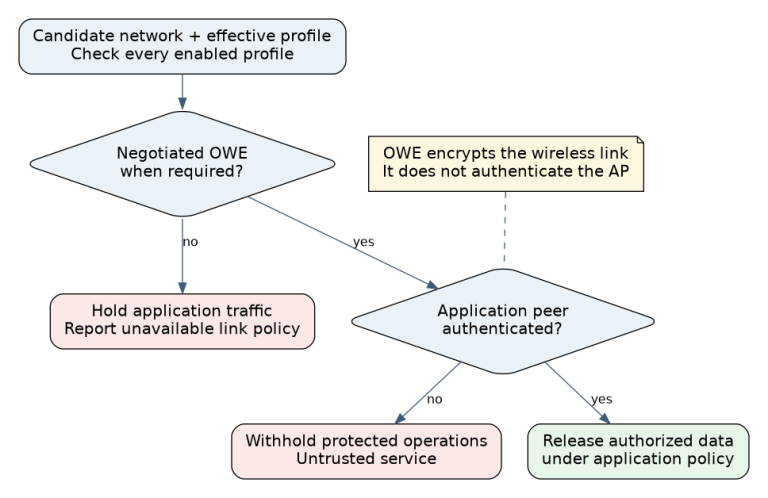
The v6.0 migration guide states that support for protocomm Security 0 and Security 1 now defaults to disabled. This affects what the build supports; it does not automatically rewrite the application’s requested security scheme or upgrade an installed phone library.
Check the effective values of CONFIG_ESP_PROTOCOMM_
Protocomm documents Security 0 as lacking encryption and authentication and recommends Security 2 for production. If moving to Security 2, validate both phone-library support and the device-specific onboarding-material process. If maintaining Security 1 for a justified compatibility period, make the exception explicit and test its authentication behavior. Turning security off is not a production fix for handshake failures.
Verify More Than a Successful Build
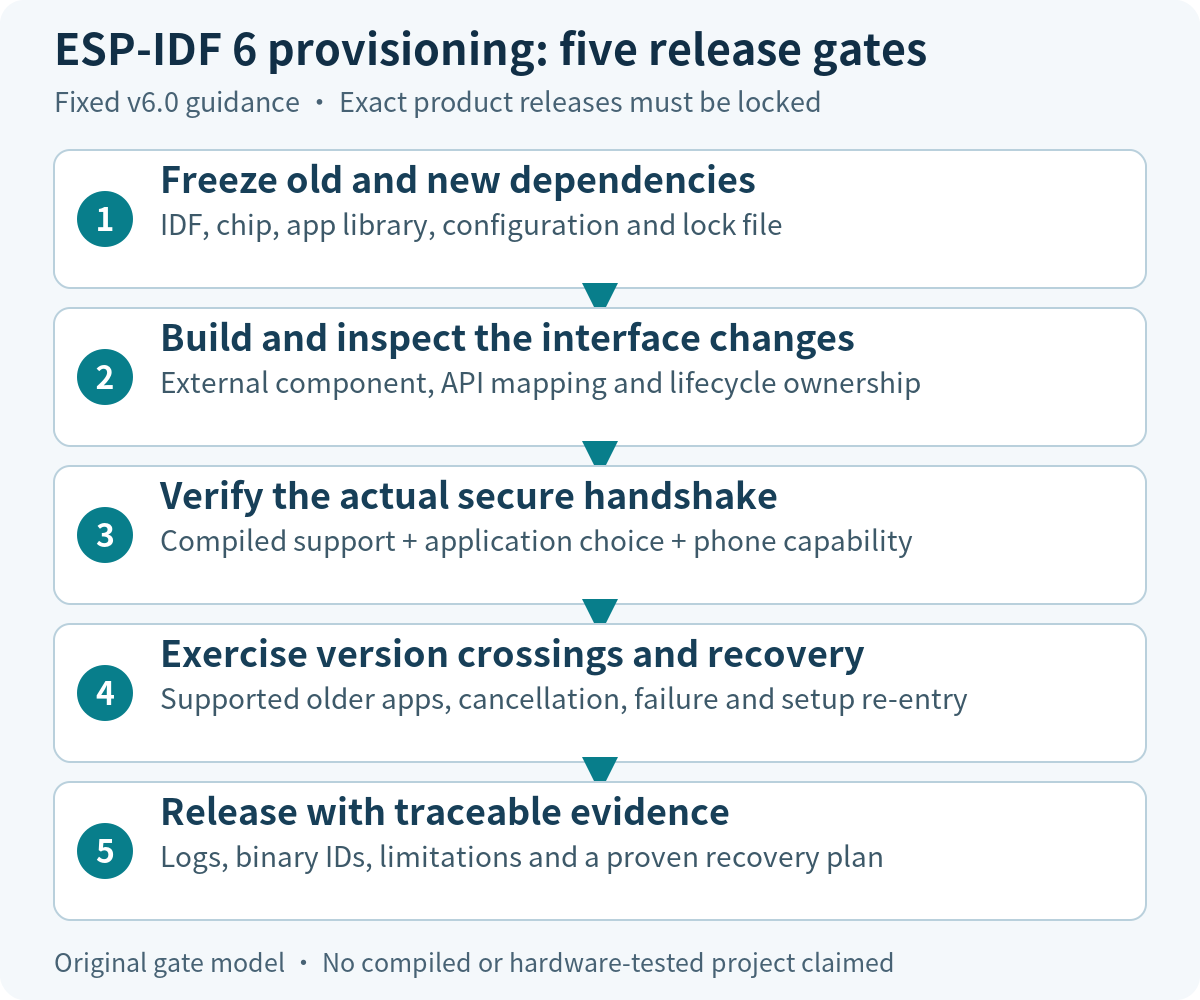
First build a small branch containing only the migration changes, in a clean build directory. Save dependency resolution, compiler and link output, the binary identifier and configuration diff. Then test discovery and secure-session establishment before attempting credentials. Classify failures as dependency resolution, compilation/linking, transport discovery, security negotiation, or Wi-Fi configuration.
After the first successful setup, test cancellation and re-entry, incorrect credentials, manager shutdown, and the intended resource-release policy. Compare heap and task behavior under the same workload as the baseline; define acceptable margins before measuring. A logging change should not expose onboarding secrets merely to make handshake troubleshooting easier.
Test App and Firmware Version Combinations
| Combination | Required result |
|---|---|
| Supported older app + migrated firmware | Completes the declared security and setup flow, or shows the explicitly approved upgrade requirement. |
| New app + supported older firmware | Selects the supported protocol without silently weakening policy. |
| New app + migrated firmware | Completes initial setup, failure recovery and authorized re-entry. |
| Unsupported combination | Explains the next action before accepting a misleading success state. |
Use the real distribution builds and the phone/OS combinations the product supports. Exercise SoftAP and BLE only if the product actually ships them. Reuse the fault cases in provisioning recovery, retaining old credentials where that is part of the upgrade path. Installing a fresh app for every test can conceal an installed-base problem.
Define Migration Release and Recovery Evidence
The release record should link the baseline and candidate binaries, dependency lock, API/configuration diff, phone matrix, failed cases, corrective commits, and final rerun results. Require every claimed supported combination to have a pass record or a specifically accepted limitation. Leave unmeasured recovery times and resource figures empty rather than filling them with expected values.
Keep source rollback separate from device rollback. Reverting a branch does not demonstrate that deployed hardware can accept an older image or interpret already-migrated persistent state. Device recovery must respect the product’s bootloader, security version and update policy. If rollback is unavailable, document the forward-repair or service procedure before release.
For migration scoping, provide your current project versions, target chip, component list and phone-library/security choices to Obeita’s firmware diagnostics team. Those inputs establish a reviewable regression scope.