SquareLine Studio OBP Templates: Verify Tag Substitution Before Debugging Board Drivers
A custom SquareLine Studio board template can export into a plausible directory and still contain unresolved configuration tags. When that happens, changing display-driver code is premature. First prove that the Open Board Platform package delivered the intended files and substituted the intended values.
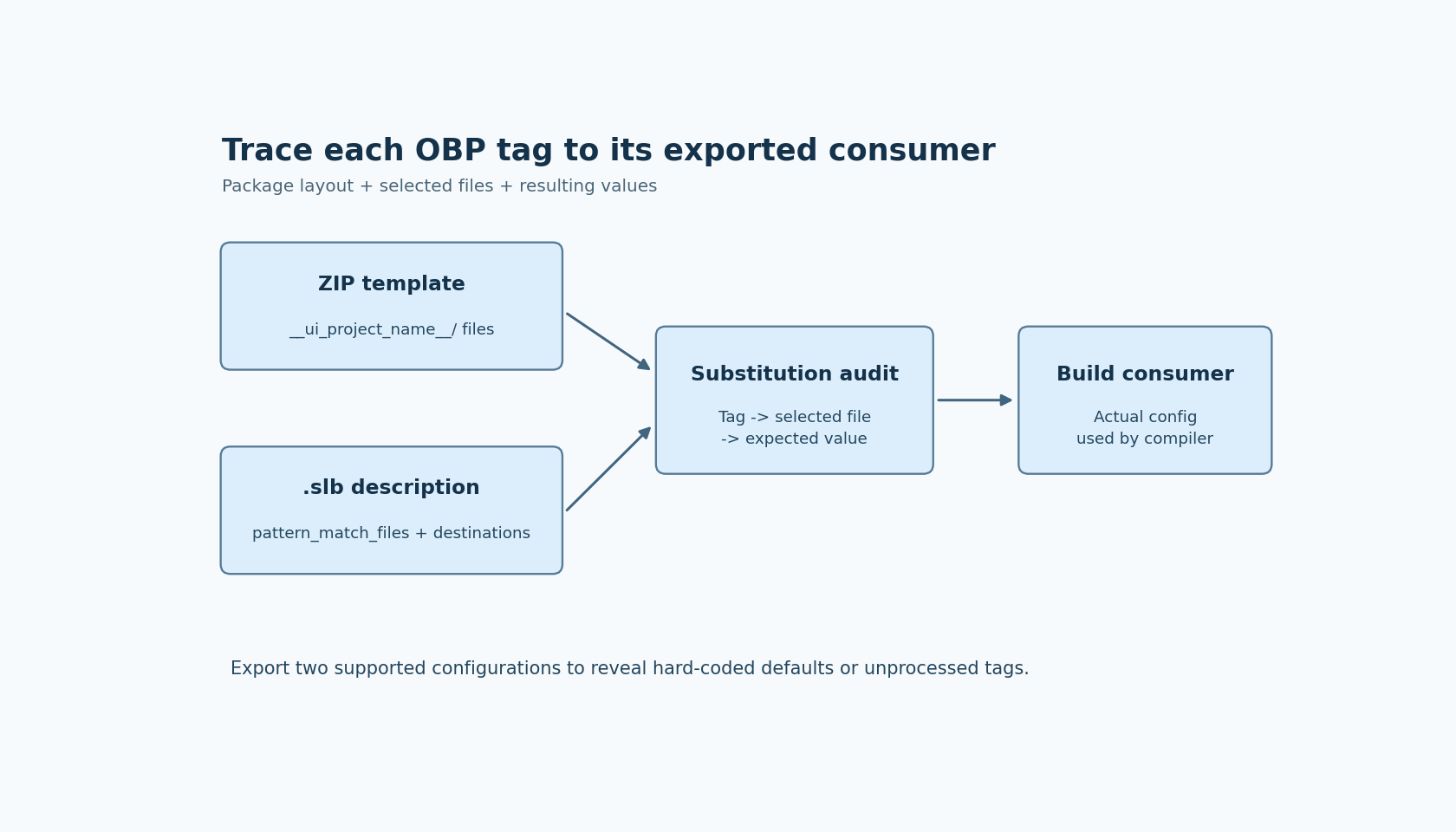
The OBP boundary has three parts: the package layout, the board description, and the template files named for substitution. A defect in any one can produce a project that looks familiar but does not represent the selected display configuration.
This article uses the official documentation labeled SquareLine Studio 1.6.2. The package checks below are proposed integration tests; no board package has been installed or executed as part of this article.
Begin with the package, not the generated firmware
The official OBP documentation describes a board package containing a preview image, a ZIP template and an .slb JSON description under a board-version directory. It places packages in the user's SquareLine board area rather than the application's installation directory.
Record the exact package directory selected for the experiment. A board title shown in the launcher is not enough when several package revisions use similar titles. Give the test package a distinguishable version and keep its constituent files together.
Inspect the archive's entry list before exporting. The documented template root is __ui_project_name__; the project files should be inside that root, rather than directly at the archive top level or hidden beneath an extra enclosing directory. Check the actual archive paths, not only the folder you intended to compress.
Keep the template minimal for the first experiment: native build configuration, a small entry point, the display integration files needed by that board, and a clear destination for generated UI. Extra copied outputs make it harder to determine which files came from the new package.
Build a tag-to-file checklist
The .slb description's pattern_match_files setting names the files that SquareLine scans for supported tags. A tag placed in some other template file is not covered merely because the file lives inside the ZIP.
Create a short inventory with one row per intended substitution: template path, tag spelling, selected project value, and resulting exported value. Resolution, color depth and project name are useful early probes. The documentation lists tags such as __UI_PROJECT_HOR_RES__ and __UI_PROJECT_VER_RES__; preserve their exact spelling and case when checking your template.
Search the complete template for tag-like strings. Compare the files containing those strings with the configured substitution list. Investigate every mismatch before export. Do not assume recursive search, wildcard expansion or substitution of an unlisted file unless your installed version's behavior has been established separately.
Also distinguish the archive-root naming placeholder from configuration tags inside files. Similar-looking marker syntax does not make every placeholder interchangeable or establish that each is processed by the same rule.
Follow the three destination choices independently
OBP has separate settings for where LVGL is exported, how generated code includes LVGL, and where UI files are exported. Those settings describe different responsibilities. A correct UI directory does not prove that the intended library was delivered or that the compiler resolves its header.
The OBP documentation says an empty, false or zero lvgl_export_path disables LVGL export. If your native project supplies its own LVGL dependency, make that choice explicit and verify the resulting library ownership. Do not leave a second library copy in the template and assume the build selects the right one.
Likewise, a supported-version field is a compatibility declaration in the board description. It is not a hardware test result. Record the selected LVGL target and inspect the actual exported or externally supplied library before attributing a compilation failure to the driver.
The official development workflow distinguishes exporting the UI into an existing native project from creating a template project. In the existing-project case, the integrator remains responsible for drivers and build integration. Use the template's README and actual file tree to identify those boundaries rather than expecting OBP metadata to complete them automatically.
Export two deliberately different configurations
A single default export can hide an unused tag because the template's hard-coded value happens to match the default. Export two valid configurations that differ in a meaningful setting supported by the package, such as horizontal resolution.
Compare the resulting configuration files. The intended value should change at every required consumer and remain unchanged at unrelated consumers. Search the generated tree for unresolved supported tags. Keep a narrow allowlist only for marker text deliberately preserved as documentation; do not suppress all remaining markers because one comment contains an example.
Then inspect the native compiler input that consumes the changed value. If the export changed one configuration header but the build uses another, substitution succeeded while integration still failed. This distinction prevents a misleading “OBP ignored the setting” diagnosis.
Use fresh output trees for the comparison. An old configuration file left behind from a previous export can make an incomplete package appear functional.
Introduce a failure you can recognize
In a disposable copy, remove one required file from pattern_match_files while leaving its tag in place. Export and verify that your unresolved-tag check detects the missing substitution. Restore the setting and repeat. This tests the check itself, rather than merely recording a clean baseline.
Only after package identity, archive layout, substitution coverage and build consumption agree should you investigate the display-driver behavior on hardware. The final evidence should connect each selected configuration value to the exact file used by the native build. That connection is the useful output of the OBP audit; a launcher entry or a populated export directory alone is not.