EEZ Studio Native Variables: Audit Renames and Type Changes at the Adapter Boundary
Changing an EEZ Studio variable's name or type can change the generated native interface without making an obsolete handwritten function disappear. A clean build may catch a missing new getter, but it may also retain an unused old implementation or hide a mismatch behind a separately copied declaration.
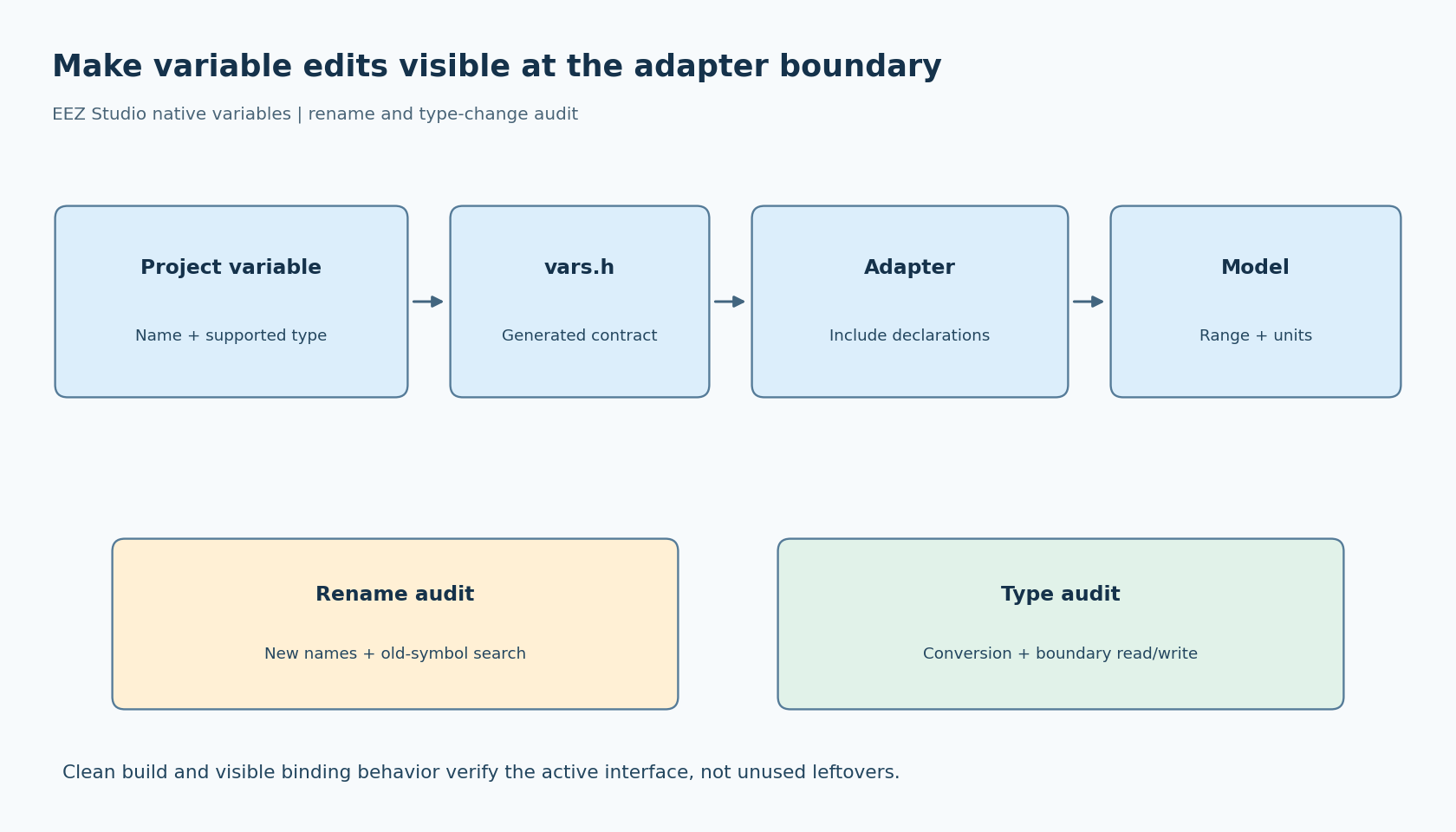
Make the generated header the contract between the EEZ project and the application adapter. Then review variable-schema changes as interface changes, with a small rename-and-type test that proves the build and behavior follow the new contract.
Begin with what EEZ actually declares
The official no-Flow native-interface example describes implementing a getter and setter for each native variable, with declarations generated in vars.h. Its integer example uses int32_t.
The example's generated header is the concrete interface to inspect. Use the equivalent header from your own project rather than extending the example's type mapping to unsupported or differently configured project types.
A variable name in the designer is therefore more than display text when it participates in native binding. It can determine the generated function names that the firmware must provide. Renaming a label's visible caption and renaming the bound variable are different operations, even if they happen in the same UI change.
Keep a small inventory of native variables: project name, generated getter and setter, model field, units and the owner of writes. This connects the visual project to application meaning without scattering numeric indices or copied prototypes through unrelated modules.
Put the generated header in the implementation's view
The handwritten adapter should include the generated variable header before defining its functions. That allows the compiler to compare the current declaration with the implementation in the same translation unit.
Do not maintain a second handwritten vars.h merely to avoid including generated output. Two headers can drift while each compiles successfully in a different part of the build. If the application needs a stable internal interface, put that interface behind the adapter and keep the generated contract at the boundary.
Check the include path so the adapter is not accidentally using yesterday's generated header from another directory. A correct include statement with a stale search root defeats the same-translation-unit check. Build logs or preprocessed output can establish which file was selected.
For mixed C and C++ builds, preserve the linkage arrangement declared by the generated header. Do not independently guess an extern "C" wrapper for one function while another translation unit expects a different symbol. The actual declaration and build language are the evidence to reconcile.
Use a rename to audit the build graph
In a disposable project copy, choose one native variable with a visible binding and a simple model value. Record its generated declarations and the application file that implements them. Then rename the variable in EEZ Studio and regenerate.
Review the new vars.h and references in generated code. Update the adapter to the new names deliberately. Search the repository and link map for the old names, including copies in tests or board-specific files.
A linker error can help reveal an unimplemented new name, but absence of an error is not a complete test. The old function might be unused, or the affected generated source might not be compiled at all. Check the active source list and trigger the visible binding after a clean build.
Keep the model value recognizable during this test. If every default is zero, an unconnected getter that returns zero can look correct. Use a valid nondefault value, then change it again and verify that the UI follows the intended model field.
Treat a type change as a semantic review
Next, change a test variable's type using a type supported by the selected EEZ project. Inspect the newly generated declaration before editing the adapter. The important question is not simply whether an implicit conversion makes the compiler happy.
Check the model's range, signedness, resolution and units. A UI integer measured in tenths and an application integer measured in whole units can have identical C types while representing different values. Conversely, changing to a floating-point UI value does not automatically change the device protocol's integer encoding.
Keep conversions in the adapter or a clearly named application conversion function. Define how out-of-range values, fractional values and invalid inputs are handled. Test the boundaries required by the application; do not assume a visual widget's limits are the only validation layer.
For a writable binding, check both directions. Reading the model must display the intended value, and writing through the UI must call the intended setter with the intended representation. A getter-only test cannot establish that edits reach the application correctly.
Make stale interfaces visible in review
A useful change review groups three diffs: the saved EEZ project, the generated interface and the handwritten adapter. The reviewer should be able to explain every changed function name or type and identify any intentionally removed implementation.
Compile with the project's appropriate diagnostics for conflicting declarations, missing prototypes and conversions. The exact warning options depend on the toolchain and language mode, so use its supported configuration rather than treating one warning bundle as universal.
Then regenerate once more and build from a clean directory. The adapter should match the new header without manual repairs to exported code. Exercise the renamed variable's read and write paths, and confirm the old symbol is absent or retained only for a documented compatibility purpose.
This proposed audit does not promise that every stale function causes an automatic build failure. Its strength is combining declaration checks, source and symbol review, and observable binding behavior. The EEZ project can then evolve while the application-facing model remains deliberate, instead of accumulating a second, obsolete native interface alongside the current one.