STM32CubeIDE Attach Sessions Must Not Download Away the Failure
A board reaches an intermittent failure, an engineer starts debugging, and the failure disappears before the first register is inspected. One possible cause is the launch configuration itself: attaching to a running target and downloading an image are separate decisions. Review both before using STM32CubeIDE to investigate state that must survive the connection.
This procedure is scoped to the Eclipse-based IDE and ST-LINK GDB server. It uses UM2609 Rev 18, June 2026, and UM2576 Rev 7, January 2026. It is a proposed bench workflow, not a performed debug session or a guarantee of nonintrusive observation.
Understand the attach and load boundary
UM2576 section 1.1 describes --attach as connecting without resetting or downloading a new program. It also warns that loading a program invokes programming with reset regardless of that attach option. UM2609 section 3.1.2.4 provides separate image-download and symbol-loading selections in the startup configuration.
The engineering consequence is narrow but important: selecting attach is insufficient evidence that the launch will preserve the running image. A later load action can change the target anyway. Review the complete launch sequence, including additional images and initialization commands, rather than one checkbox in isolation.
In the attach workflow documented in UM2609 Rev 18, section 3.1.8, pages 178–179, the CPU halts when GDB connects; the manual states that this behavior cannot be disabled. Enabling Resume sends a continue command after that initial stop, so it does not provide an uninterrupted attachment. Treat the halt itself as an intervention and establish a safe output condition before connecting.
Create a clearly named diagnostic configuration separate from the ordinary program-and-debug configuration. Avoid modifying a shared everyday launch just before a time-sensitive failure capture. The distinction should be visible enough that another engineer cannot mistake one for the other.
Match the symbols before connecting
Identify the firmware already on the target through the available release record or application identity. Locate the corresponding ELF and source revision. Preserve that ELF unchanged for the session; do not rebuild and assume the newly produced file describes the existing device merely because the source tree looks familiar.
A fresh build may differ through compiler settings, generated content, or dependencies even when the application version string is unchanged. If the original image identity cannot be established, say so. Symbols from a nearby build can still suggest hypotheses, but source lines and variable locations must not be presented as trustworthy evidence until the match is resolved.
Keep any automated pre-launch build from silently replacing the selected symbol file. Copying a known release ELF into a diagnostic evidence directory can help keep the session’s identity stable. Record its hash and the intended target before the probe connection changes anything.
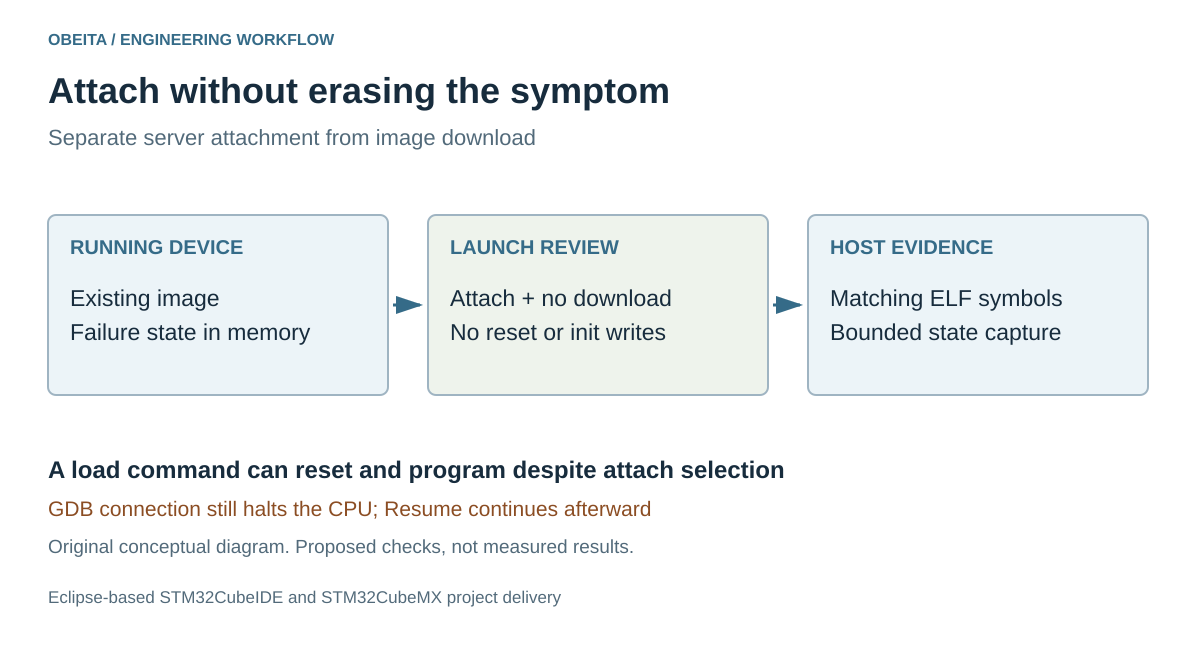
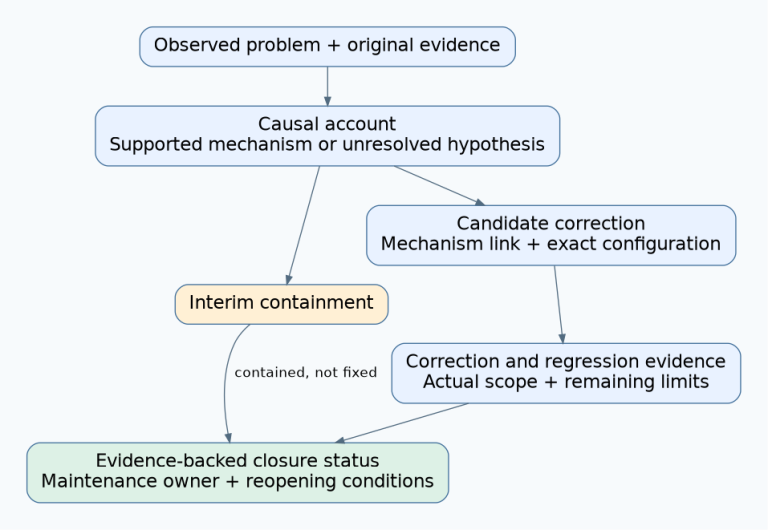
Original attach review diagram. Host symbol loading and target programming serve different purposes.
Read every action in the launch
In the diagnostic copy, inspect the server selection and its effective command line. Then inspect every startup image entry, not only the main application. Require an explicit reason for each enabled download, reset, register write, memory initialization, breakpoint, and resume action. For a preserve-state session, remove unintended programming actions rather than relying on their usual harmlessness during development.
Also examine project scripts or team-specific launch extensions. An initialization command can modify the same state you intend to capture. A breakpoint at main makes sense after a reset but may be irrelevant to an already running application. A program-counter override is especially inappropriate when the objective is to observe the existing execution state.
Do not turn this into a universal no-write recipe. Debug connections and halts have platform-specific effects, and some systems require preparation to make inspection safe. Document the changes that are necessary and the evidence they invalidate. If preserving the state is impossible with the available route, capture lower-intrusion evidence first.
Rehearse on a noncritical failure substitute
Before waiting for an expensive intermittent failure, rehearse with a disposable development board running an identifiable test image. Choose an observable state that reveals an unintended restart or download, using a mechanism appropriate to the product. Record what the normal application does before connection, during the chosen halt window, and after detachment or resume.
This rehearsal should establish that the selected launch leaves the programmed image unchanged and does not unexpectedly restart the intended execution path. It does not prove that every peripheral or external peer remains unaffected. Watchdogs, autonomous transfers, and connected equipment need separate consideration, especially if halting control software could produce a hazardous output.
Use a safe isolated load and a bounded inspection plan. Decide in advance which registers, memory ranges, and logs matter. Unstructured browsing through peripheral views can introduce additional reads with device-specific side effects and consume the available capture window without answering the original question.
Preserve the first capture before experimenting
When the real failure occurs, retain the device identity, symbol identity, launch configuration, connection log, and initial observations together. Distinguish state captured before any intentional intervention from state observed afterward. If the launch unexpectedly resets or programs the target, mark that capture as altered instead of treating it as the original failure.
Only after preserving the initial evidence should you change the experiment, reprogram diagnostic firmware, or add intrusive probes. Those may be useful next steps, but they answer a new question. A well-qualified attach procedure earns its value by keeping that boundary explicit: the failure being inspected belongs to the existing image, and any change introduced by the debugger is part of the record.