Greengrass Update Deferral: Reply Before the Component Notification Timeout
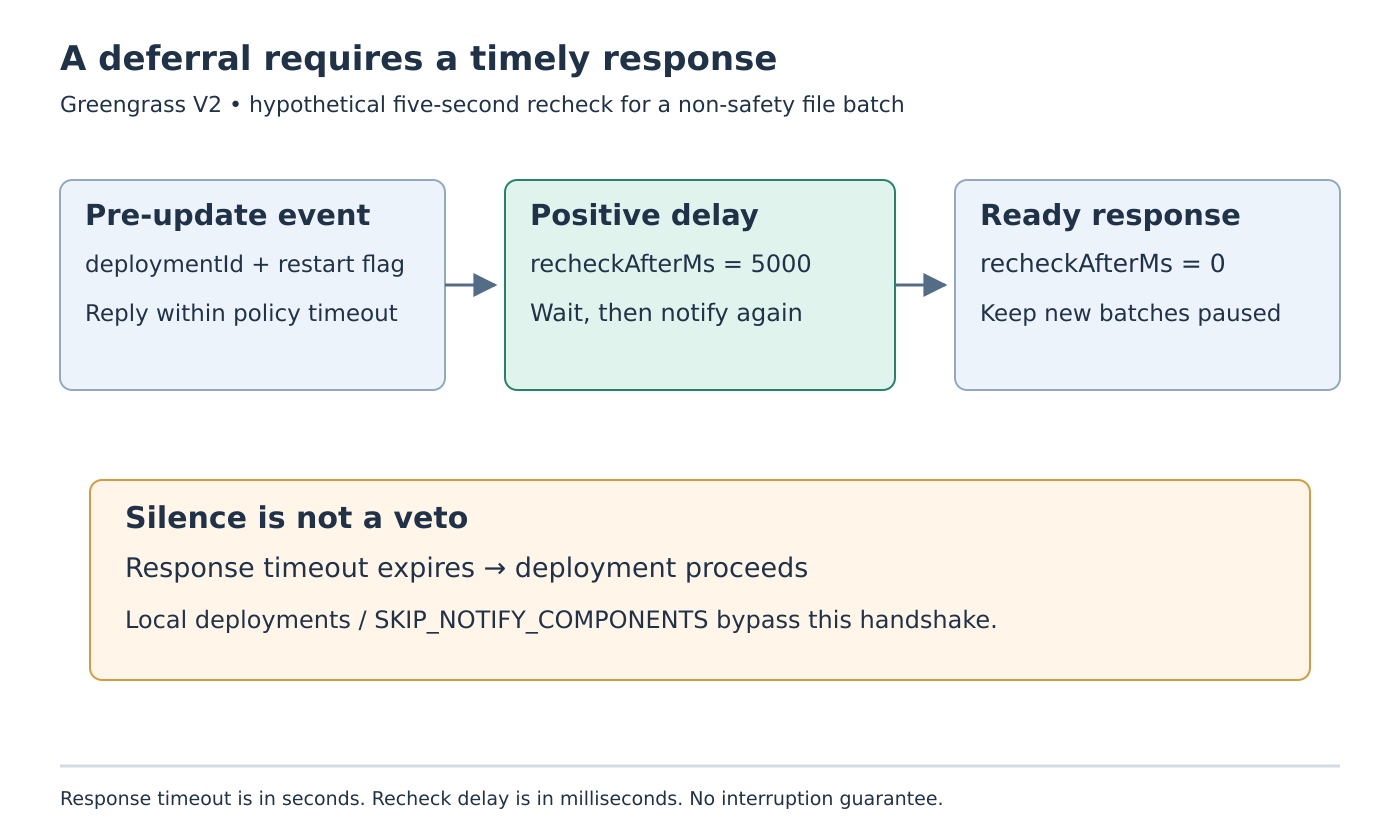
A Greengrass component that needs a few more seconds to finish a local file batch must reply to the update notification promptly. Staying silent while finishing the batch is not a veto: after the deployment’s response timeout, the nucleus proceeds with the deployment.
Use this mechanism for cooperative coordination of a non-safety application task. It is not a machinery interlock or a guarantee against interruption. The behavior below follows AWS IoT Greengrass V2 documentation read on 19 October 2026; no cloud deployment or component runtime was exercised.
Check whether the deployment sends notifications
The DeploymentComponentUpdatePolicy reference distinguishes NOTIFY_COMPONENTS, the default, from SKIP_NOTIFY_COMPONENTS, which bypasses notification and waiting. The component lifecycle guide also states that local deployments do not send these pre-update notifications.
Consequently, a tested cloud-notification path does not cover a local deployment or a cloud policy that skips notifications. Record how each maintenance path is initiated and which update policy it uses. If a product requires completing a batch under those other paths, the maintenance procedure needs an appropriate separate agreement; this subscription cannot enforce one.
Establish SubscribeToComponentUpdates before relying on notifications. Handle events, subscription errors and stream closure. A component process remaining alive does not prove its notification stream is still usable.
Separate the response deadline from the deferral delay
A pre-update event includes deploymentId and whether the nucleus will restart. Respond for that deployment using DeferComponentUpdate. A positive recheckAfterMs requests a delay before another pre-update notification; zero acknowledges readiness. The default value is zero, so omitting a positive delay is not a way to ask for more time.
The deployment’s timeoutInSeconds instead controls how long a component has to respond. Its default is 60 seconds. This response window is not a global deployment deadline and is not the same unit as the millisecond deferral field.
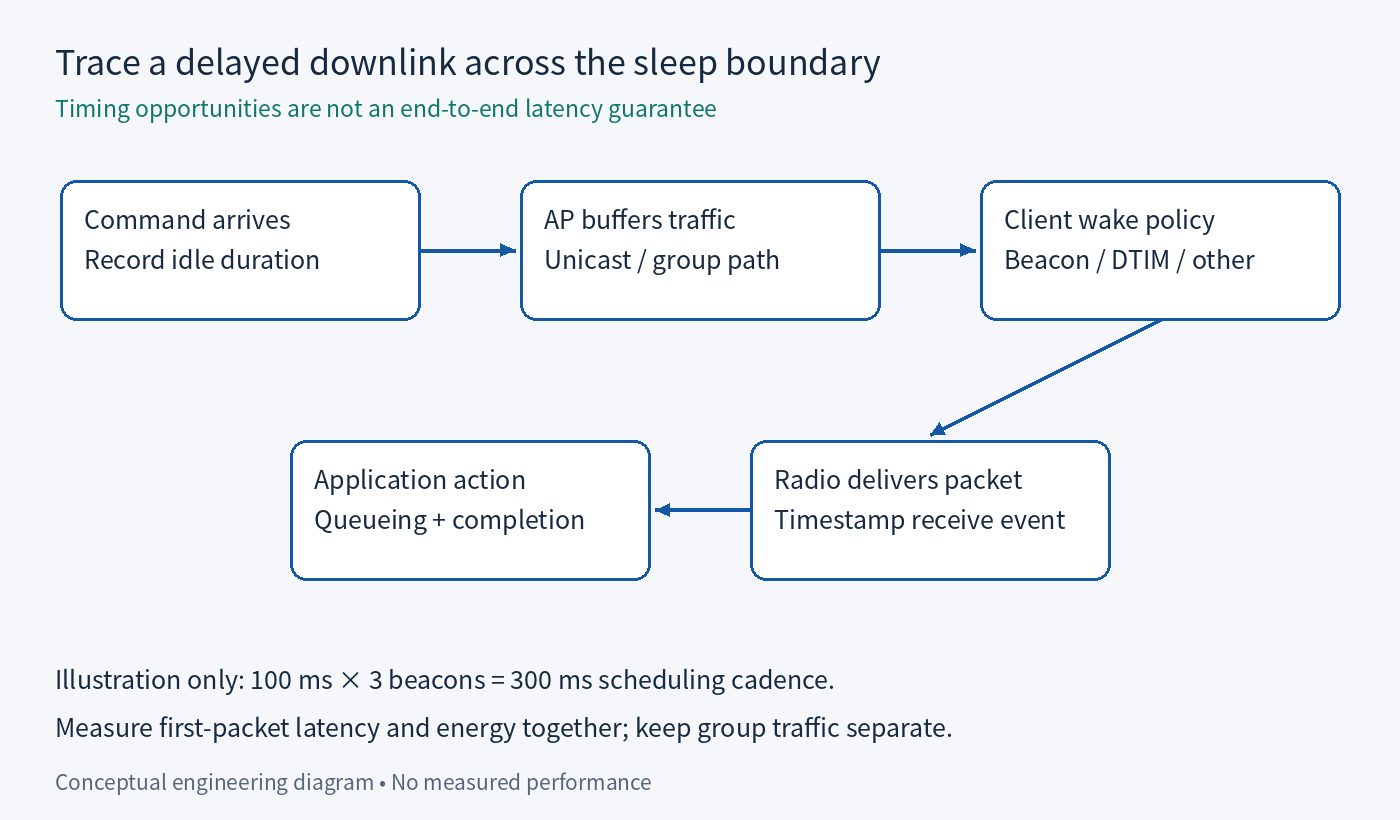
For an illustrative timeline, suppose a notifying deployment arrives while a bounded batch is nearly complete. The handler promptly requests 5,000 milliseconds of deferral. After that wait, a new notification requires a fresh decision. If the batch is finished, the component responds with zero. These are proposed event relationships, not measured callback timing or an instruction to choose five seconds for every product.
Make the event handler quick enough to answer
Do not have the notification callback synchronously wait for the very batch whose completion it is meant to protect. Instead, obtain a bounded application-state observation, stop admitting new batches under the chosen local policy, and promptly acknowledge or request a recheck.
Keep the deployment ID with the outstanding decision and record the IPC operation’s result. A log saying “deferring” before an unsuccessful IPC call is not evidence that a deferral took effect. Report uncertainty if the call fails or the stream closes rather than advertising the batch as protected.
When readiness is acknowledged, preserve that readiness. Immediately admitting a fresh long batch after sending zero creates a race between the application and the impending update. A proposed implementation should leave admission paused until its update/restart handling deliberately reopens normal work.
This admission rule is application design, not an extra guarantee supplied by Greengrass. Choose a finite local batch-completion policy and expose a batch that cannot finish. Repeated deferrals should not hide a permanently stuck operation.
Exercise each timing branch separately
Prepare a disposable component fixture with the following expected outcomes:
- Ready at notification: send zero for the received deployment ID.
- Batch active: send a positive delay within the response window, then answer the later notification again.
- No response: observe that the deployment proceeds after the configured timeout.
- Subscription error or closure: report lost coordination capability and follow the application’s interruption/recovery behavior.
- Local deployment or skip-notification policy: expect no protection from this notification handshake.
Use an inert local file batch, with an application-defined recoverable state, rather than an equipment-control operation. Preserve event receipt, deployment ID, application readiness, response value, IPC result and restart observation as separate records. A completed deployment alone cannot show which timing branch was taken.
If post-update events are included in the fixture, require nucleus version 2.7.0 or later, as documented. Do not infer their availability from support for the earlier pre-update subscription.
The acceptance result should answer two questions: did the component respond in time, and did its requested recheck preserve the intended application boundary? Silence, a missed stream event or a deployment path that skips notifications must remain visible exceptions to cooperative update coordination.