SquareLine Studio Font Compression: Measure the Target Tradeoff Instead of Quoting a Fixed Slowdown
SquareLine Studio's font-compression option can reduce font storage at a rendering cost. The decision is easy to misstate: a documented approximate slowdown becomes a promise about the reader's board, or a smaller generated C file becomes a claim about total firmware savings. Neither conclusion follows without measuring the selected integration.
The SquareLine Font Manager describes the tradeoff and notes that larger fonts and higher bit depths can benefit more. The LVGL 8.3 font documentation discusses compressed glyph bitmaps and an approximate rendering penalty. This article deliberately scopes that reference to a supported LVGL 8.3.x target selection; it does not assume every LVGL 9 font renderer has identical behavior.
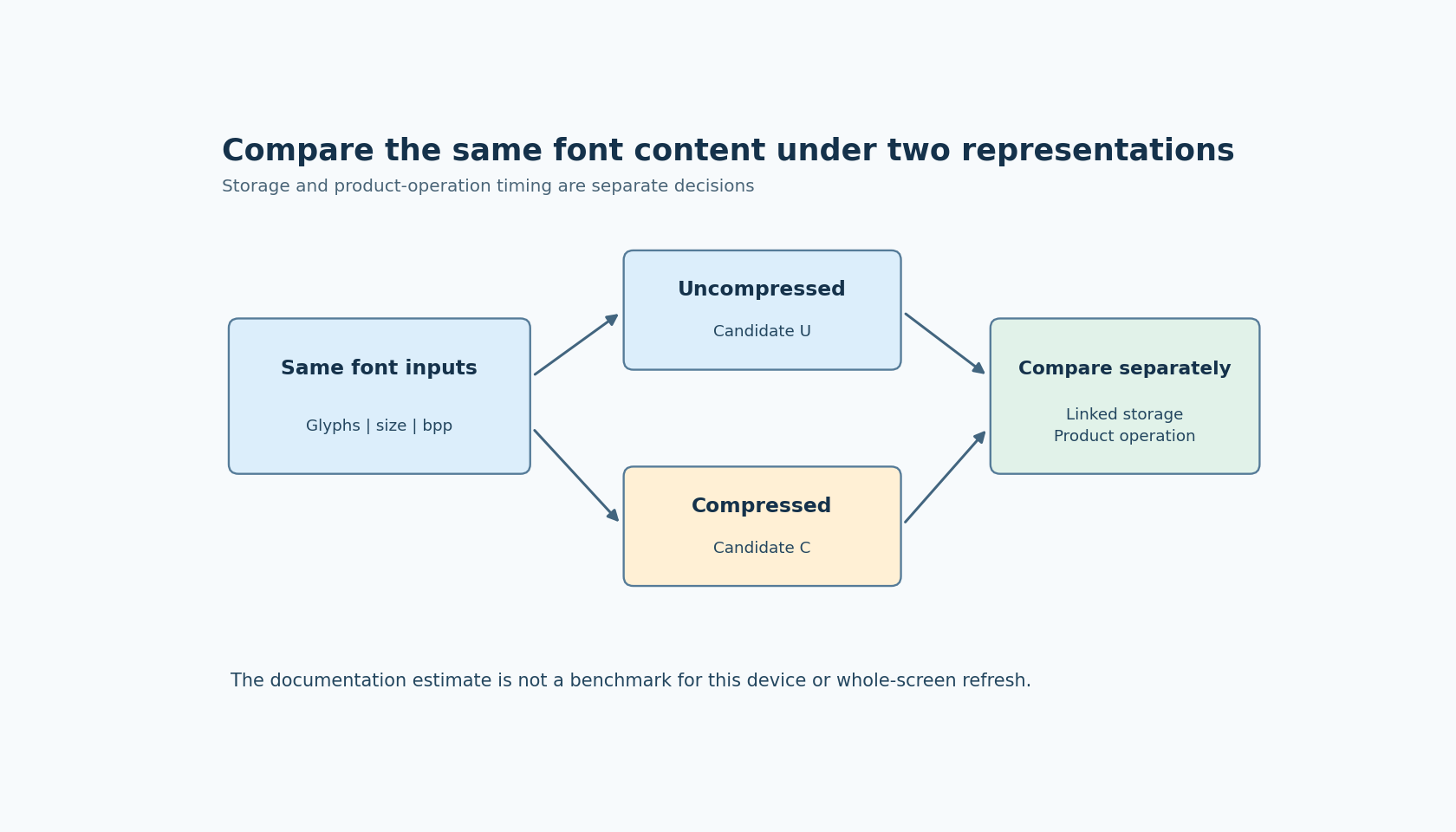
Hold the font workload constant
Generate a compressed and an uncompressed candidate from the same source font. Keep pixel size, bit depth and included characters identical. Otherwise, a smaller result may simply contain fewer glyphs or less detail rather than demonstrate a compression benefit.
Use the same text workload for both candidates. A large numeric readout, a static title and a dense status paragraph exercise different patterns. If the product's largest font displays only a few digits, a benchmark containing a full alphabet may answer a question the product does not have.
Also preserve the layout and update behavior. Changing the font and reducing the number of label refreshes simultaneously prevents a meaningful attribution of any timing improvement or regression. The compression experiment should have one controlled difference.
Measure storage at the layer that matters
The byte count of the generated C text is convenient but not the firmware's storage cost. Whitespace, numeric formatting and declarations affect that text. Inspect the compiled font contribution and the linked output relevant to the device's capacity decision.
Keep glyph payload size and total linked size separate if both are reported. Enabling a representation can affect more than one array, and link-time inclusion can change what survives into the firmware. A report that names the measured section or artifact is more useful than a single unlabeled “memory saved” number.
Do not combine this experiment with glyph-subset reduction. Subsetting may be an excellent separate optimization, but changing coverage while comparing compression makes the result ambiguous. First compare like-for-like fonts, then evaluate any additional coverage decision under its own requirements.
Time the product operation, not an unrelated loop
Choose the operation that could violate the UI's responsiveness requirement. For a changing numeric field, measure the relevant update-and-render path. For a screen with a large static heading, measure the screen operation in which that heading becomes visible. Identify the boundaries of the timing measurement so that another engineer can repeat it.
Record repeated observations rather than presenting one fortunate sample. Keep the same build options and target conditions for both candidates. If background work is part of the real product, include it in a separate representative run rather than letting uncontrolled variation obscure the basic comparison.
The documentation's approximate 30 percent figure is not an observed result for this procedure. Even if a particular glyph-rendering operation slowed by that proportion, the entire screen update would not necessarily slow by the same proportion. Other work can occupy part of the measured interval. The correct percentage depends on what was timed.
Distinguish a cold case from routine updates
The first appearance of a screen and repeated updates can have different costs in a particular integration. Treat them as separate observations when they matter to the product. Do not assume a caching mechanism, or a guaranteed cache benefit, without identifying it in the selected implementation.
For example, a device may tolerate a modest cost when entering a settings screen but have little timing margin for a rapidly changing readout. That can justify compressing one font while leaving another uncompressed. It does not establish a universal rule that the largest font is always the right choice.
Look at the actual frequency of use and the available margin. A large font that appears on every live measurement frame may be more performance-sensitive than a medium font used in a rarely opened dialog. The feature should serve the workload, not a blanket style preference.
Make the acceptance decision explicit
Before comparing candidates, state the required storage benefit and the maximum acceptable cost for the relevant operation. These are product constraints, not values supplied by the documentation. If the compressed font saves too little to solve the capacity problem, a measurable slowdown may be an unattractive trade even when it is technically supported.
Confirm that the same required glyphs remain present and visually acceptable. Compression should not be credited for a candidate that accidentally lost characters during generation. Keep the font-generation parameters with the measurement record so the result can be recreated after an editor change.
No fonts were generated or timed for this article. Its contribution is a controlled decision method: compare the same font content, measure the storage layer that matters, and time the actual product operation. That produces a defensible target-specific result instead of recycling a documentation estimate as a benchmark.